For Internal Approvers
As an Internal Approver (IA), you can review and approve / reject the IA re-assignment request(s). An IA re-assignment request is created when a Data Request owner or the CDO Team requests for you to be the new Internal Approver of a data request.
You will not be the IA of a Data Request until you have accepted the IA re-assignment request.
Notification of IA Re-assignment Requests
When there is an IA re-assignment request initiated that is pending your review, you will receive an email notification containing the Data Request IDs and the requestor of the IA re-assignment.
Within the email, there will be a link to the IA Re-assignment tab of the Approvals page, where you can review the IA re-assignment.
View IA Re-assignment Requests
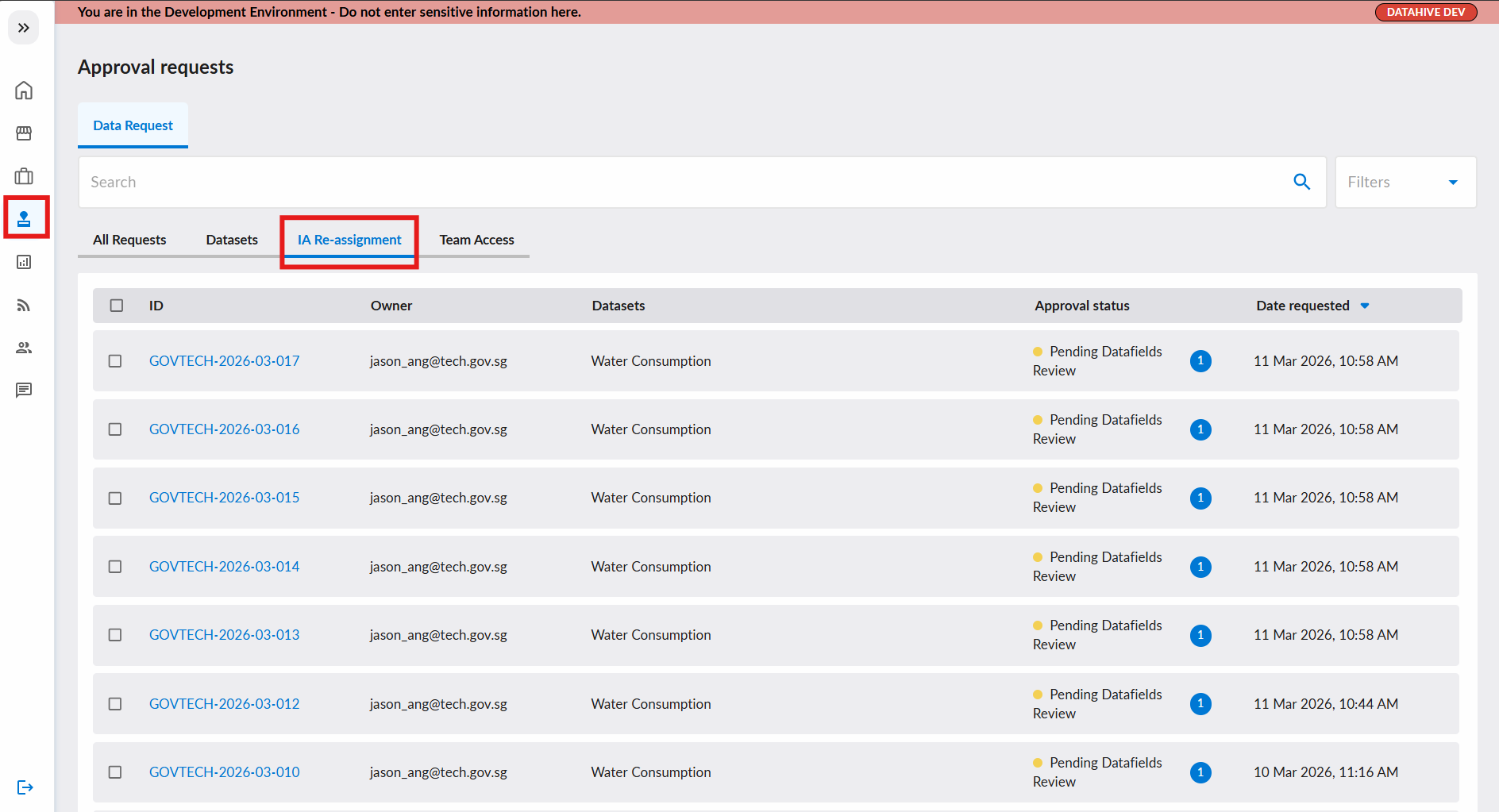
- Navigate to the IA Re-assignment tab of the Approvals page.
- Data Requests with pending IA re-assignment requests will be displayed here.
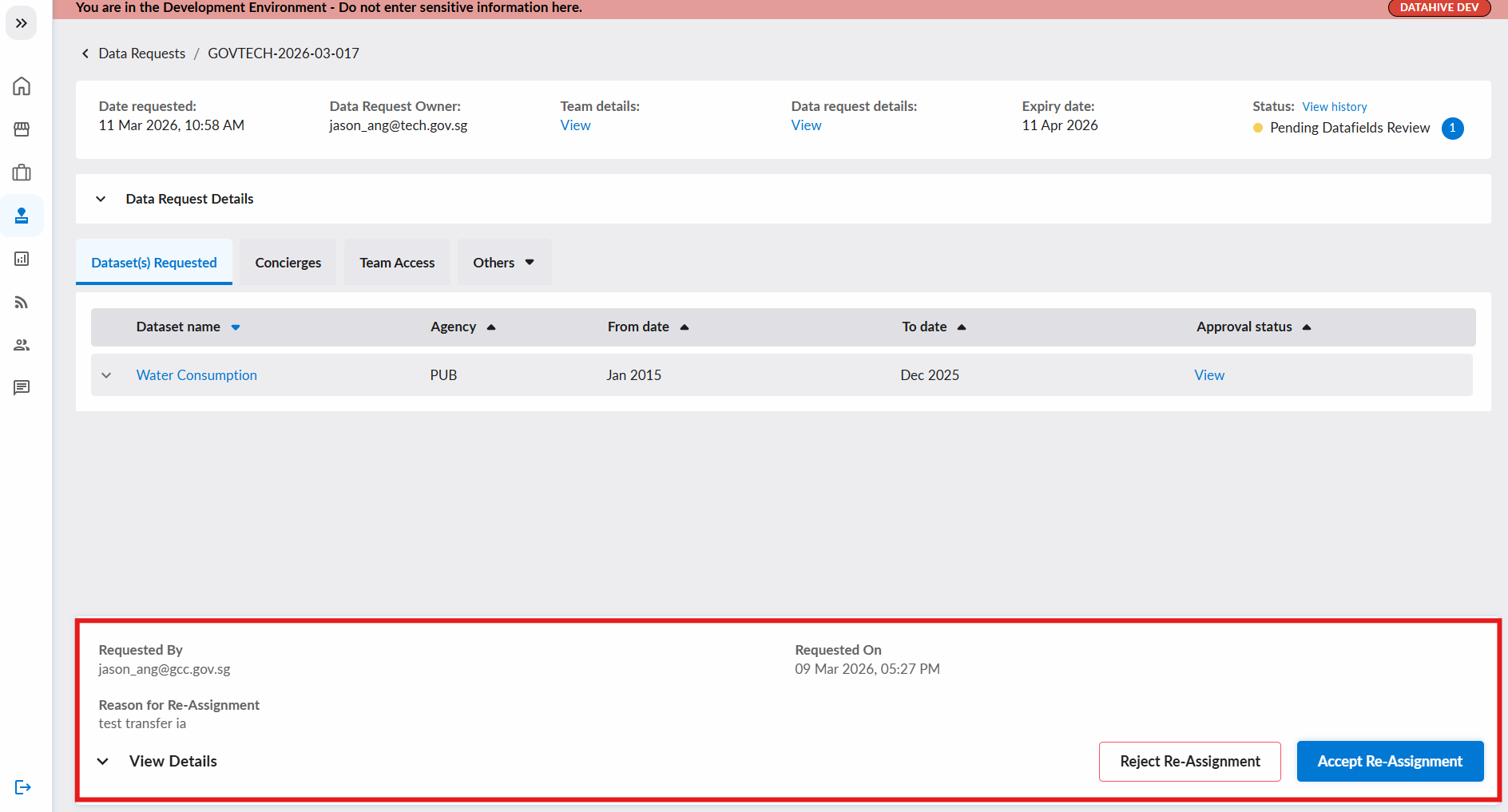
- You can click into the individual data request to view the IA re-assignment details (by expanding the section at the bottom of the page).
Accept or Reject IA Re-assignment
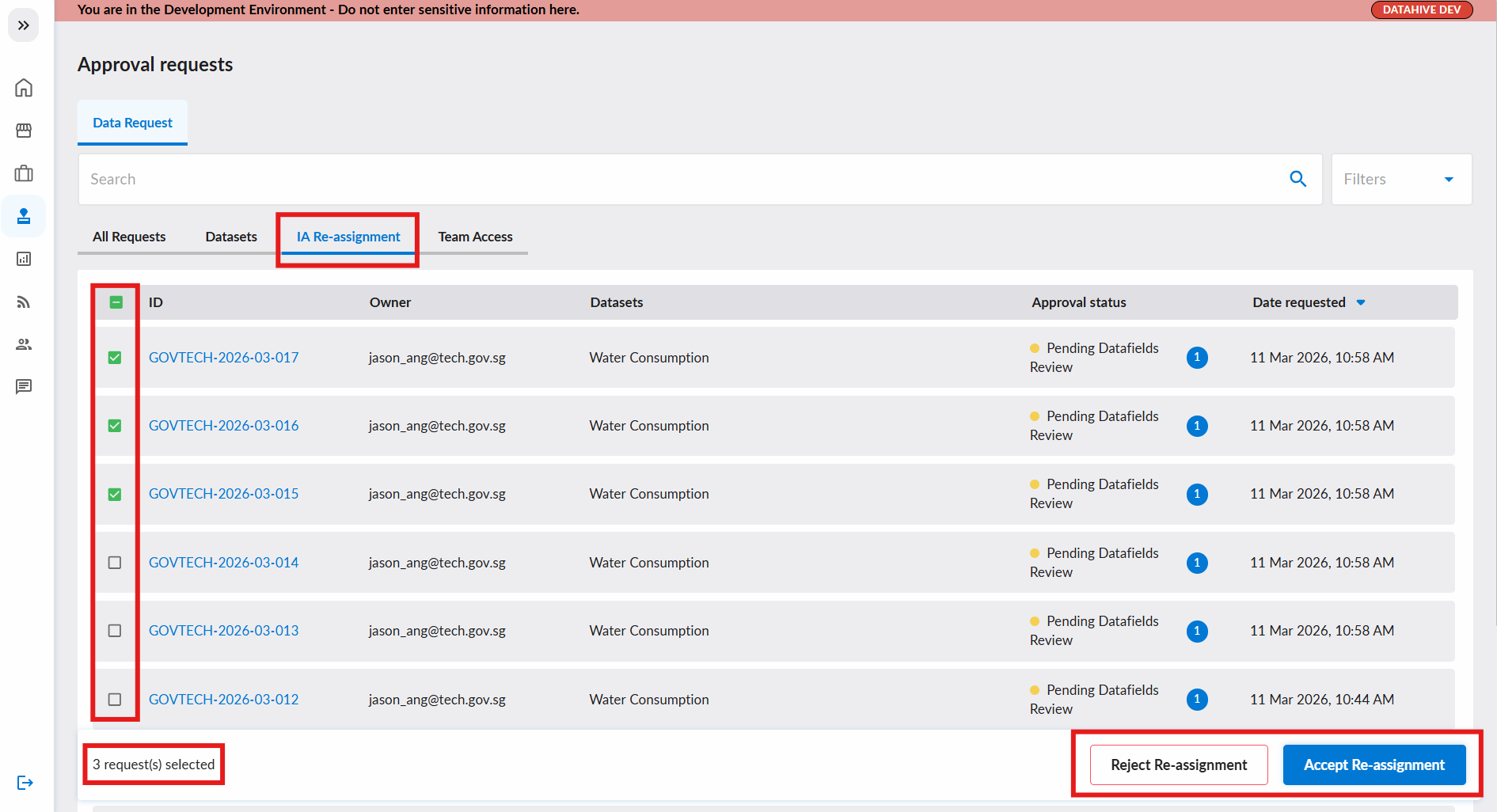
You can either approve / reject the IA re-assignment request within the individual data request page, or the IA Re-assignment tab.
In the IA Re-assignment tab, you can approve / reject multiple IA re-assignments at once via the checkbox.
Accept IA Re-assignment
When you click Accept Re-assignment, a confirmation dialog will appear with the selected data requests. Click Accept to confirm.
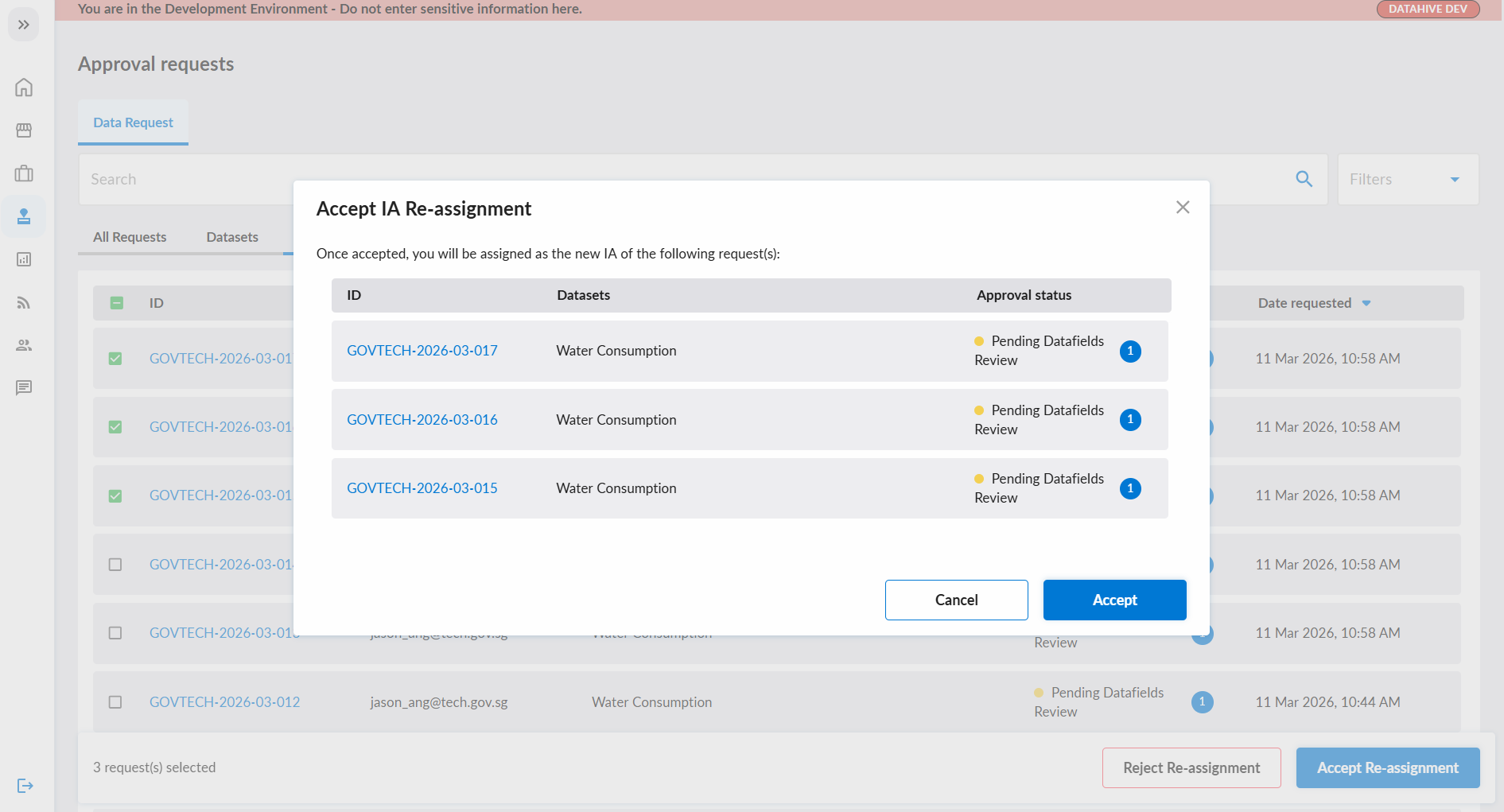
Once accepted:
- You will become the new Internal Approver for the data request.
- The previous IA will no longer have approval responsibilities for this request.
- The Data Request owner and the CDO Team will be notified of the change.
Reject IA Re-assignment
When you click Reject Re-assignment, you will need to provide a reason for the rejection.
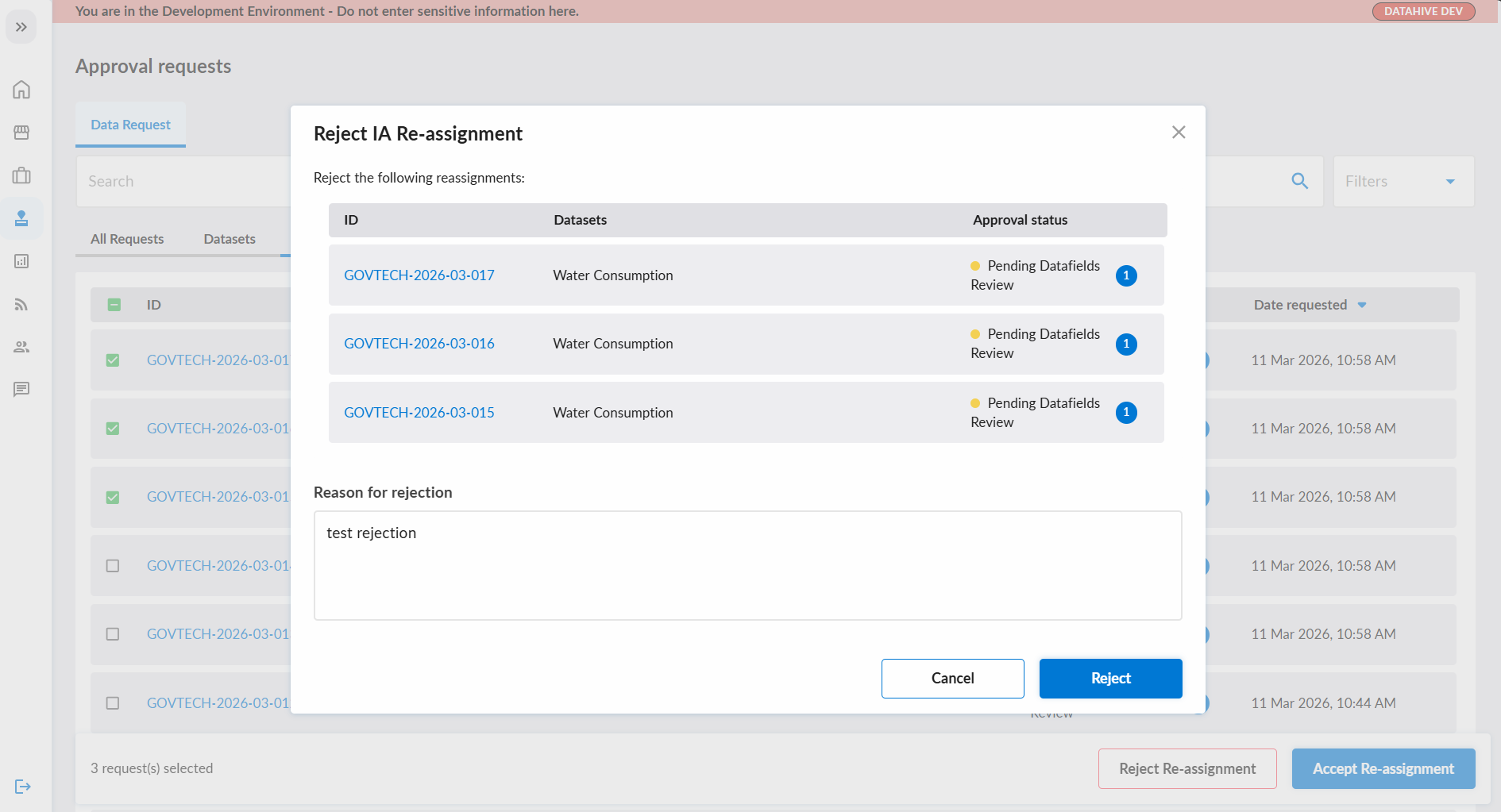
Once rejected:
- The original Internal Approver will remain assigned to the data request.
- The relevant parties that initiated the re-assignment will be notified of the rejection.
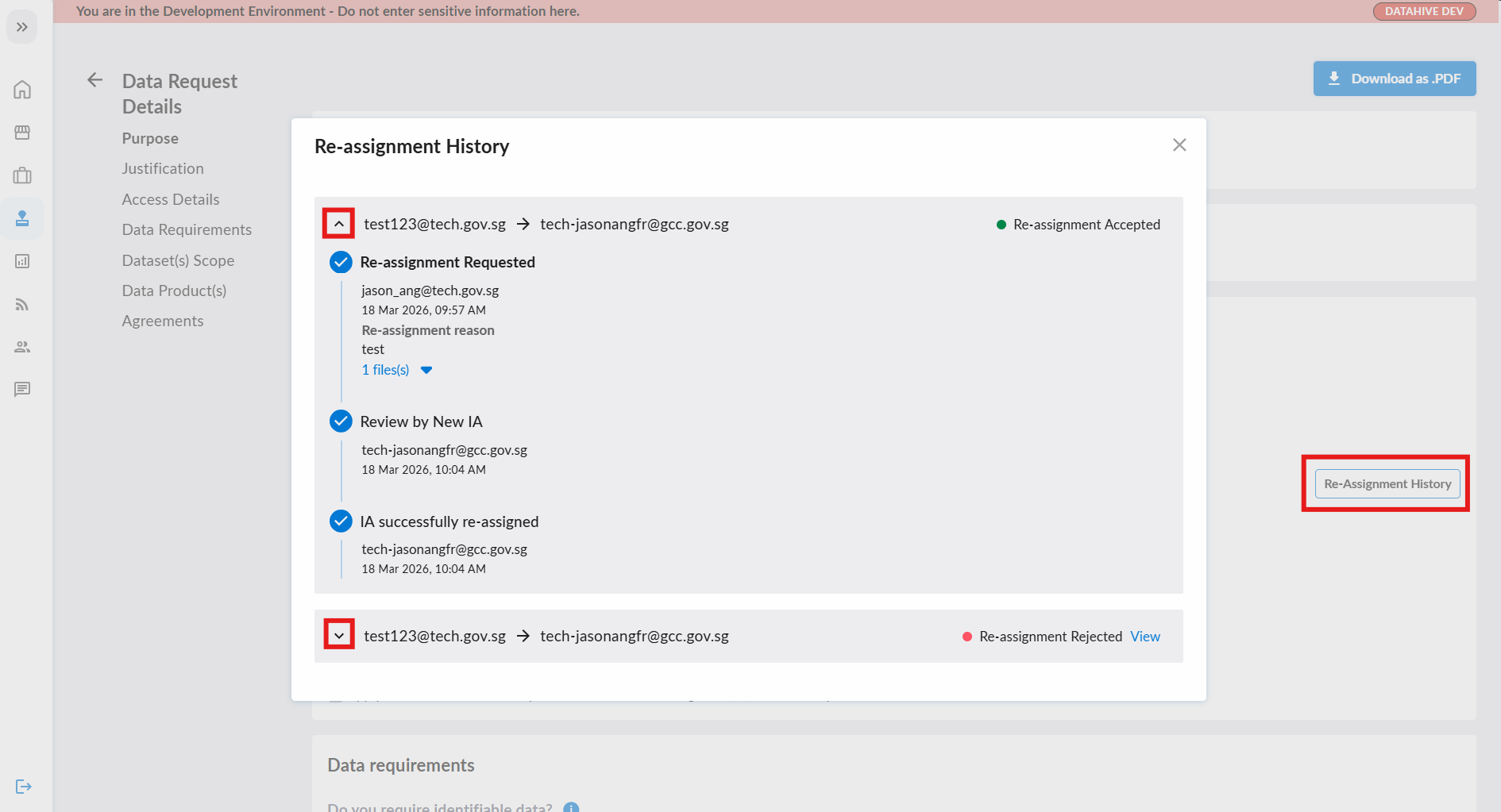
View IA Re-assignment History
You can view the history of IA re-assignments for a data request on the data request approval page.
- Navigate to the data request detail page.
- Click on the Re-Assignment History button on the right.
- Expand the accordion (˅) to view the history of IA changes.