Creating Tenants
Only Platform Admins, CDO, CDO Team Managers, CDO Team Members can create Tenants.
Creating a Tenant on DataHive involves the set up of a dedicated space for CDO / CDO Team Managers / CDO Team Members to manage specific user roles required for the Dataset Management feature.
Please refer to the section on user roles to better understand how various roles are utilized within DataHive.
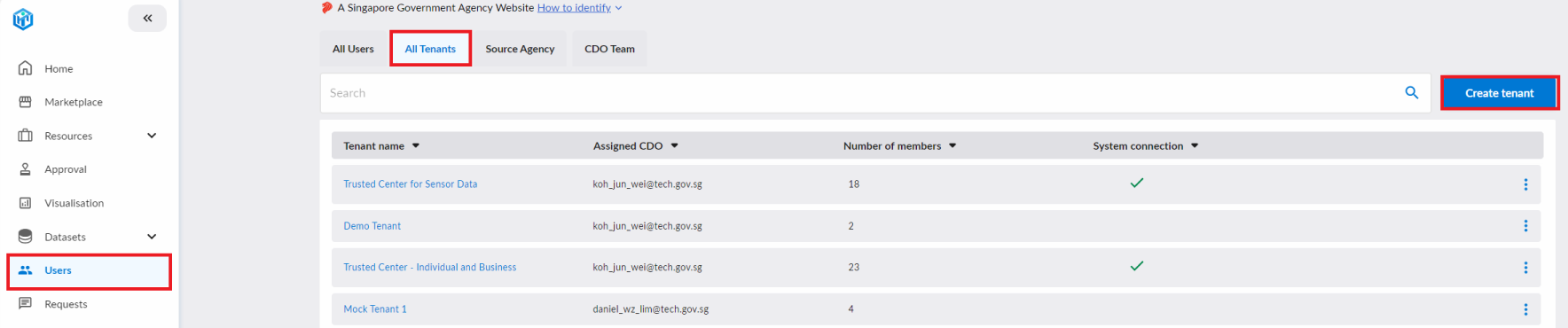
To create a new tenant, start by clicking on the "Users" tab. Subsequently click on "All Tenants" and "Create Tenant".
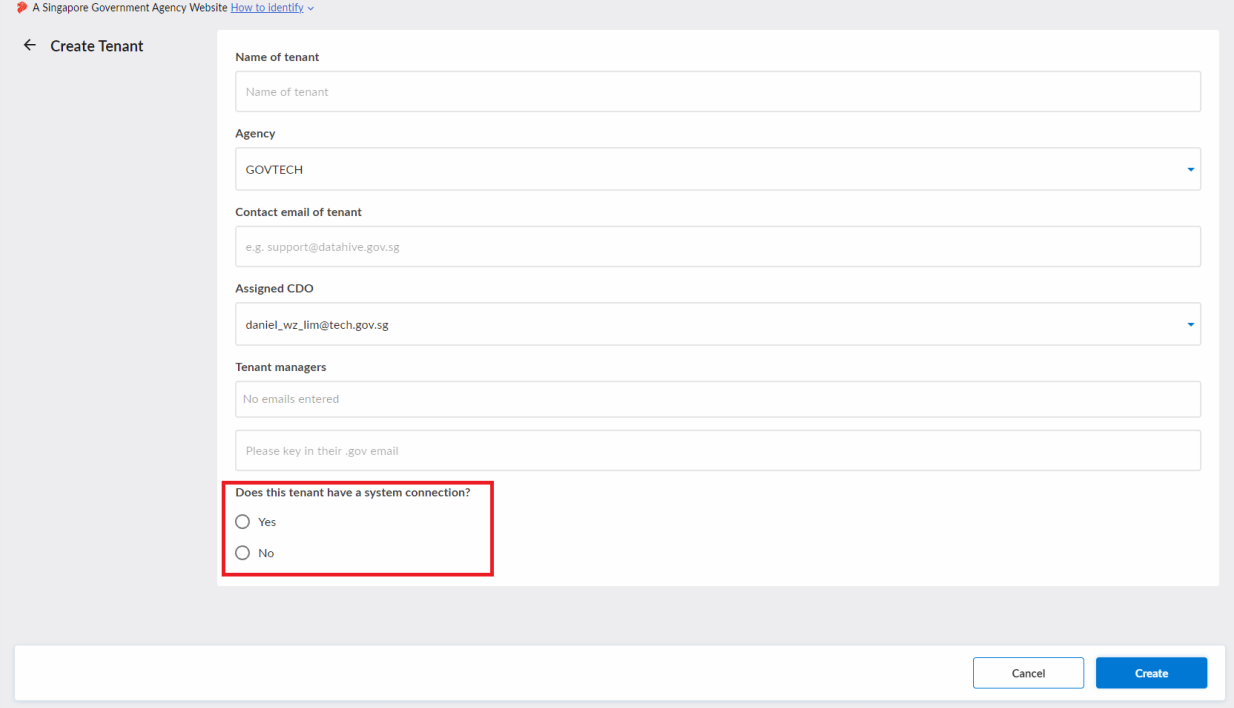
You will be redirected to a form as shown below. Only select "Yes" to the system connection question in the red box below if your tenant has a pre-existing arrangement with the DataHive platform.
Once the tenant has been successfully created, the assigned Tenant Manager(s) may begin managing tenant users and/or onboarding datasets to the tenant.
If you are looking to onboard a tenant with a system connection to the Standard Data Platform (SDP), refer to the Onboarding an SDP-Connected Tenant guide.