CDO Team Management
Users with the role of CDO / CDO Team Manager / CDO Team Member can view the data requests under their purview.
To view the list of data requests, please go to this page.
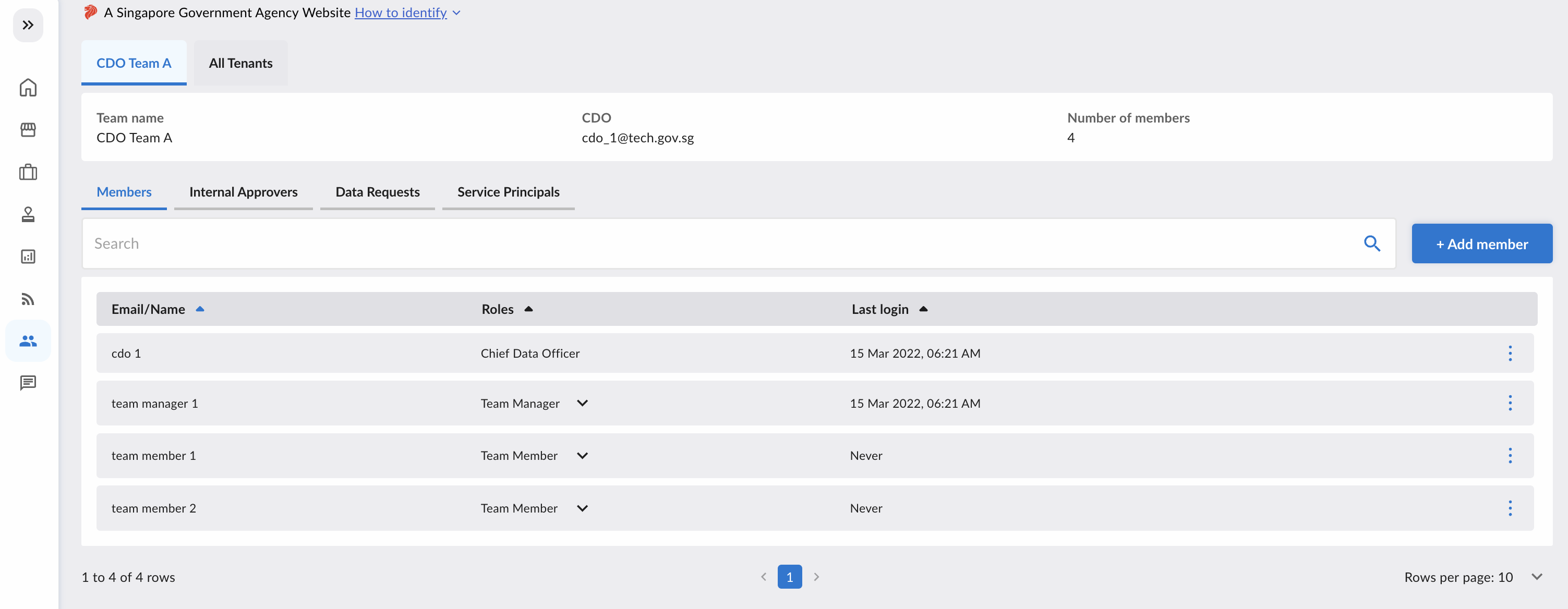
As a CDO / CDO Team Manager / CDO Team Member, you can find your CDO Team(s) in the users page.
Add Member
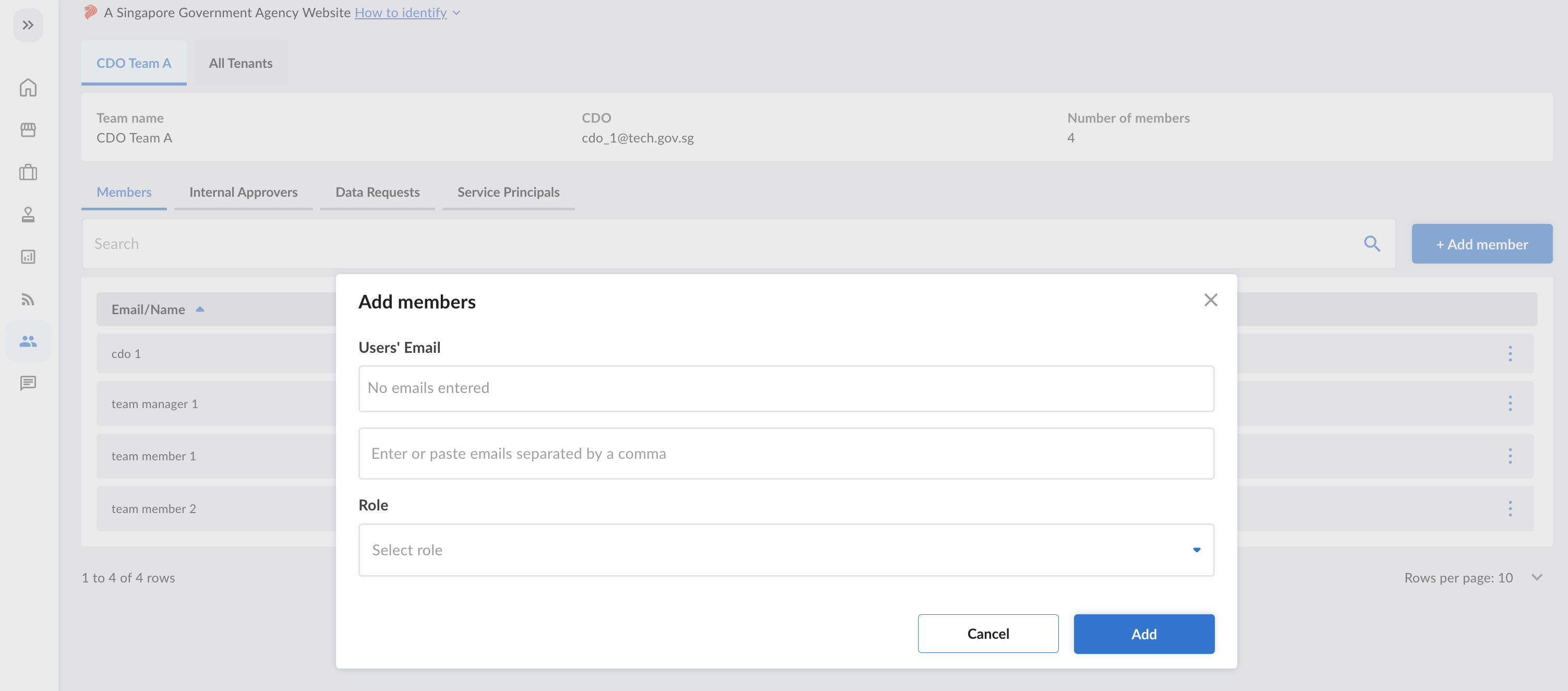
Click the "+ Add Member" button at the top right to start adding users to your CDO Team.
Only CDO and CDO Team Managers can add members into the CDO Team.

Type the emails of the users you want to add in the textbox, and assign them the desired role. When you are done, click "Add".
Remove Member
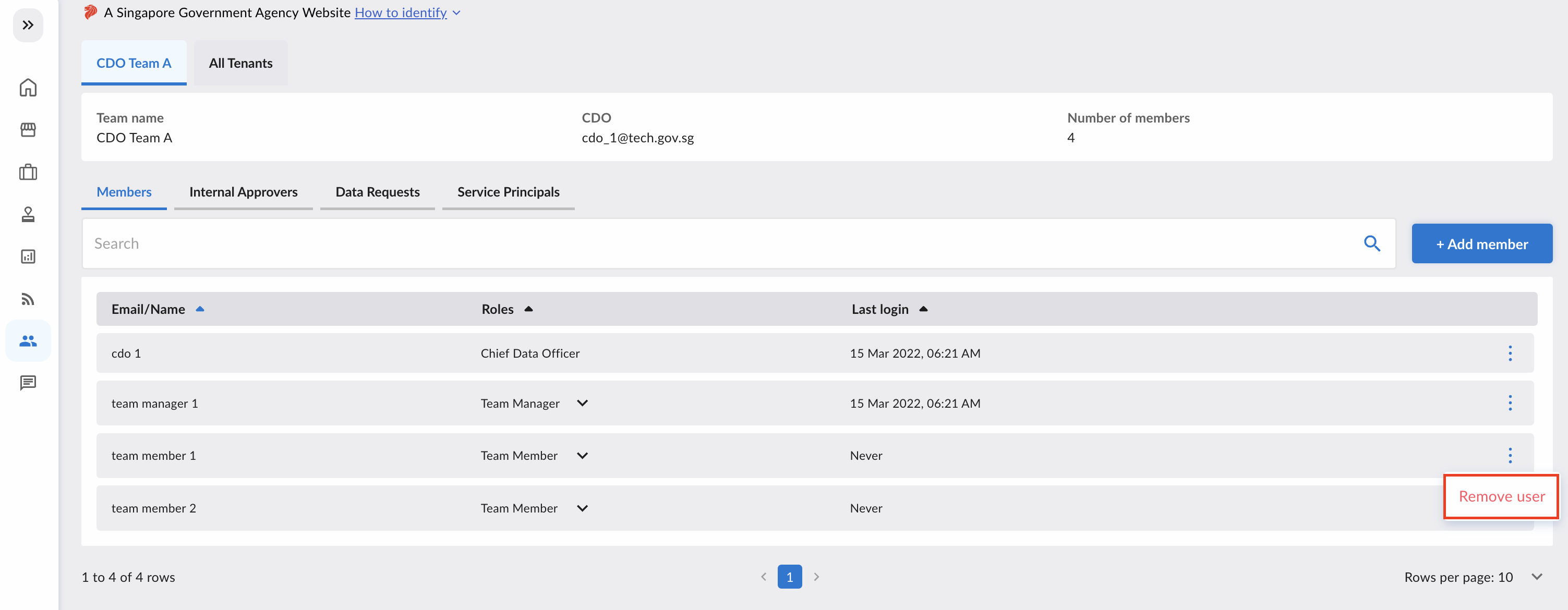
To remove a user from your CDO Team, navigate to the specific user's row and click the ellipsis on the right. Then, click the "Remove User" button.
Only CDO and CDO Team Managers can remove members (except themselves) from the CDO Team.
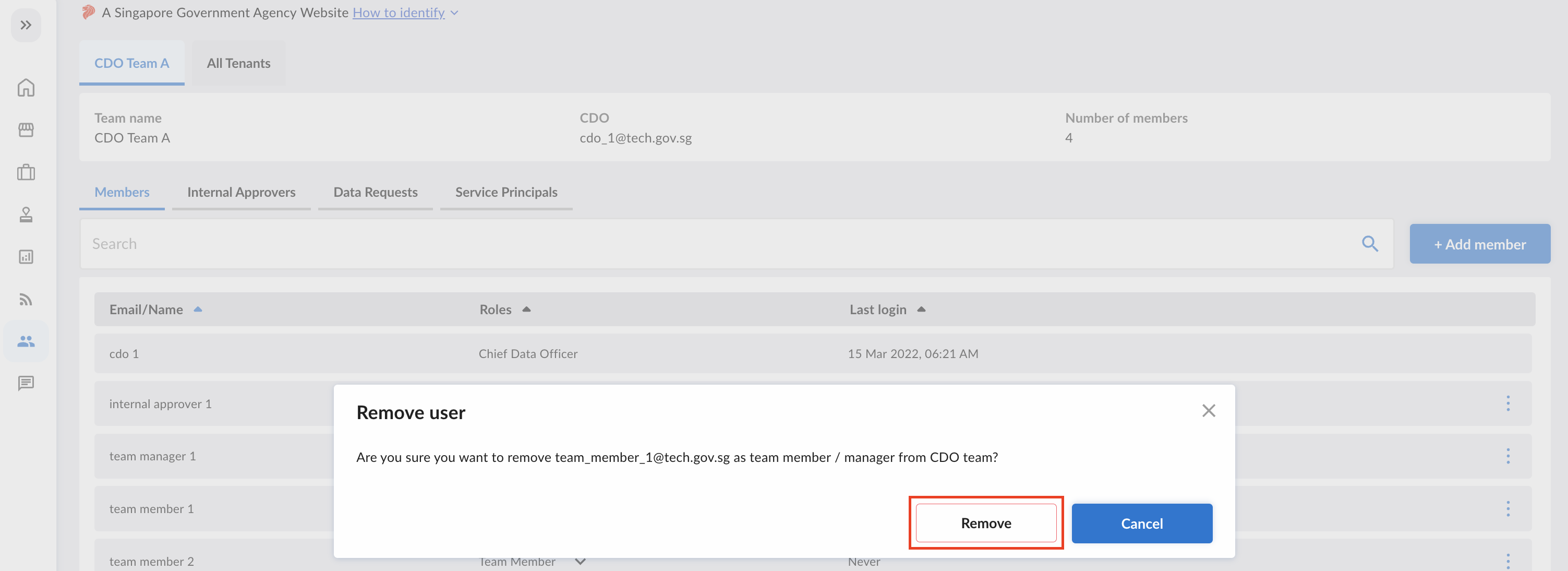
A popup will open, and click on the "Remove" button to confirm the removal.
Changing Roles between CDO Team Manager and CDO Team Member
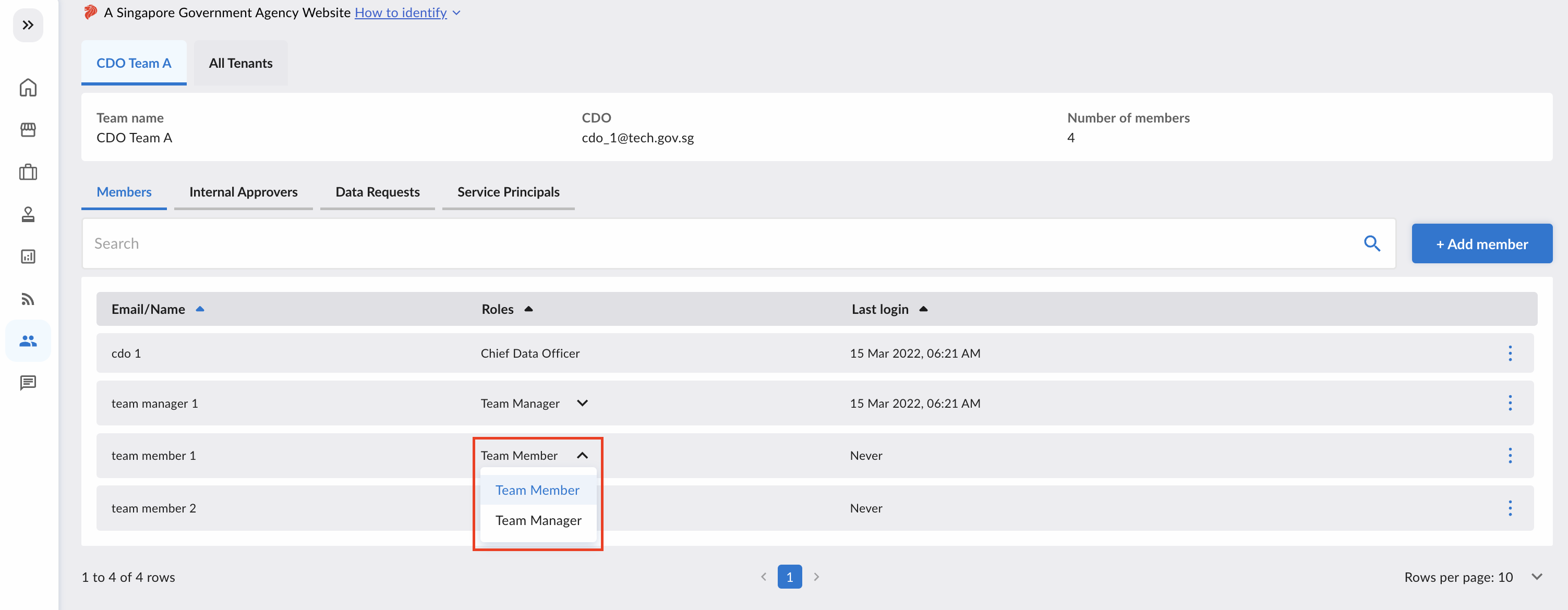
To change a CDO Team Member into a CDO Team Manager (and vice versa), click on the arrow icon, and reassign the role.
Only CDO and CDO Team Managers can change roles for members in the CDO Team, apart from themselves.
Change of CDO
When there are changes to the CDO, the platform admin will be notified. Only the platform admin can update the CDO list on DataHive.
The authoritative source of CDO list can be found here.
When there are changes to the CDO, agencies should submit the update of CDO appointment here.
Platform admin will be notified once the changes are submitted and acknowledged by MDDI and the changes will be updated on DataHive.
Download CDO Team Report
Members of the CDO team can download the CDO Team Report in Excel format, which includes information viewable on the CDO Team Management Page.

The CDO Team Report contains the following sheets:
CDO Team Members
| Field | Description |
|---|---|
| Email of member of CDO team. | |
| role | Chief Data Officer, CDO Team Member, or CDO Team Manager. |
| last_login | Last login datetime. |
Internal Approvers
| Field | Description |
|---|---|
| Email of Internal Approver. | |
| assigned_and_active_data_requests | List of fulfilled and non-expired Data Request IDs assigned to this Internal Approver. |
| last_login | Last login datetime. |
Data Requests
| Field | Description |
|---|---|
| request_id | ID of Data Request under the CDO Team (submitted by users from the CDO Team's Agency). |
| date_requested | Creation datetime of the Data Request. |
| datasets | List of datasets requested in this Data Request. |
| status | Status of Data Request. |
SPN Requests
| Field | Description |
|---|---|
| sys_name | Name of system with Service Principal Name request under the CDO Team. |
| agency | Agency of system. |
| system_username | Username of system assigned by DataHive. |
| cdo_team_name | Name of CDO Team. |
| cdo_team_name | Name of CDO Team. |
| requested_on | Creation datetime of SPN request. |
| connections | Data requests or tenants which this system is connected to. |
| status | Status of SPN request. |