Approval of Data Request
Overview of Data Request Approval Workflow
Once a data request is submitted, it will undergo the following approval process and stages:
Each approval stage will require the necessary role permissions. Please refer to the user role permission matrix for more details.
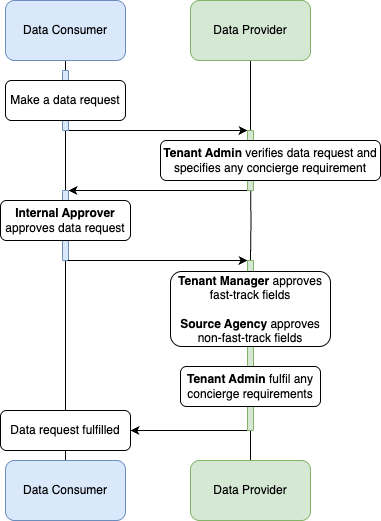
Requests with onward sharing to an NGE/3P on PSGA grounds are also held at Pending Minister Authorisation after datafields review. This stage is not shown in the diagram; see 3b. Authorising Agency Declaration.
Data Request Approval Stages
1a. Verify Data Request
User Role Required: Tenant Admin
When a data request is made, the data request will be in "Pending Verification". At this stage, the Tenant Admin of the dataset(s) in the data request has to verify the data request.
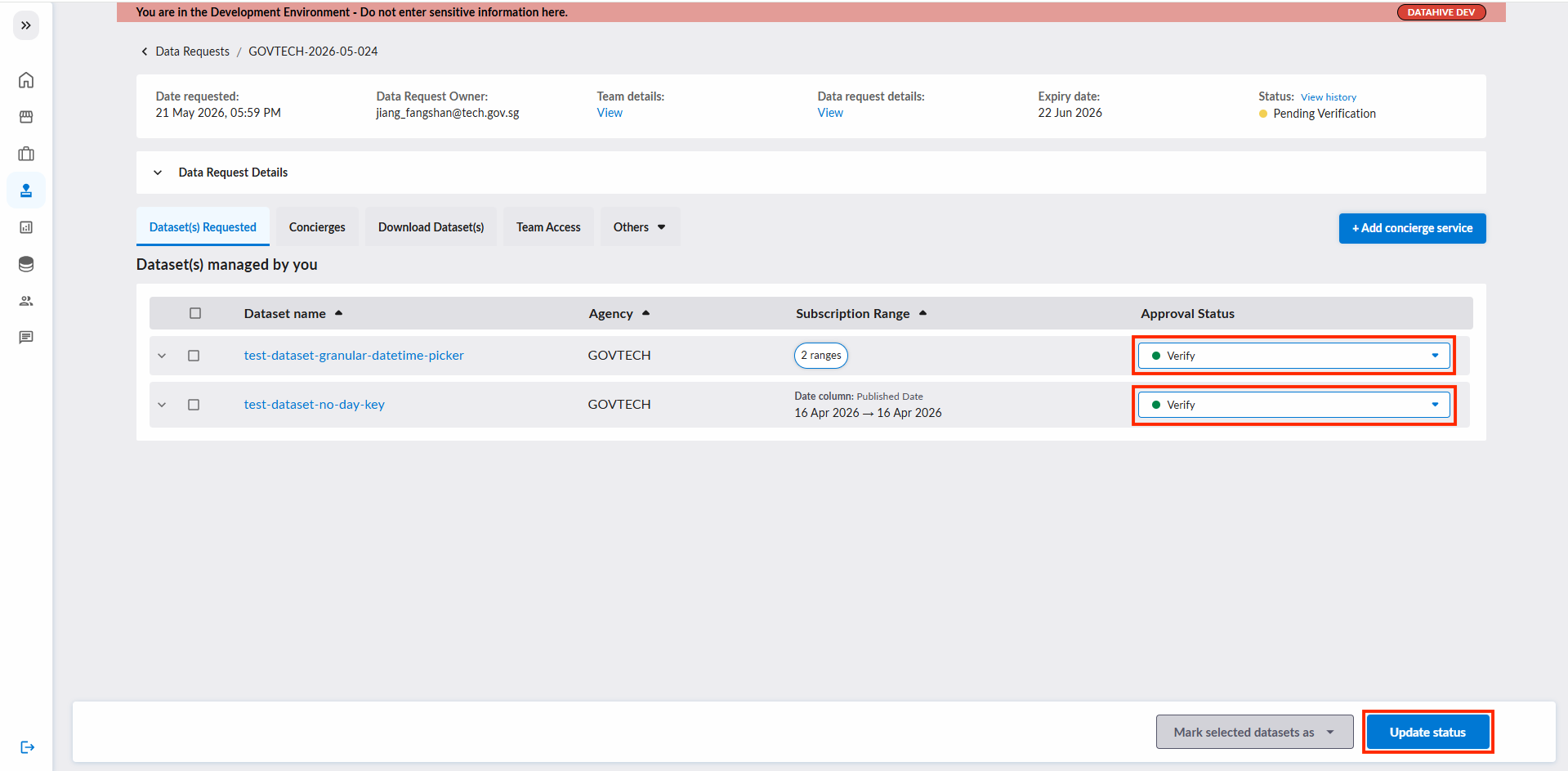
During "Pending Verification" state, the Tenant Admin can ask the data requestor (via email or other channels) to edit their data request. Once the data request is properly furnished, the TA can proceed to verify the dataset(s) in the data request.
1b. Add Concierge Service (Optional)
User Role Required: Tenant Admin
In some data request, the data requestor may have a bespoke requirement (e.g. aggregation of dataset) that cannot be expressed using the data request form's scope filters
In these cases, the Tenant Admin may choose to add a concierge service for those dataset(s) under their purview.
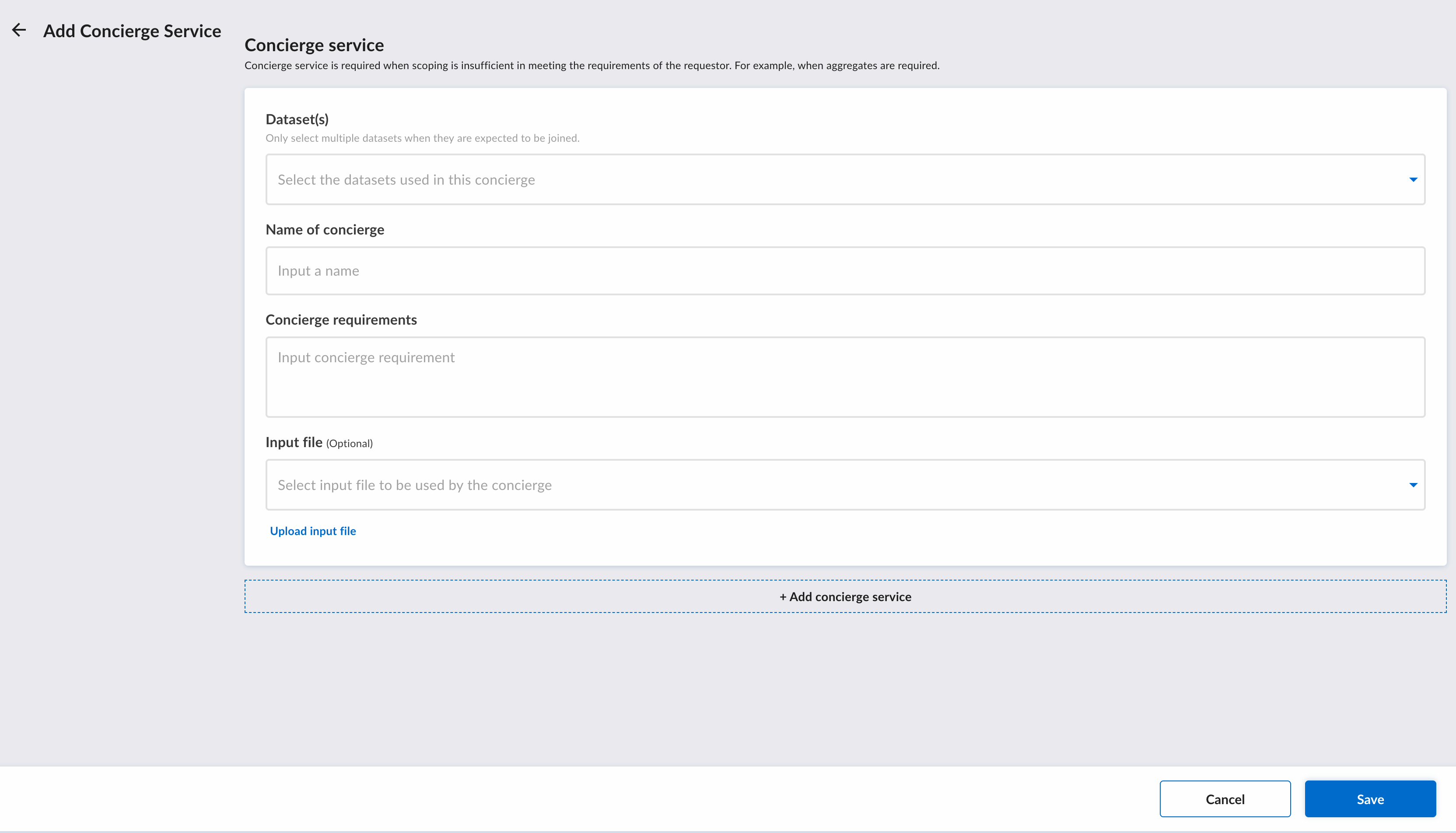
To add a concierge service, click on the "+ Add concierge service" button.
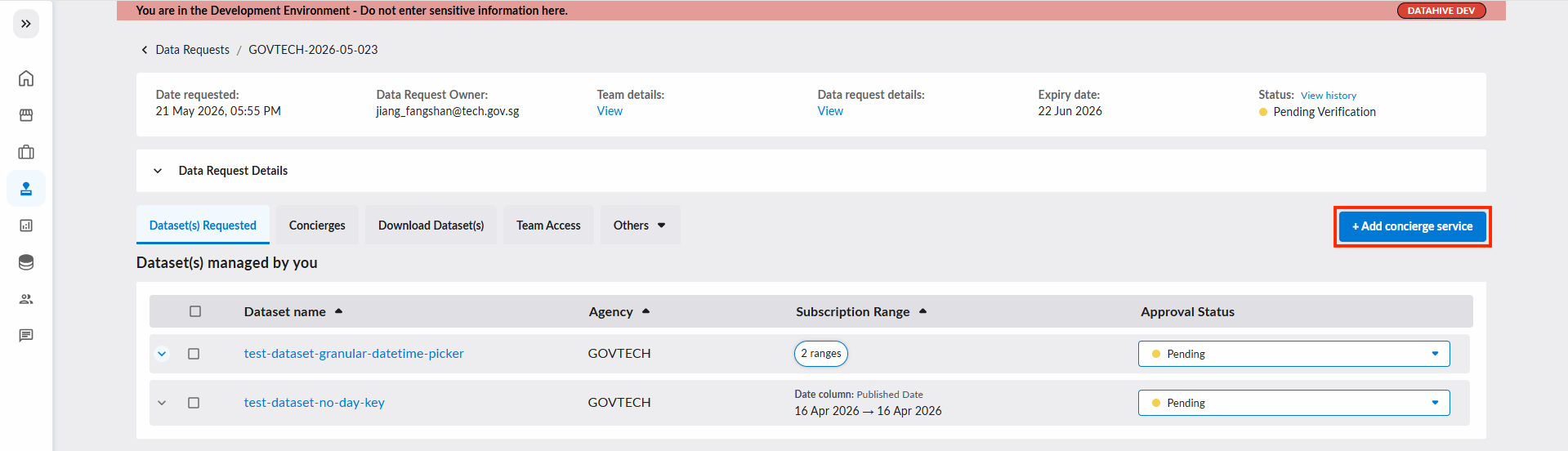
In a concierge service form, the Tenant Admin can assign 1 or more datasets to the concierge. When multiple datasets are assigned to 1 concierge service, it means a join between them is required. Click "Save" when you are done furnishing the concierge service form.
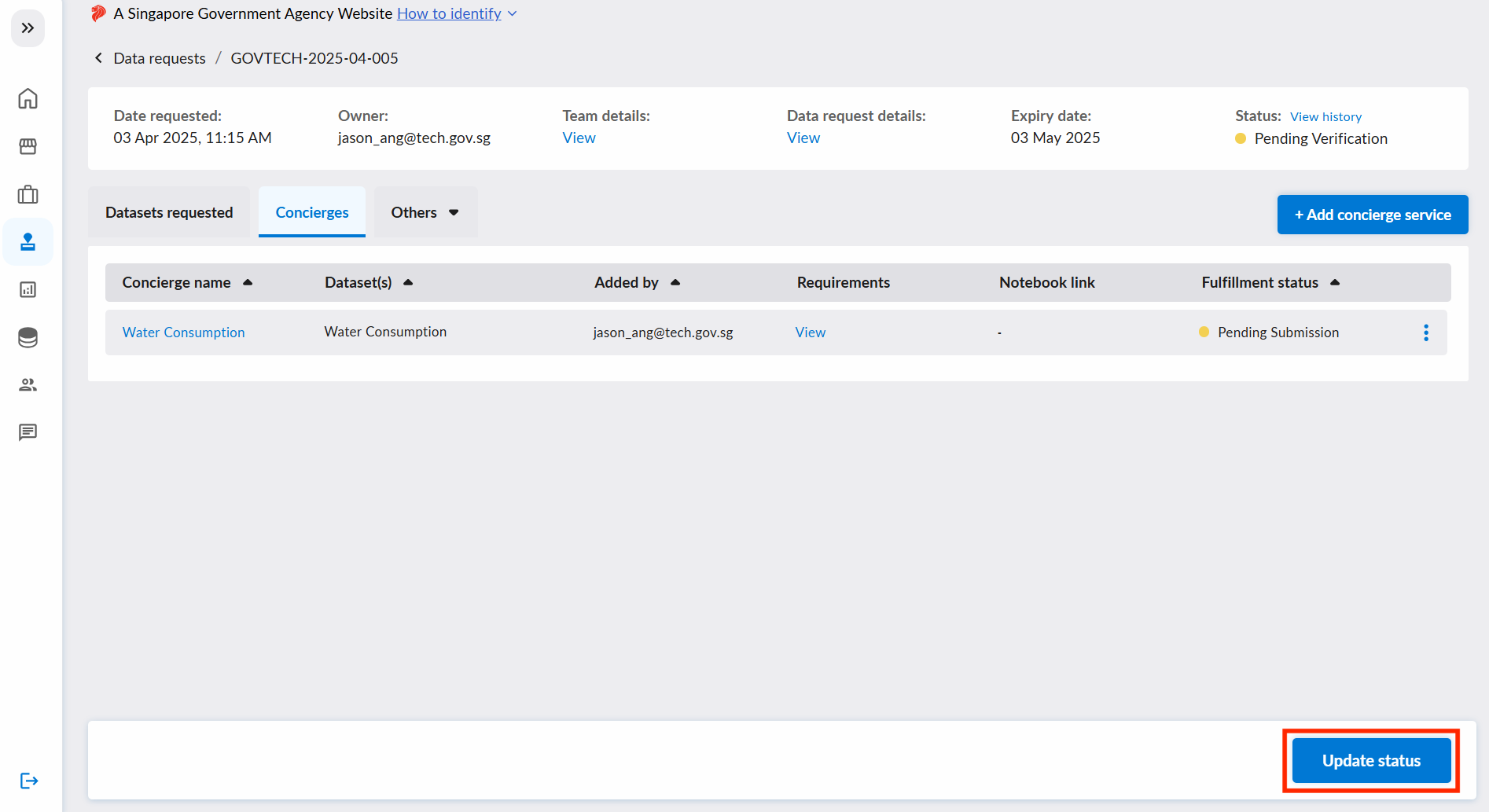
To submit the verification and the added concierge services, click on the "Update status" button at the bottom right of the page. The fulfillment of this concierge service will start during the "Pending Data Provisioning" state, after approval by Tenant Admins/Source Agencies (SSOT) with approval rights (see Step 3).
2. Approve or Reject Data Request
User Role Required: Internal Approver
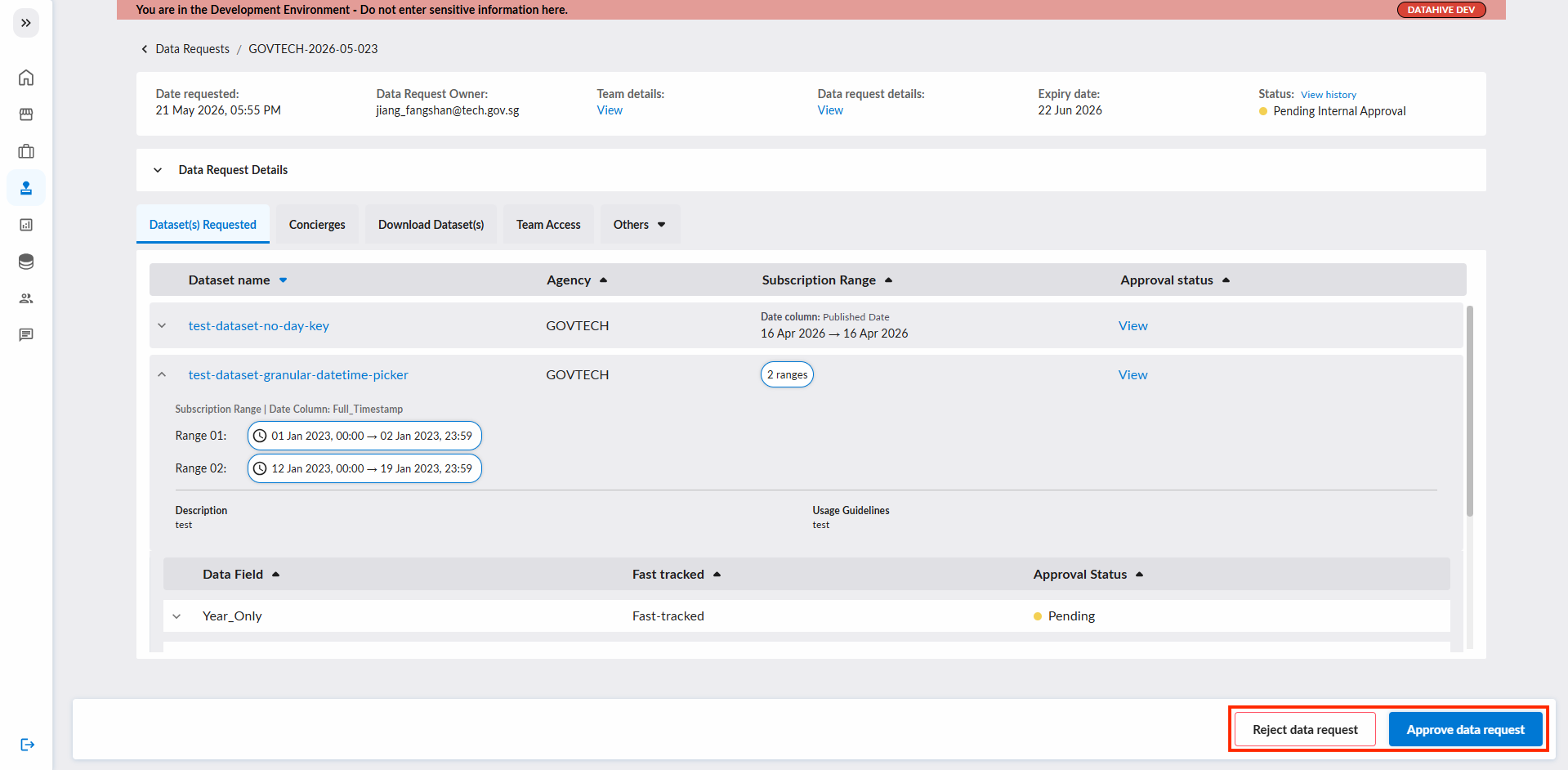
After all the Tenant Admins has given their response (reject / approval), the Internal Approver (i.e. CDO/CIO/Director of the data requestor) will have to endorse the data request.
The Internal Approver can either approve/reject the data request:
3. Approve or Reject Fast-Tracked and Non Fast-Tracked Fields
User Role Required:
- Tenant Manager for approval of fast-tracked fields
- Source Agency (SSOT) with approval rights for approval of non fast-tracked fields
After the Internal Approver has approved the data request, the Tenant Manager or Source Agency (SSOT) rep will have to review and approve/reject the datafields accordingly.
- Tenant Managers will be required to approve datafields that are fast-tracked.
- A Source Agency (SSOT) with approval rights will be required to approve non-fast-tracked datafields for their own dataset(s) only. Only one approver per Source Agency is needed.
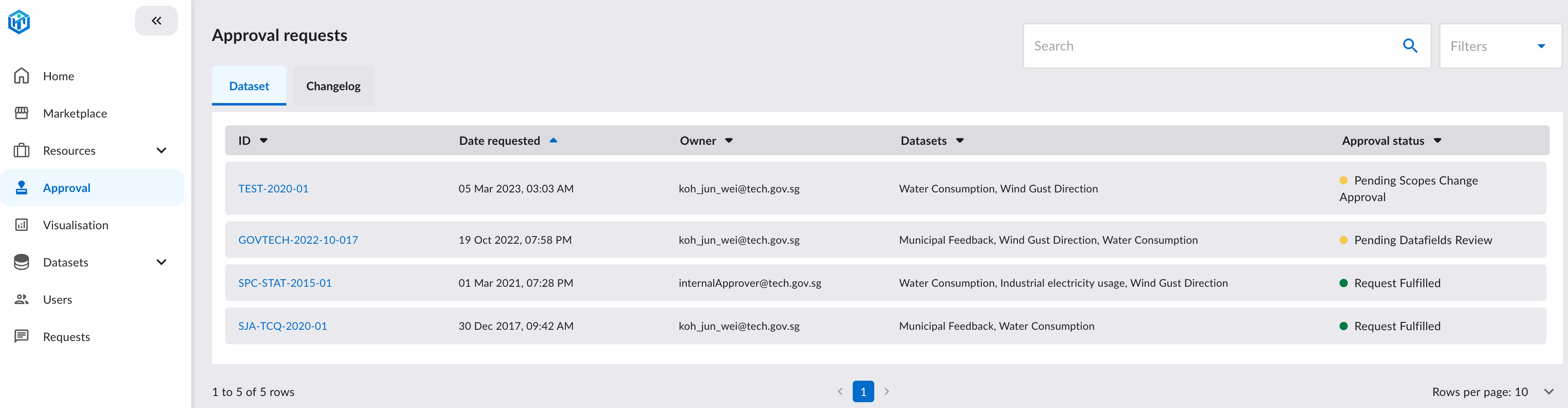
The Approval tab will display all the data request requiring attention:
Clicking on a data request will redirect you to the data request page. In here, you can review the data request and mark the datafields to reject/approve:
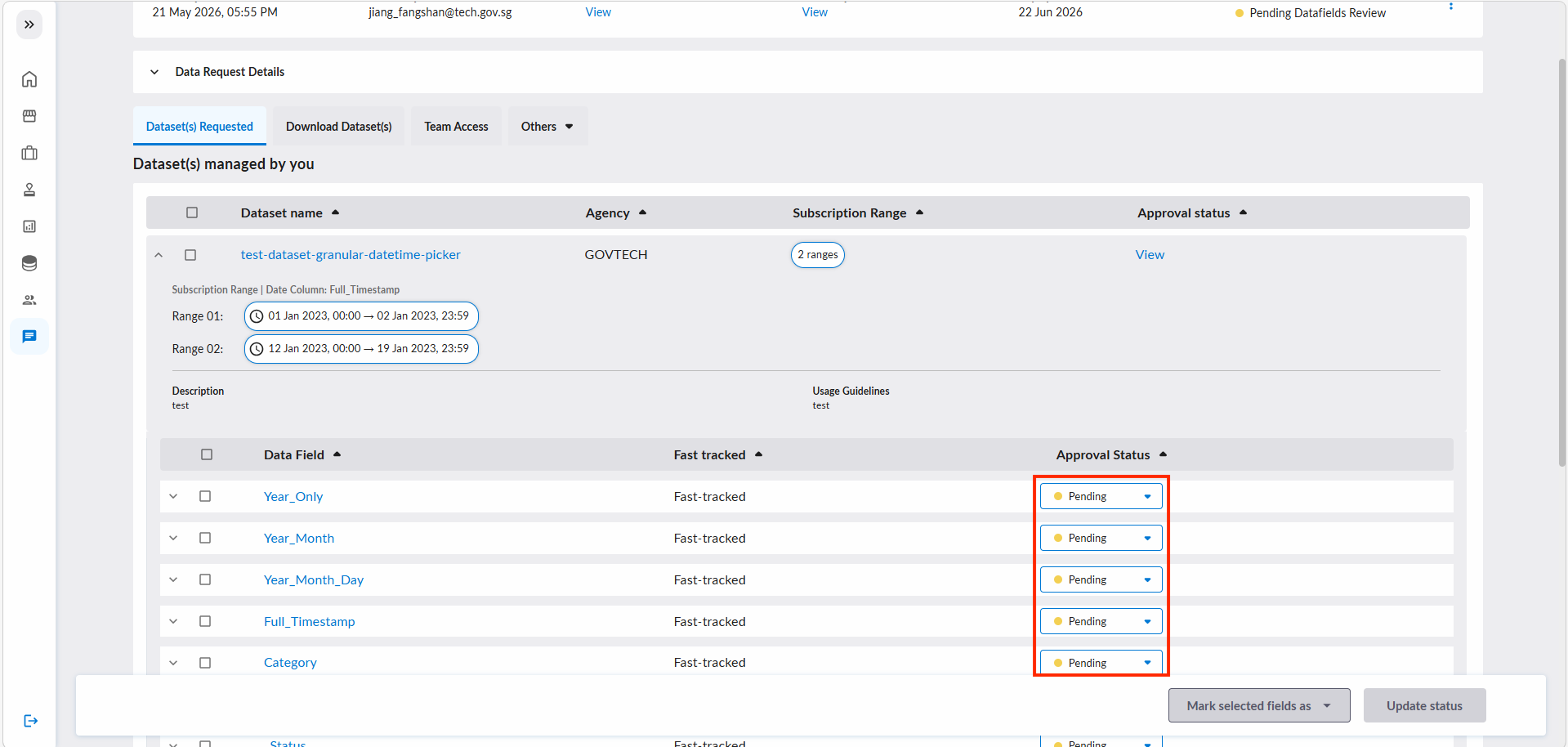
Data requests will have been successfully reviewed and approved up till this stage!
3b. Authorising Agency Declaration
User Role Required: Data Request Owner
Any data request involving onward sharing to an NGE/3P on PSGA legal ground(s) will be held at "Pending Minister Authorisation" after the "Pending Datafields Review" stage. No data is released to the NGE/3P while it is in this state until further action from the data request's owner.
As the data request owner, you must submit the "Authorising Agency Declaration" to attest that:
- the Minister's/Minister's delegate's authorisation was obtained (IM8/Data/Data Access and Distribution Clause 3.6), and
- Terms of Use were imposed on the NGE through executed contractual clauses (IM8/Data/Data Access and Distribution Clause 3.8).
Once the owner submits the declaration, the data provider(s) and the NGE are notified and the request will proceed to fulfillment. This declaration cannot be reversed.
As the data request's approver, you can review the arrangement in the "Onward Sharing Details" accordion on the data request page. It shows the recipient, legal ground(s), purpose and description, plus — for NGE/3P recipients — whether DataHive will share the data on the requestor's behalf.
See Pending Minister Authorisation for instructions to the data request owner.
4. Pending Data Provision
User Role Required: Tenant Admin
This state applies when there are concierge services added into the data request. In this state, the Tenant Admins of the concierges has to fulfill the concierge services.
Click on the "Update" option and you will be redirected to the page to fulfill the concierge service.
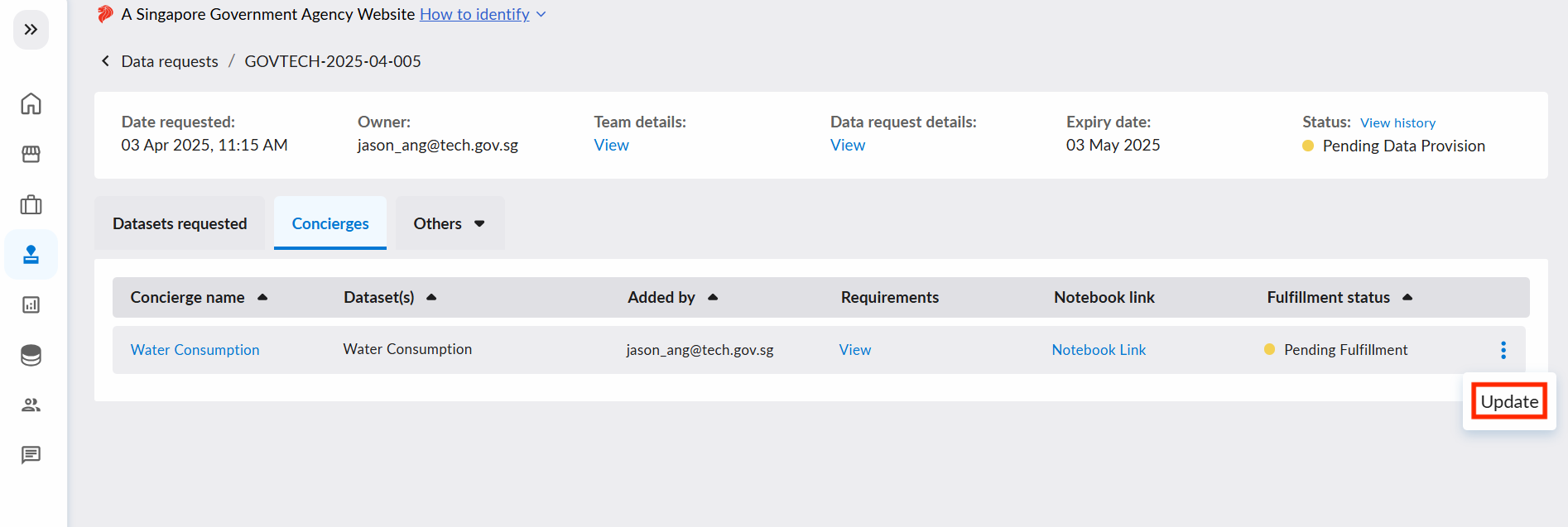
Click on the notebook link to start implementing the concierge requirements in the notebook.
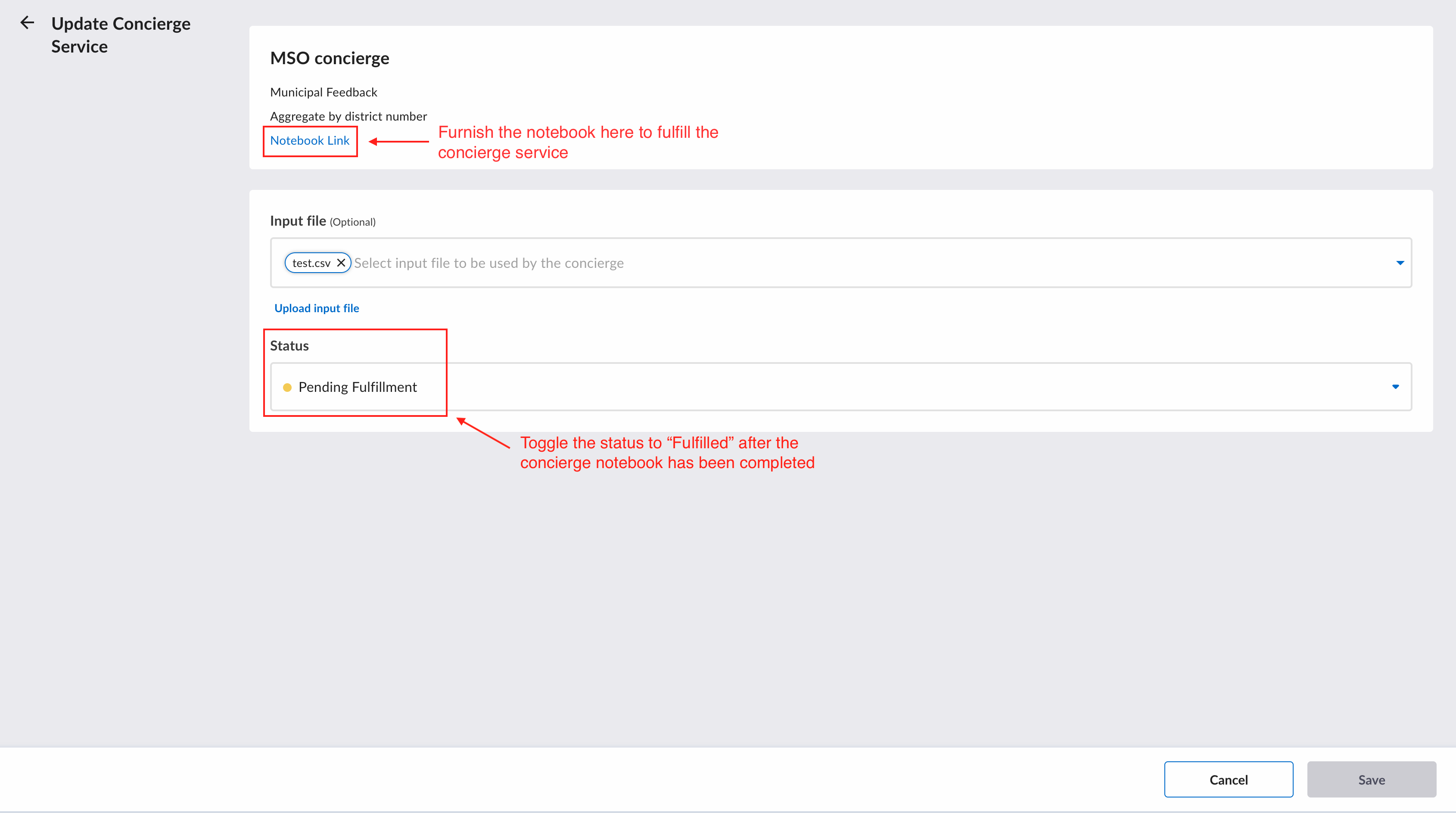
There will be instructions on the notebook to guide the Tenant Admins on how to implement the concierge requirements.
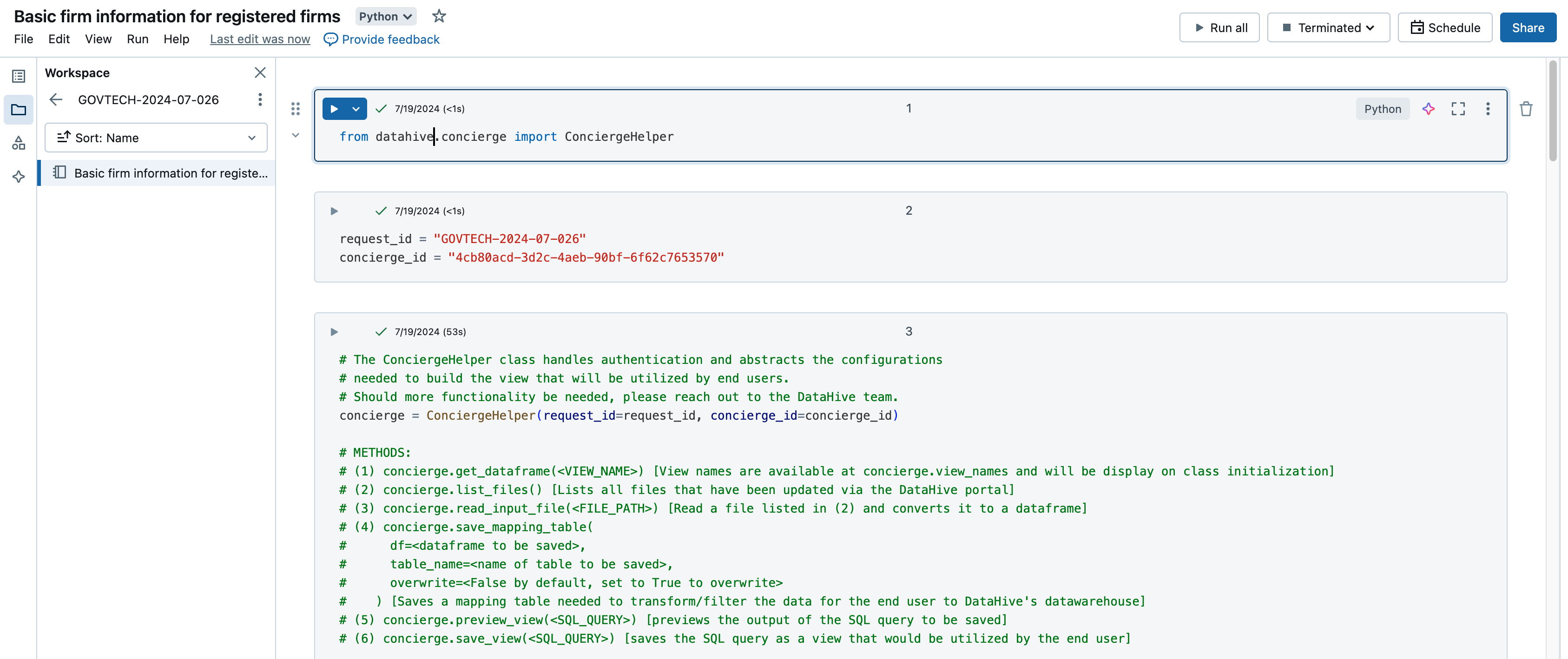
Once the requirements has been implement, head back to the concierge service form and update the concierge status to "Fulfilled".
After all the concierge services have been fulfilled, the data request will be fulfilled.
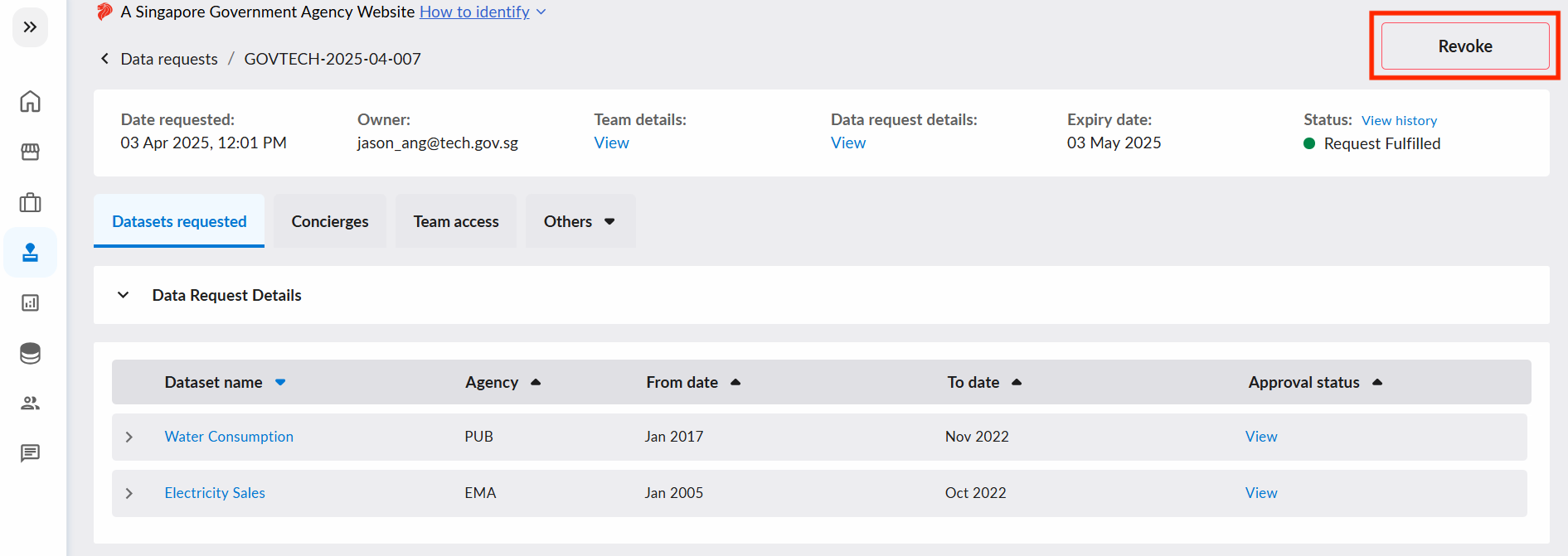
5. Revoke Data Request
User Role Required: Tenant Manager
Tenant Managers can revoke a non-expired/withdrawn data request. Revoking a data request will block data requestor's access to their data and data request.