Track Data Request Status
Steps to Track Data Request Status
Upon submission of your data request, you can track the status here:
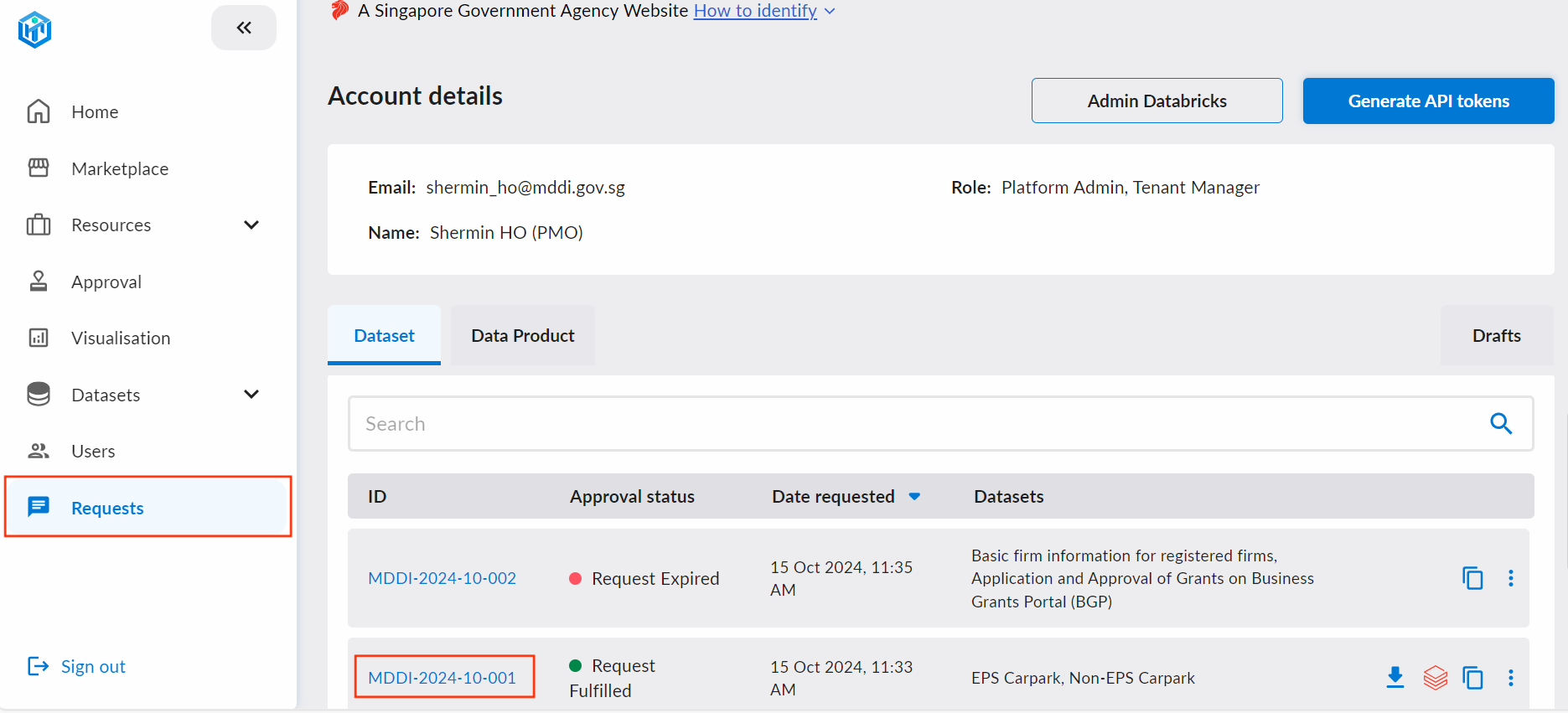
- Navigate to the Request tab, and select the Data Request ID that you're keen to track.
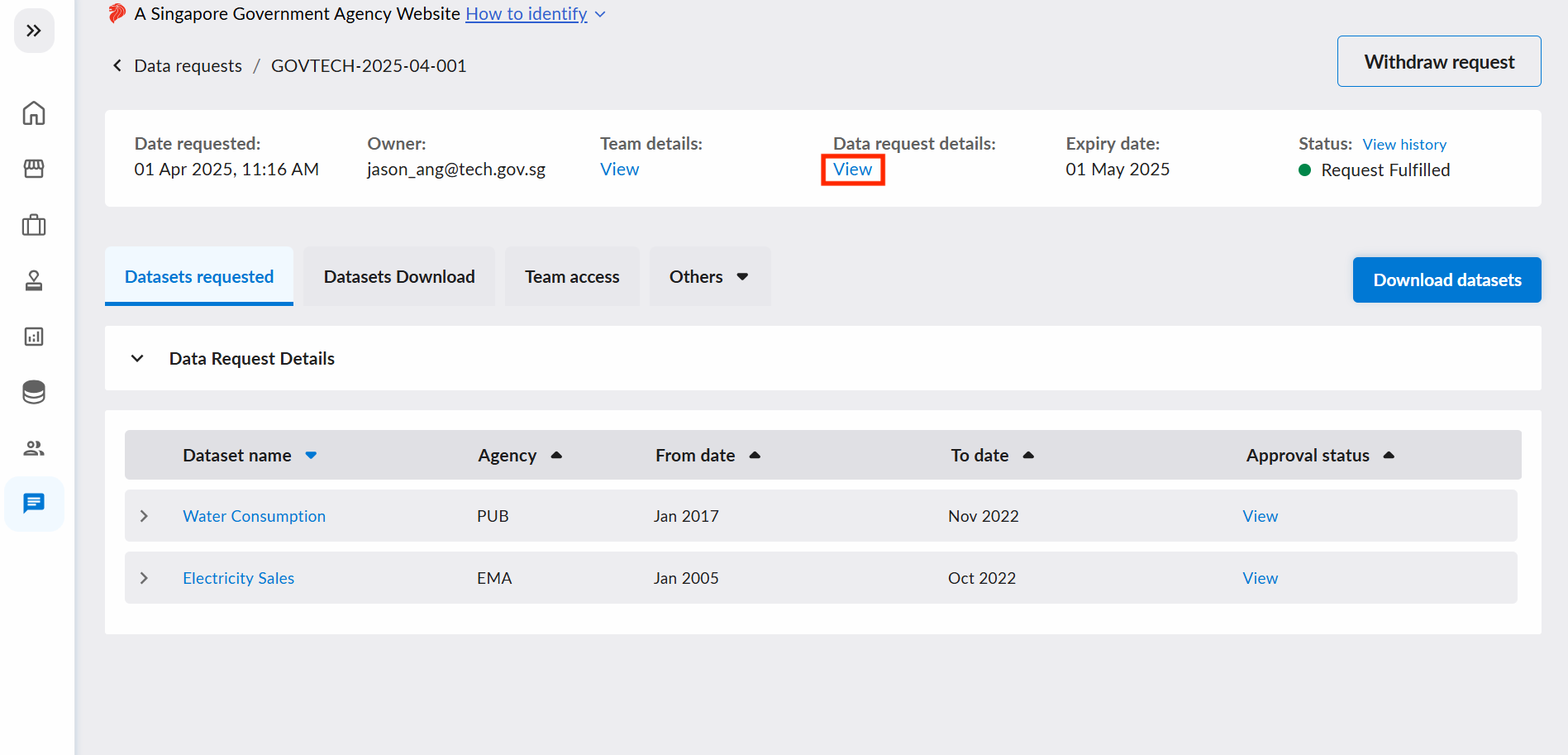
- In the Data Request page, you will be able to check on the Status of the DR by clicking on
"View"
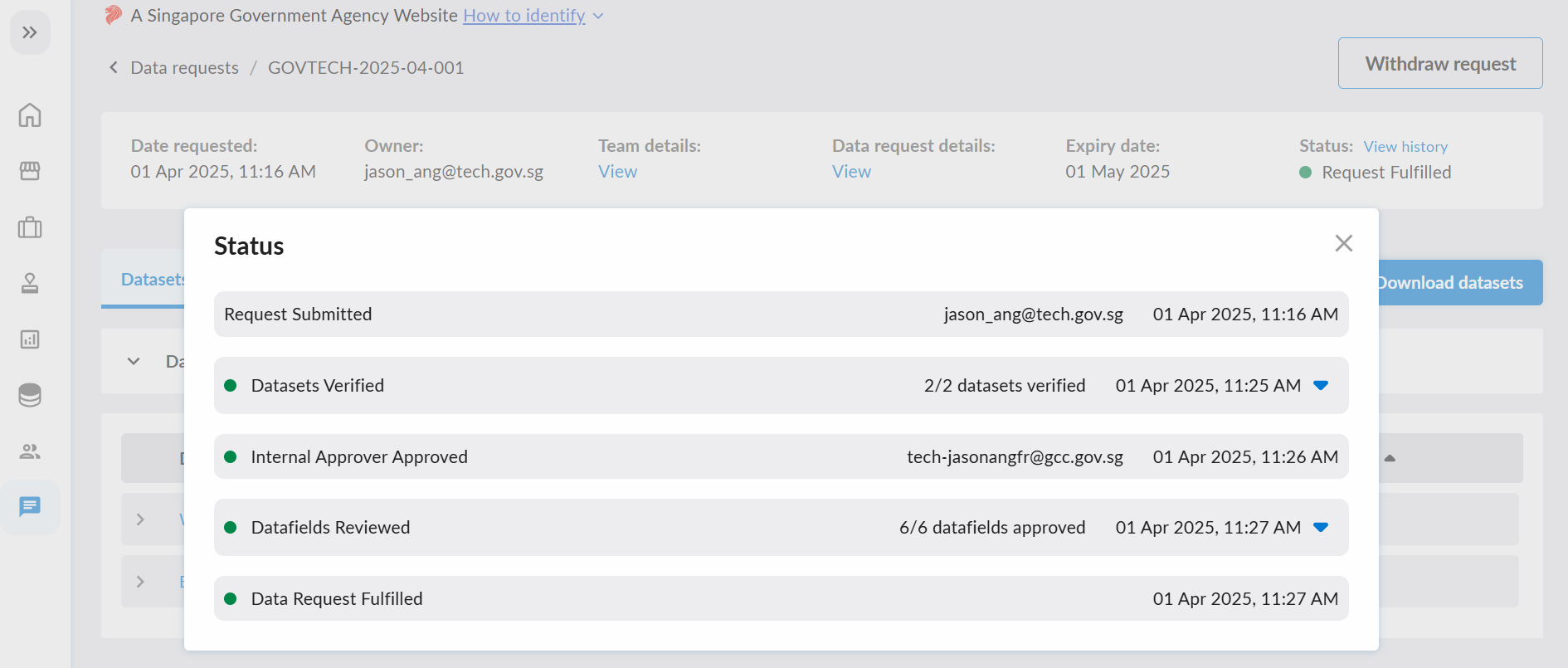
- A pop up with your DR status will appear. You may choose to expand each line to view more details as well.
Data Request Stages
Here are the various stages a data request can be in before approval is granted:
| Stage | Description |
|---|---|
| Verify Data Request | DR form is pending verification by tenant admins and edits may be requested. A well written DR form will cut down on the time needed in this stage. Access the guide here |
| Approve/Reject Data Request | DR is pending your Internal Approver's (IA) approval on the DataHive platform. |
| Approve/Reject Fast-Tracked and Non Fast-Tracked Fields | Datafields in the DR are awaiting approval from one or more Tenant Managers and/or SSOT admins. Approval from an SSOT admin is mandatory for datafields that are not fast-tracked. |
| Pending Minister Authorisation | DR involves onward sharing to an NGE/3P on PSGA legal ground(s). The DR remains in this stage until the DR owner submits the Authorising Agency Declaration. |
| Pending Data Provision | DR requires concierge service. DR has been approved and is now awaiting the Tenant Admin(s) of the concierges to fulfill the concierge services. |
Here are the various stages a data request can be in after approval and fulfillment. You can also choose to request for a change in scopes after fulfilment
| Stage | Description |
|---|---|
| Request Fulfilled | DR approved. |
| Rejected | DR not approved. |
| Revoked | Request was fulfilled, but has now been revoked. |
| Request Withdrawn | Request is withdrawn by the DR owner. |
| Request Expired | Ad-hoc DR is past the end-date and no longer valid. |
| Expired Without Fulfillment | Ad-hoc DR was not approved and is now past the end-date. |
| Pending Scopes Change Approval | DR is pending scopes change approval by Tenant Admins. |
Pending Minister Authorisation
Any DR involving onward sharing to an NGE/3P on PSGA legal ground(s) will be held here after the "Pending Datafields Review" stage. No data is released to the NGE/3P while it is in this state until further action from the DR owner.
As the DR owner, you must submit the Authorising Agency Declaration to attest that your agency, as the Authorising Agency:
- Obtained further authorisation from the Minister or the Minister's delegate, per Clause 3.6 of the IM8 Data Access and Distribution domain; and
- Imposed Terms of Use on the NGE through duly executed contractual clauses, per Clause 3.8 of the same domain, before any data is disclosed.
Only the DR owner can submit this declaration. Internal Approvers, Tenant Admins and platform administrators cannot submit it for you. If someone else must declare, change the request owner first.
Submitting the declaration
As the owner, you will see an Action required: Pending Authorising Agency Declaration banner on the DR page, and a Complete declaration button on the DR row under the Requests tab. Either opens the declaration dialog. Both clauses must be acknowledged before Submit is enabled.
Other users can see that the DR is pending the declaration, but cannot act on it.
Once you submit the declaration, the data provider(s) of the requested datasets and the NGE are notified and the DR will proceed to fulfillment. This declaration cannot be reversed.
Detailed Overview of Data Request Workflow
The data request approval workflow is as follows:
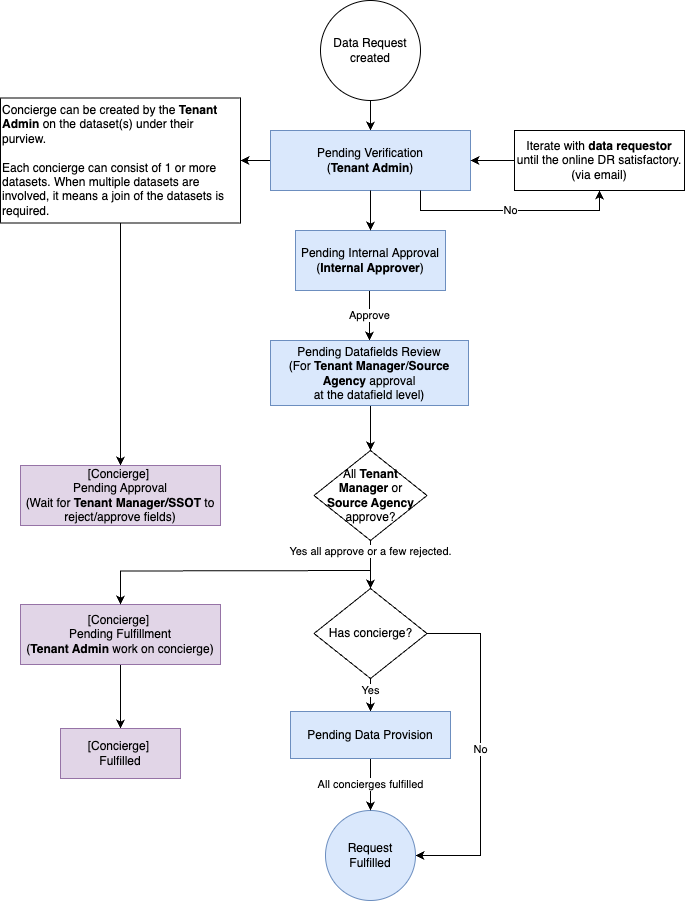
Requests with onward sharing to an NGE/3P on PSGA grounds are also held at Pending Minister Authorisation after datafields review. This stage is not shown in the diagram.
To view all the data requests made, proceed to the Approval tab.