DataHive Assistant (Beta)
The DataHive Assistant is an AI-powered chatbot that helps you discover datasets and find answers about DataHive through natural language. Describe what data you need to get dataset recommendations, or ask how to use any DataHive feature to get answers drawn from official documentation.
Do NOT input information classified above Restricted, Sensitive (Normal). The DataHive Assistant is only approved for use with data up to and including this classification level.
The DataHive Assistant is currently in Beta. Responses are AI-generated and may not always be accurate. Always verify the output before making decisions. Share your feedback to help us improve.
Accessing the Assistant
You must be signed in to DataHive to access the DataHive Assistant.
Option 1: Floating Panel
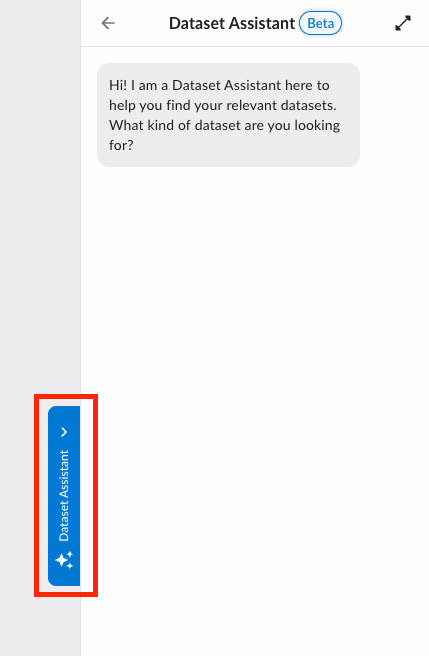
On the Marketplace, Product, Cart, or Requests pages, a "DataHive Assistant" tab is anchored to the right edge of the screen. Click it to slide open the chat panel without leaving the current page.
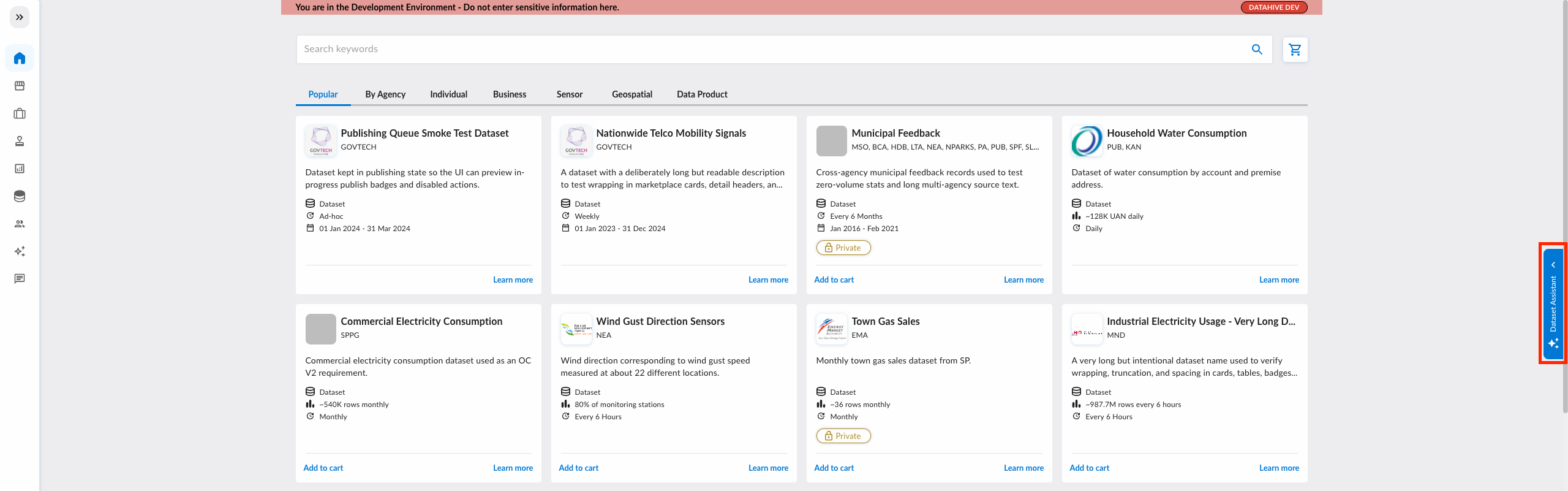
Click the tab again or the chevron icon inside the panel to close it.
Option 2: Full-Page View
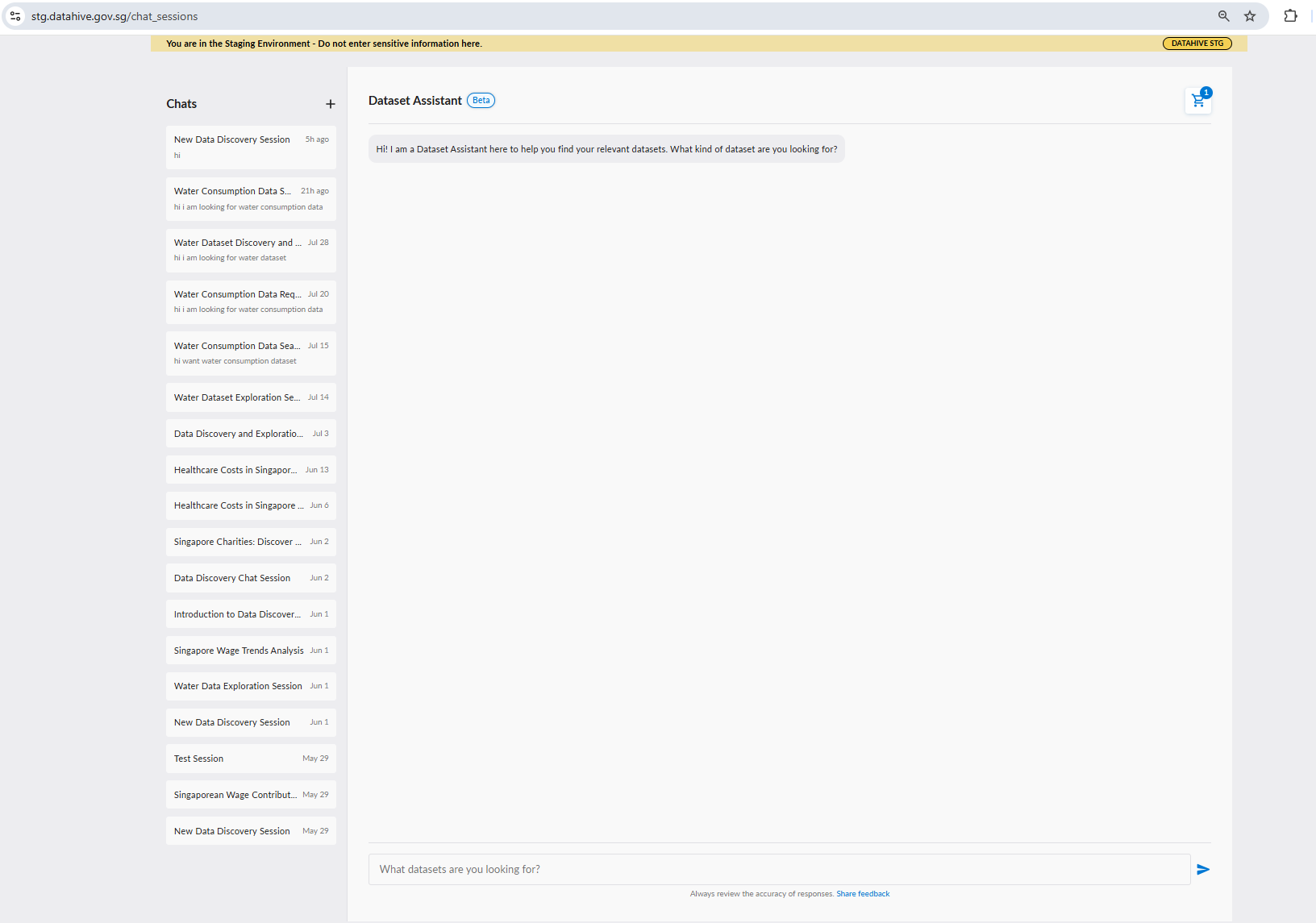
To open the assistant as a dedicated full-page experience, click the expand icon in the top-right corner of the floating panel.
First-Time Setup: Terms of Use
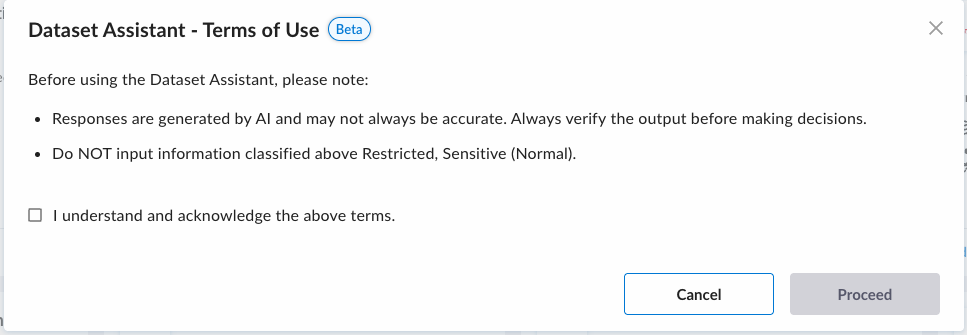
On first launch, a Terms of Use dialog appears. You must acknowledge the following before proceeding:
- Responses are generated by AI and may not always be accurate. Always verify the output before making decisions.
- Do NOT input information classified above Restricted, Sensitive (Normal).
Check the acknowledgment box and click Proceed to continue. This is saved locally and you will not be prompted again on the same device.
Sending a Message
Type your query in the text box at the bottom of the panel and press Enter to send. Use Shift + Enter to insert a line break without sending.
Example Queries
| Query | What it does |
|---|---|
| "Are there any datasets related to water consumption by district?" | Searches for datasets by topic and geographic breakdown |
| "Show me datasets from LTA about traffic volume." | Filters datasets by agency and topic |
| "How do I create a data request?" | Searches DataHive documentation for platform guides |
| "What file formats can I download my data in?" | Finds answers from documentation about DataHive features |
For dataset queries, mention the topic, agency, or type of analysis you have in mind. For documentation questions, describe the feature or workflow you need help with. The more specific you are, the better the results.
Understanding Responses
Thought Process
While working, the assistant displays a "Thought process" section showing its reasoning steps. Expand this section to see the details.
Text Response
The assistant replies in plain language, summarising what it found and why the results are relevant to your query. For documentation questions, the response is text-only and drawn from official DataHive guides.
Dataset Recommendation Cards
Below the text response, the assistant may show one or more dataset cards. Each card displays the dataset name and key details, with the following actions:
| Action | Description |
|---|---|
| Add to Cart | Adds the dataset to your data request cart immediately |
| Remove from Cart | Removes the dataset if already added |
| View Dataset | Opens the dataset's detail page in a new tab |
Dataset recommendation cards only appear for dataset search queries. Documentation questions receive text-only responses without dataset cards.
Managing Sessions
Session History
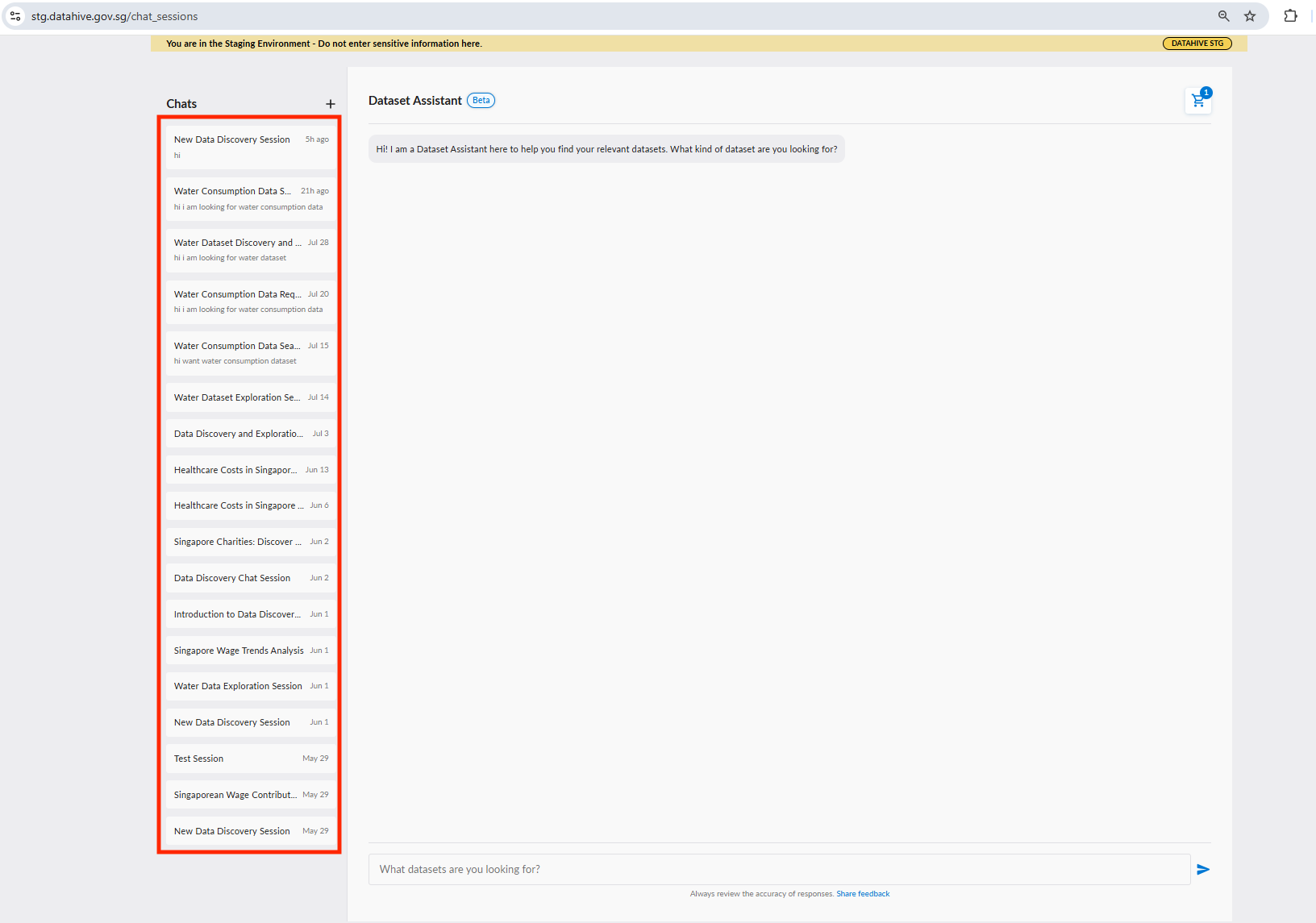
All past conversations are saved and accessible from the Chats panel on the left side of the full-page view. Click any session to resume that conversation.
Starting a New Chat
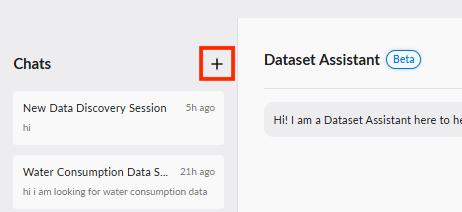
Click the "+" button at the top of the Chats panel to start a fresh conversation.
Tips for Better Results
| Tip | Example |
|---|---|
| Be specific about your use case | Instead of "traffic data", try "hourly traffic volume by road segment in 2023" |
| Mention the agency if you know it | "LTA parking datasets" narrows the search more quickly |
| Describe the workflow you need help with | Instead of "how do I use DataHive", try "how do I create a data request with multiple datasets" |
| Ask one question at a time | Keep dataset searches and documentation questions in separate messages for the best results |
What the Assistant Can and Cannot Do
The assistant can:
- Recommend datasets available on DataHive based on your use case, topic, agency, or type of analysis.
- Answer questions about how to use DataHive, including platform guides, feature explanations, and common workflows.
The assistant cannot:
- Query or retrieve data within datasets in your data requests.
- Read or look up information from your existing data requests.
- Access external data sources outside of DataHive.
Feedback
We'd love to hear how the DataHive Assistant is working for you. Use the "Share feedback" link below the chat input, or visit go.gov.sg/dh-ai-feedback directly to submit your suggestions, bug reports, or feature requests.