Authentication
If you are trying to authenticate as a user, please refer to this guide instead.
This guide will go through the authentication mechanisms for service principal accounts.
Snowflake Authentication
Applicable if you are using the direct Snowflake connection.
If you are using the Snowflake SDKs, the SDKs will implement the authentication mechanism - follow the documentation of the respective SDKs' API.
However, if you are using the Snowflake REST API, you can follow Snowflake's documentation.
DataHive Keypair Authentication
Applicable if you are using DataHive Web API.
Authenticate your Service Principal Account by generating a JWT (JSON Web Token) signed with your account's private key.
We have a sample script here which implements the steps to generate the JWT token.
In the Python script, the method for generating JWT token can be found in api_service.py, in _generate_keypair_token method.
Alternatively, you can implement your own JWT generator by following the steps below:
-
Generate the
public_key_fingerprint, a SHA-256 hash, of the public key for the service princiapl account. Prefix the fingerprint withSHA256:.- For example:
SHA256:<hash>
- For example:
-
Generate a JSON Web Token (JWT) with the following fields in the payload:
| Field | Description | Example |
|---|---|---|
iss | Issuer of the JWT. Set it to the following value: The User ID can be found here: GOVTECH-DATAHIVE-STG.<user_id_in_uppercase>.SHA256:<public_key_fingerprint>
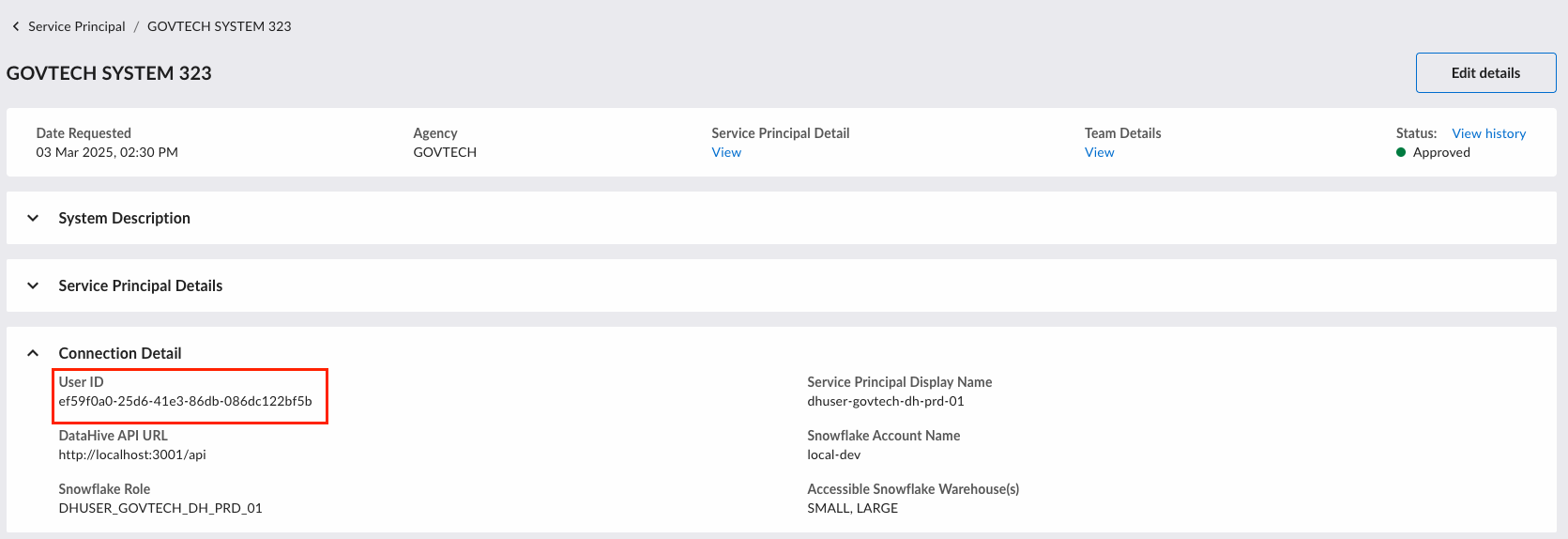 | GOVTECH-DATAHIVE-STG.65180D27-22B5-4635-B461-51D7E3017832.SHA256:<public_key_fingerprint> |
sub | Subject for the JWT. Set it to the following value: GOVTECH-DATAHIVE-STG.<user_id_in_uppercase>
| GOVTECH-DATAHIVE-STG.65180D27-22B5-4635-B461-51D7E3017832 |
iat | Issue time for the JWT in UTC. Set the value to the current time value as seconds. | 1615370644 |
exp | Expiration time for the JWT in UTC (typically +60 min of iat). You can specify the value as seconds. | 1615374184 |
-
Sign the claims with the Service Principal's private key, which will produce the JWT token required for authentication.
-
In each API request that you send, set the following headers:
Authorization: Bearer <JWT>
DataHive Gateway Key
Applicable if you are using DataHive Synchronous API (Enhanced).
This is required in addition to the keypair authentication described above.
When a Synchronous API (Enhanced) is provisioned to your Service Principal Account, you will be provided with the Gateway key required to access the Synchronous API.
To authenticate successfully, include the following headers:
Authorization: Bearer <JWT>DATAHIVE-GATEWAY-KEY: <Gateway Key>