API Usage
Browsing available endpoints
DataHive API endpoints are available under the Resources > API documentation tab. You can also access the API specifications here.
The OpenAPI Swagger JSON file can be found at https://stg.datahive.gov.sg/docs/scripting_api.json.
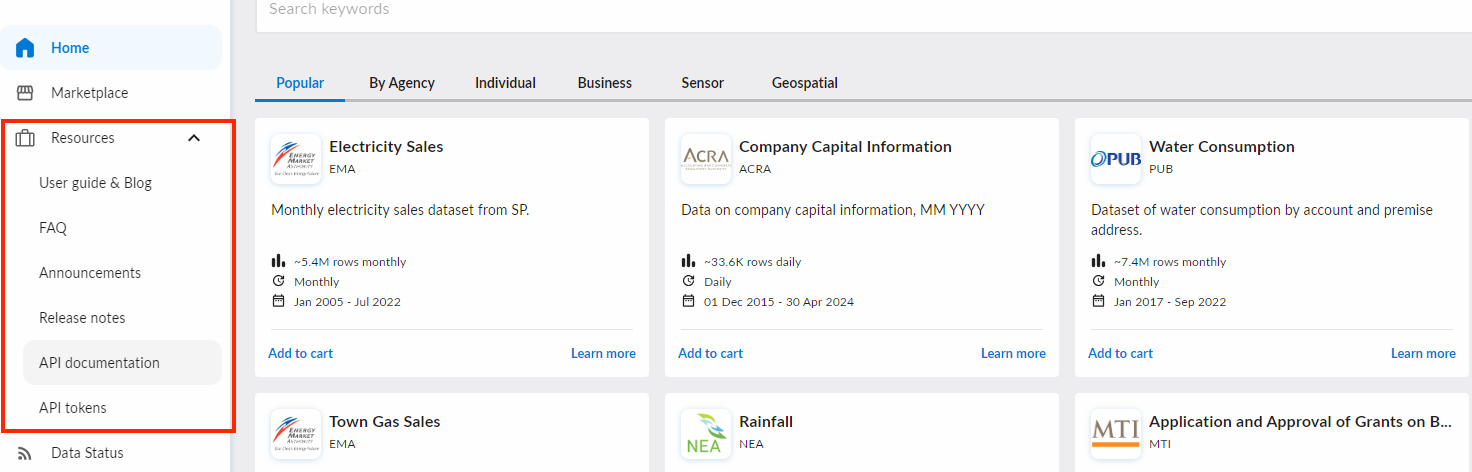
There are 2 types of APIs: those that require authorization, and those that do not. This is represented by a lock icon beside each endpoint.
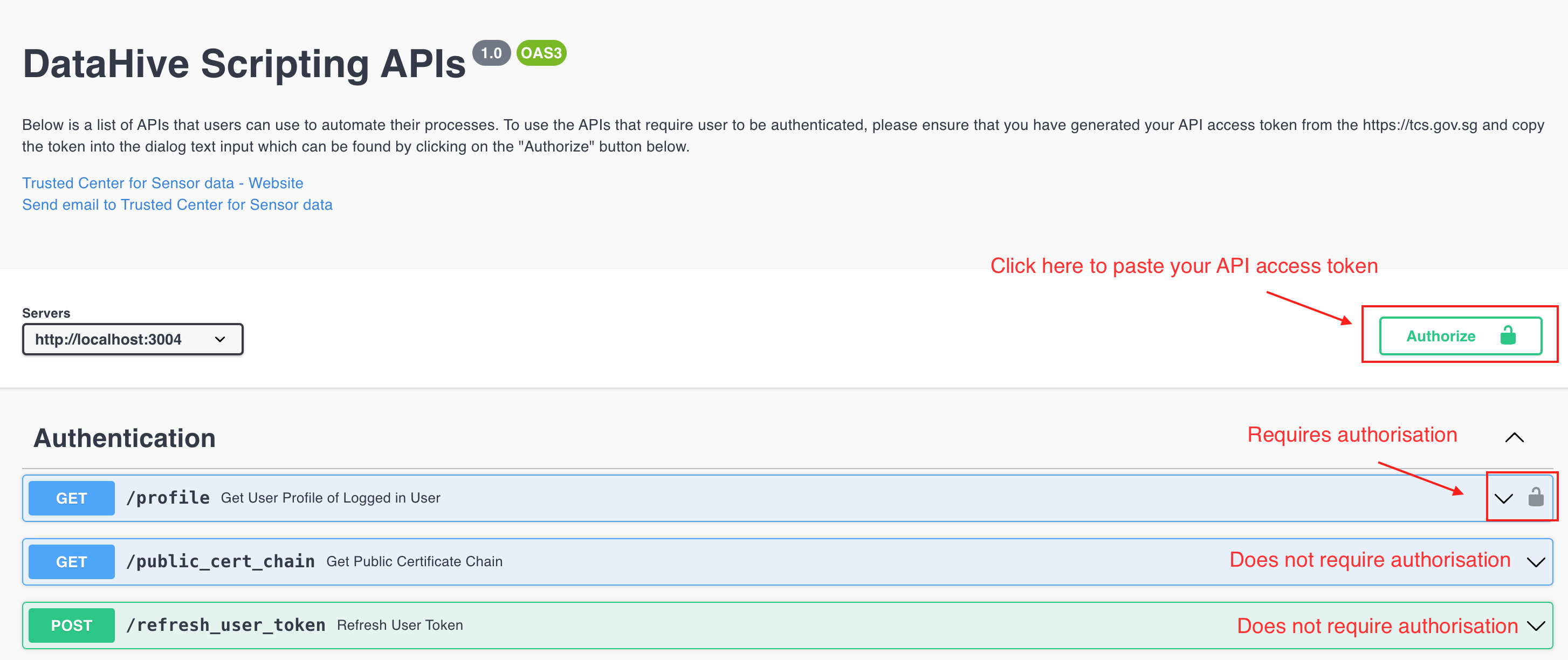
In some of our APIs, there will be ID parameters in which you have to input. For those APIs, you can retrieve those IDs by first calling the list API. For example for the following API:
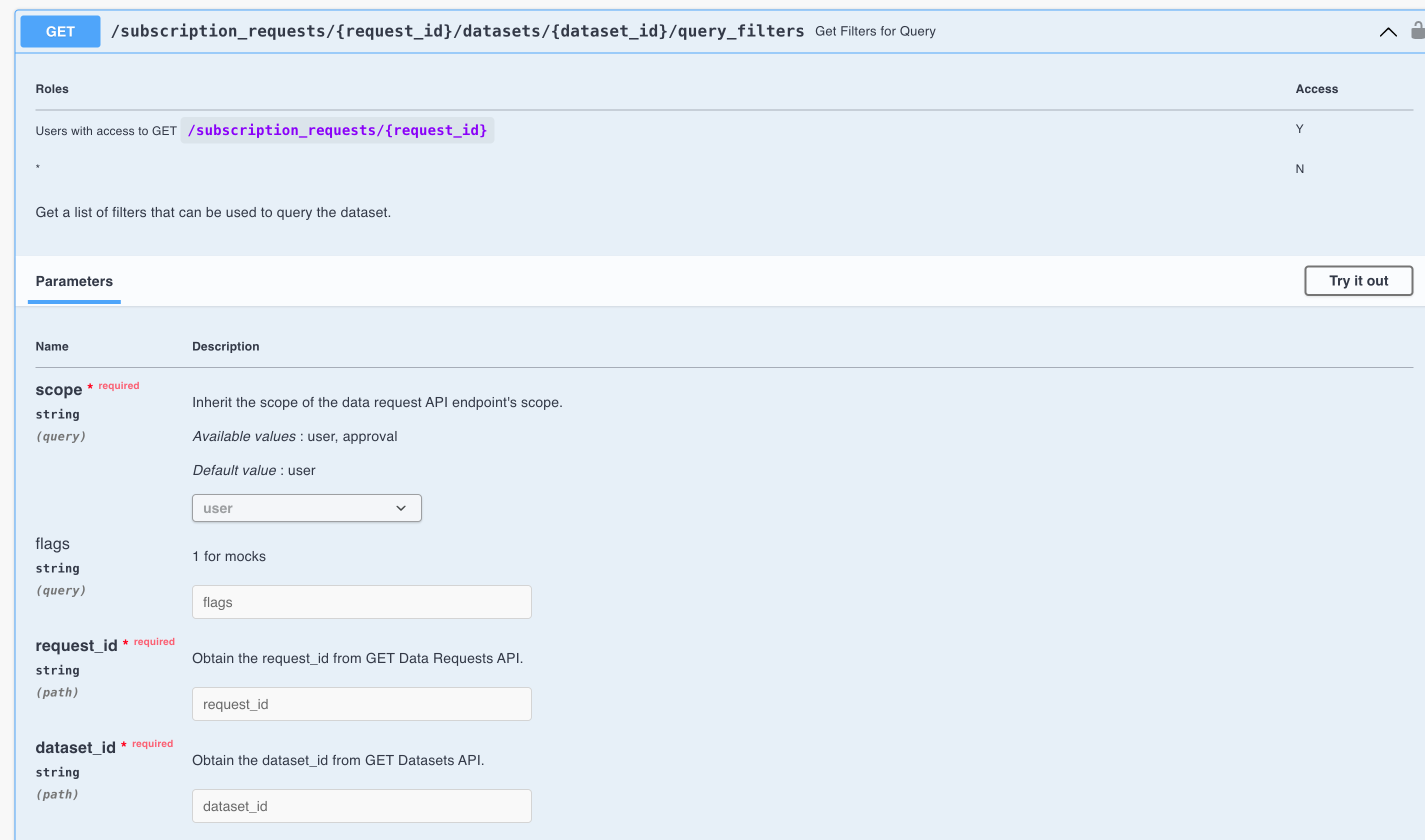
The request id and dataset id can be found by calling GET /datasets and GET /subscription_requests.
Retrieving the API tokens
Access this feature at Resources > API tokens.
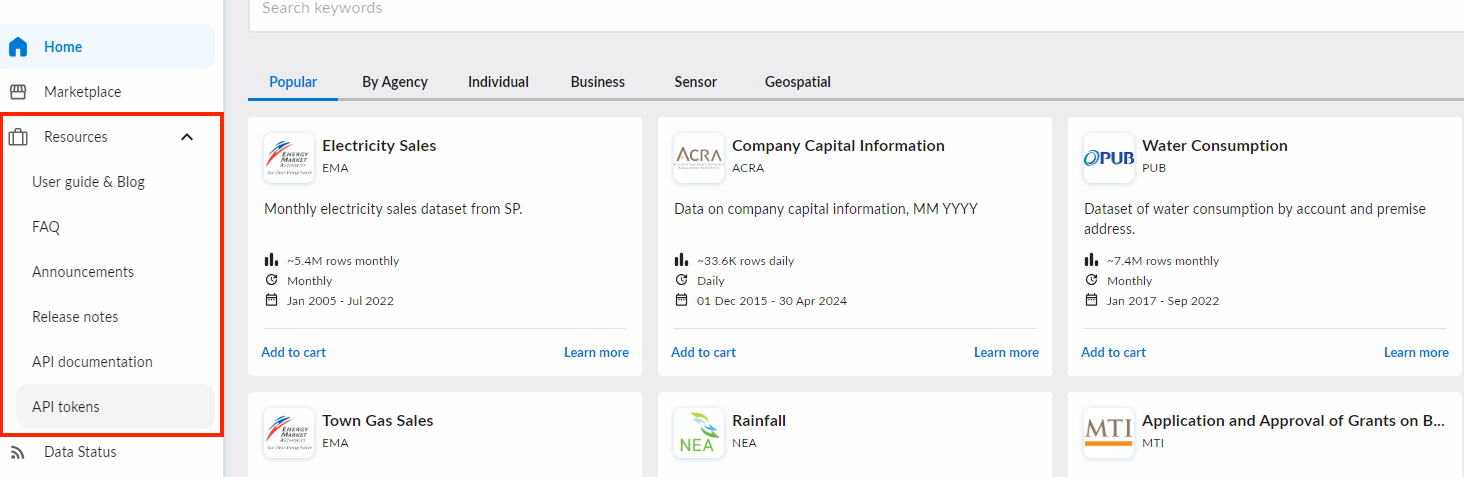
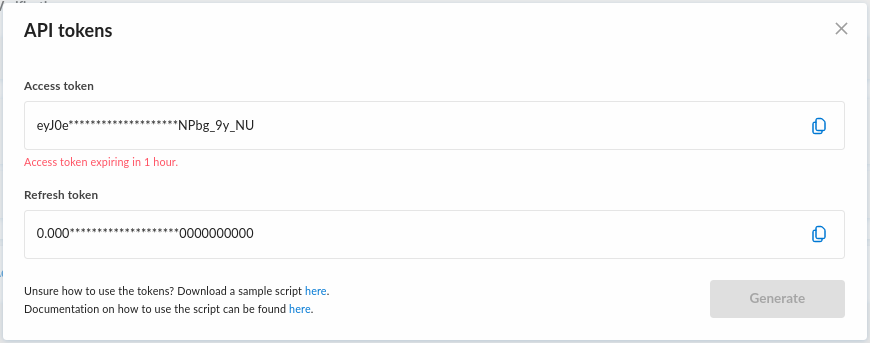
A pop up will appear where you will automatically see the access and refresh tokens being generated.
Using the API tokens
There are 2 tokens here in which you can use and below is an explaination on their usage.
- Access token
- Refresh token
Access tokens enable clients to securely call protected web APIs, and are used by web APIs to perform authentication and authorization.
Access token has a short lifespan of 1 hour. You may use the refresh token to generate a new access token after expiry.
Here is an example of how you can use the access token.
import requests

access_token = "********"

# "cert_chain.pem" represents a file path to DataHive's public cert chain.
# Please refer to the "Public SSL certificate chain" section on how to obtain the cert chain
response = requests.get(
    "https://datahive.gov.sg/api/profile",
    headers={
        "Authorization": f"Bearer {access_token}"
    }
    verify="cert_chain.pem"
)
The refresh token is used to obtain new access/refresh token pairs when the current access token expires.
If you like to see an actual usage of the refresh token, please refer to the sample api script.
Public SSL certificate chain
A public SSL certificate chain is an ordered list of public certificates that is being used to validate the validity of the DataHive certificate.
This would ensure that the client (your machine) is able to verify that the DataHive API that is being called is legitimate.
To obtain the public SSL certificate chain, click https://stg.datahive.gov.sg/api/public_cert_chain to download it as cert_chain.pem.
Sample API script
The provision of this sample script is meant as an aid for users to make authenticated calls to DataHive APIs.
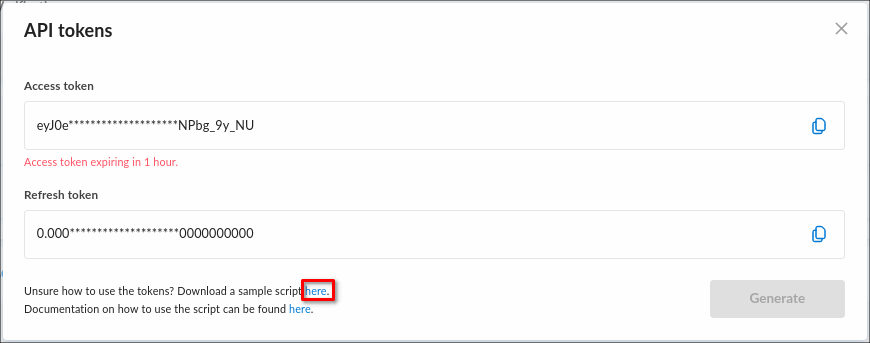
You can download the sample script from the API tokens popup as shown below.
- Please read and understand the usage of the files as described in this section, especially on handling of
config.jsonfile. - Usage of this script in either development or production systems is at the user's discretion.
By clicking on the highlighted link, you will download a zip file. Extract it and you will find 4 files in it.
| File name | Description |
|---|---|
| api_script.py | This is the main script that you run to call the DataHive API. |
| cert_chain.pem | This file contains the public SSL certificate chain for DataHive as described in this section |
| config.json | This file contains the configurations and credentials required to run the script to make authenticated calls to DataHive APIs. If both of your access token and refresh token have expired/invalidated, you can copy the tokens from the API tokens dialog and update this file appropriately. ⚠️ As this file contains your credentials, please adhere to the following rules when handling this file:
|
| token_service.py | This is a helper script for api_script.py that is responsible for managing the tokens. For example, it will use the refresh token to retrieve a new set of tokens whenever it deems the access token as expired. |
To run the script, ensure you have python installed and then run the following command:
python api_script.py