Approval Workflow
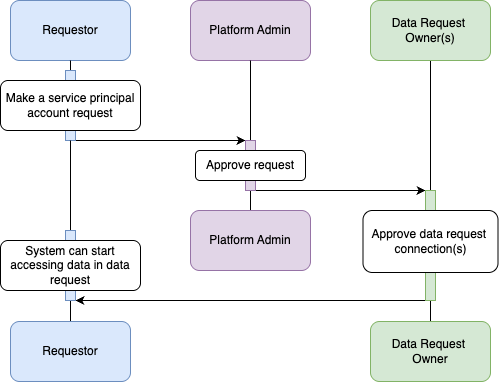
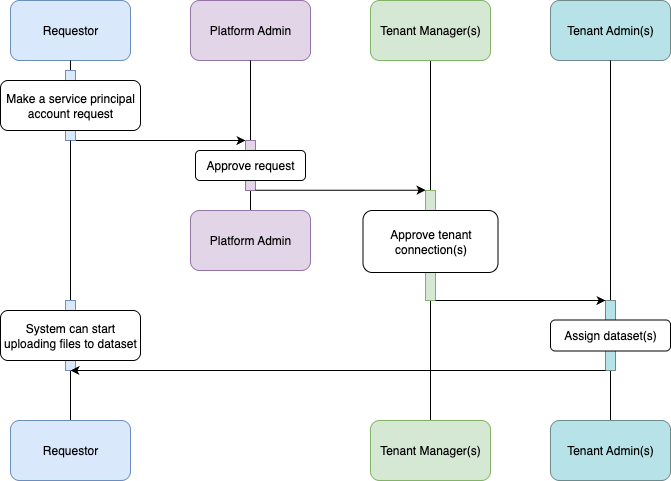
Once a service principal request is submitted, it will undergo the following approval process depending on the connection type:
For Data Request connections:
For Tenant connections:
Service Principal Account Approval
User Role Required: Platform Admin
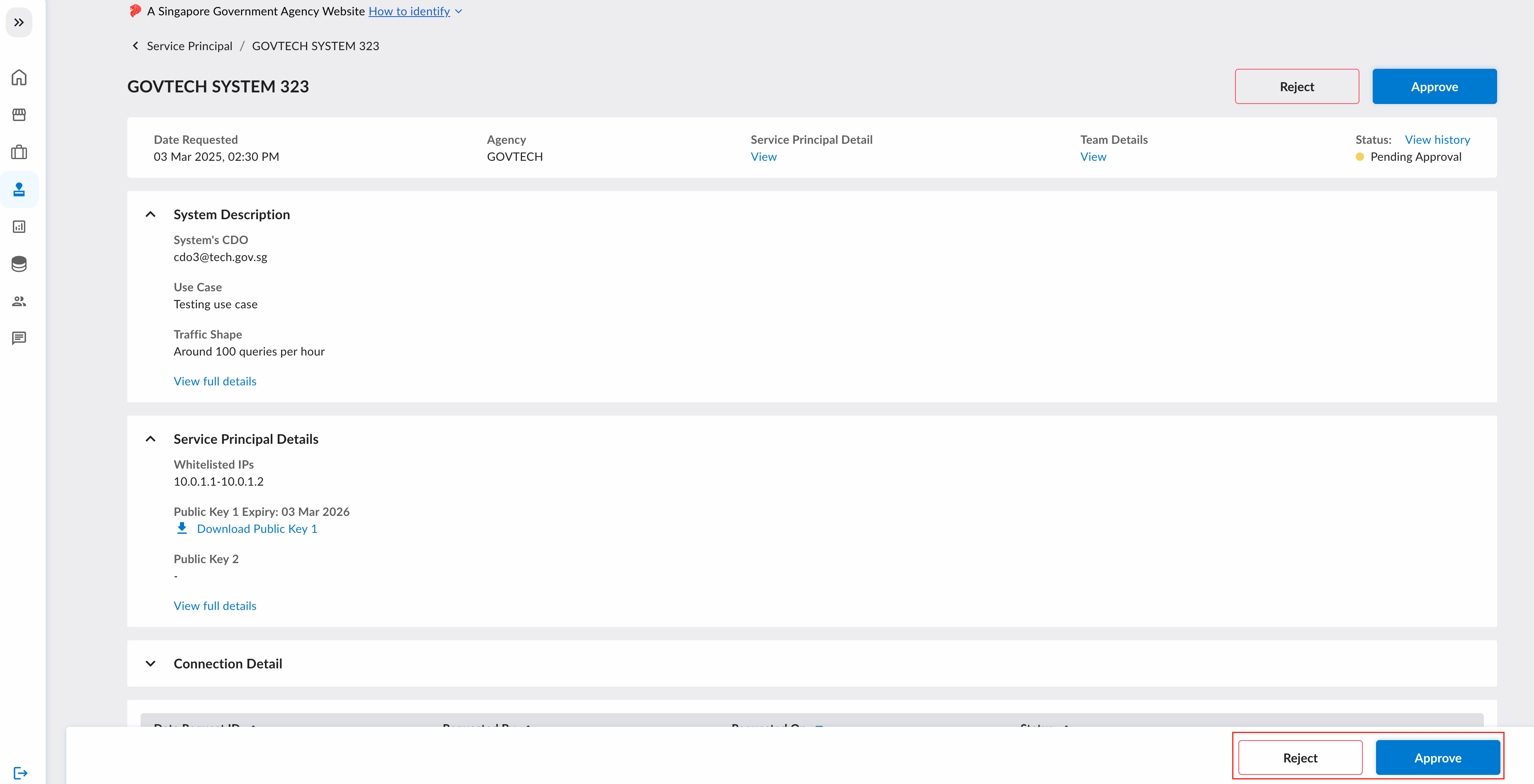
When the service principal account request is submitted, the request will be in the "Pending Approval" state. The platform admin has to review the request.
Connection Approval
After approval of the service principal account, the connections will be subjected to approval by the relevant owners.
Data Request Connection Approval
User Role Required: Data Request Owner
Data Request Owner is required to verify and authorize the system connection to access the data in their fulfilled Data Request
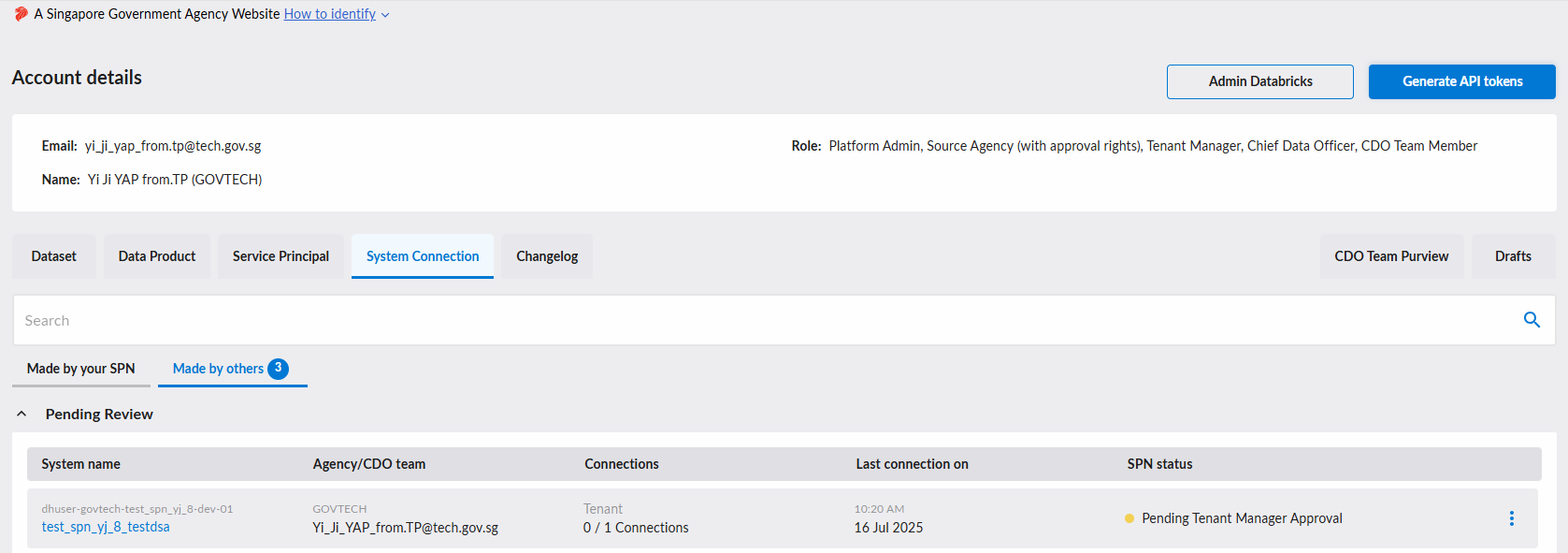
To view the list of pending system connections, go to the "Requests" page and select the "System Connection" tab, then select the "Made by others" tab.
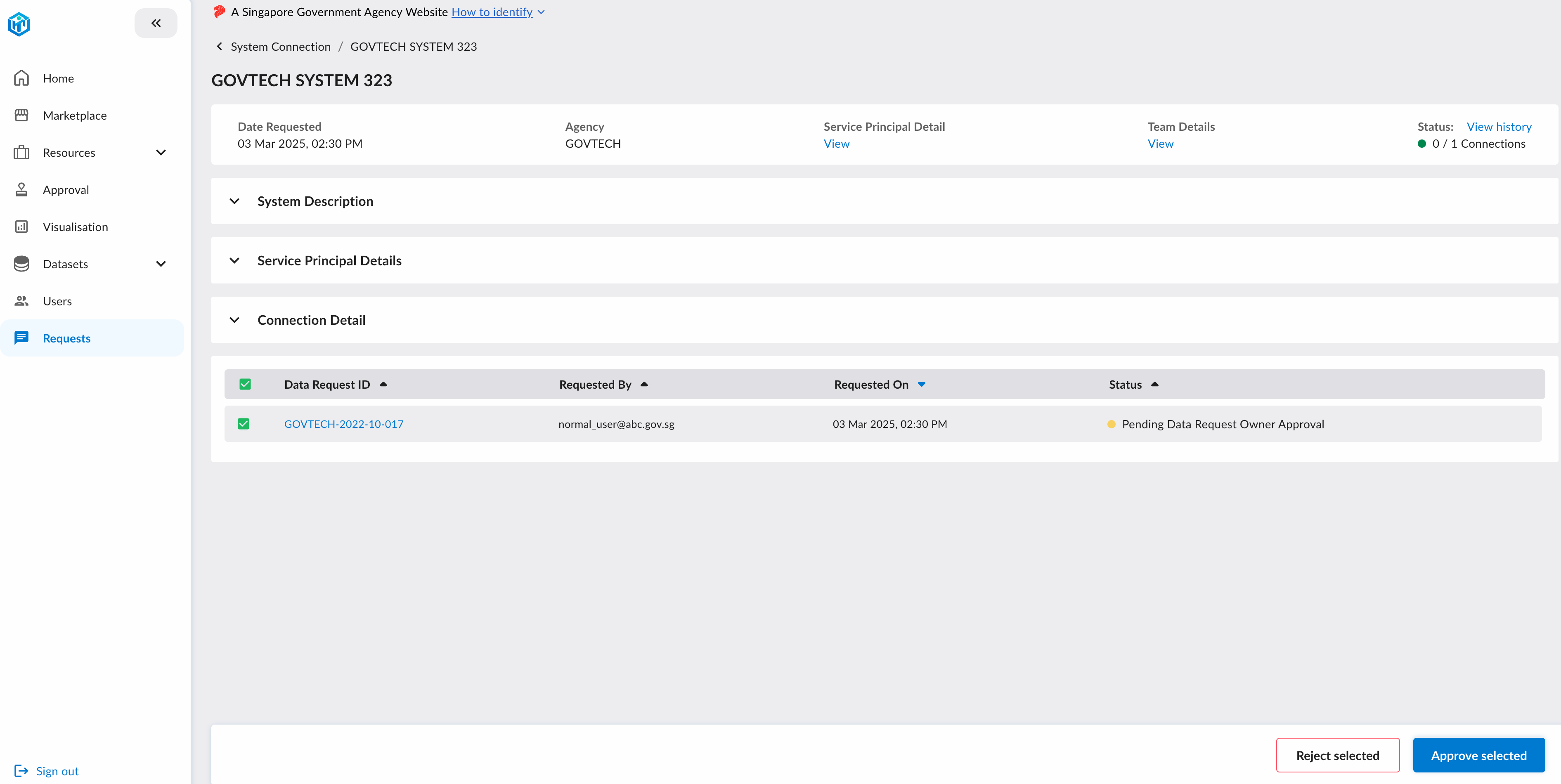
Click on the system name, and the approval can be done in the page here.
Tenant Connection Approval
User Role Required: Tenant Manager
Tenant Manager is required to verify and authorize the system connection to upload files to the assigned datasets
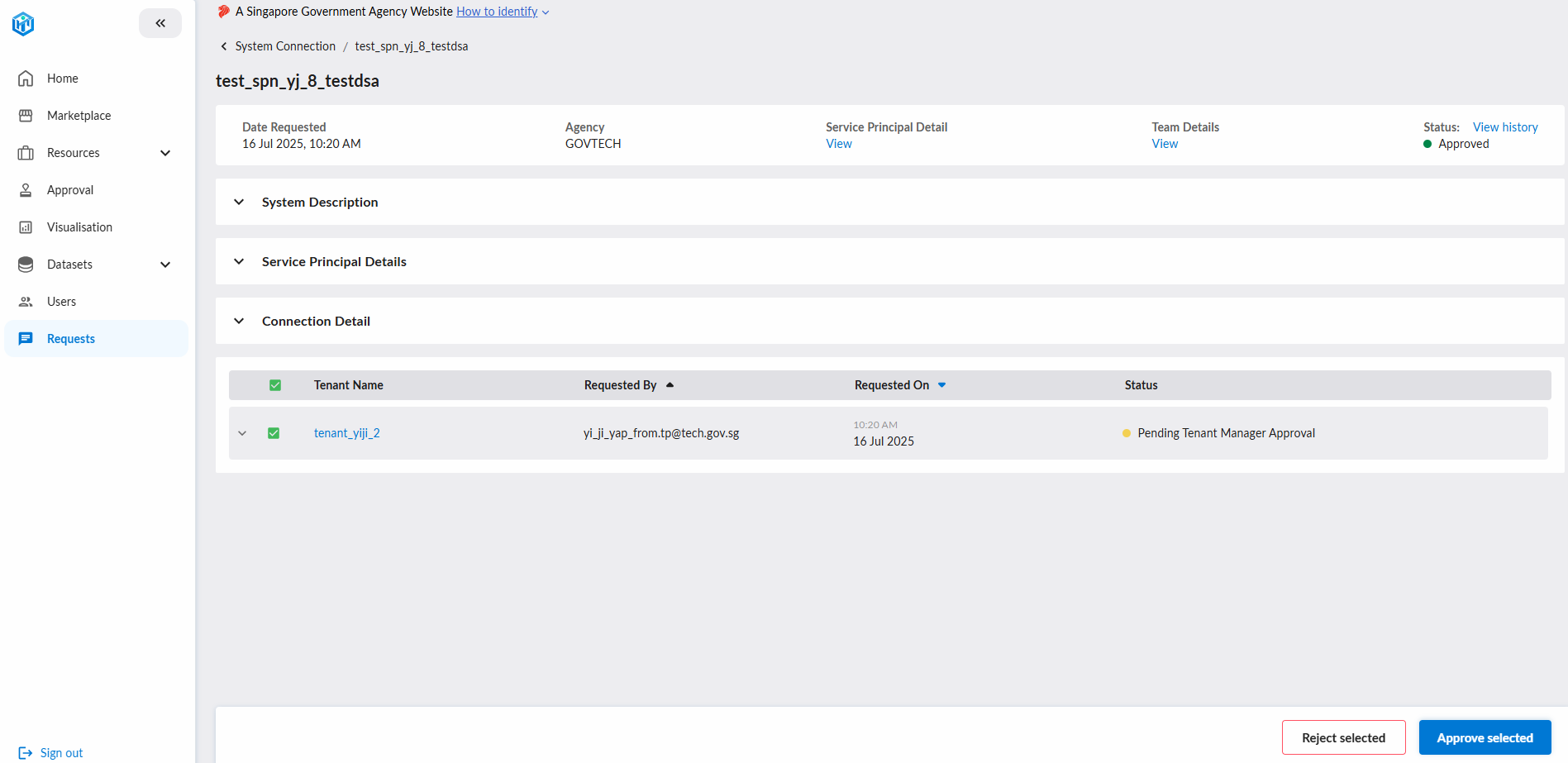
To view the list of pending system connections, go to the "Requests" page and select the "System Connection" tab, then select the "Made by others" tab.
Click on the system name, and the approval can be done in the page here.
Dataset Assignments
User Role Required: Tenant Admin
This step is only applicable to Tenant connections
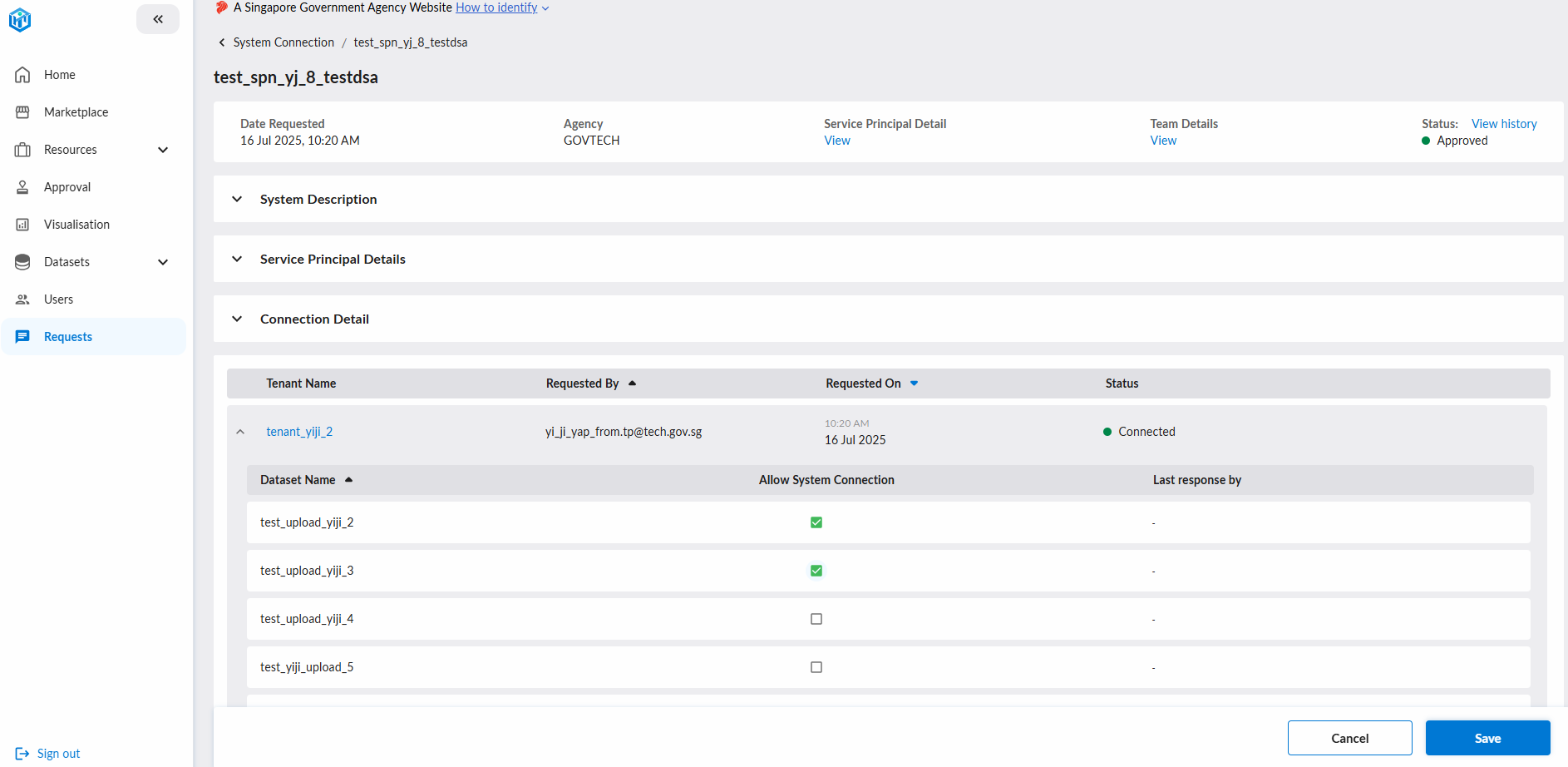
Tenant Admin must assign specific datasets that the approved system connection is allowed to upload to
After the connection is approved by the Tenant Manager, the Tenant Admin must assign datasets to the system connection to enable uploads.
To do this, go to the "Requests" page and select the "System Connection" tab, then select the "Made by others" tab.
Click on the system name, and expand the "Connection Detail" section. The dataset assignments can be done in the checkbox under Allow System Connection.
Once saved, the system connection will be able to upload datasets programmatically.