Changelogs
- Only Tenant Admins and Source Agency Admins can create a changelog.
- Only Tenant Admins can approve and fulfill a changelog.
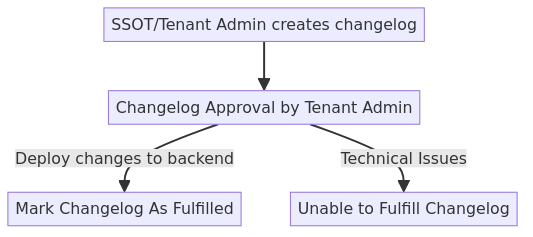
A changelog represents a change in the dataset’s information which could be in the form of a change in data schema, usage guidelines etc. This is an overview of the changelog process.
View Changelog
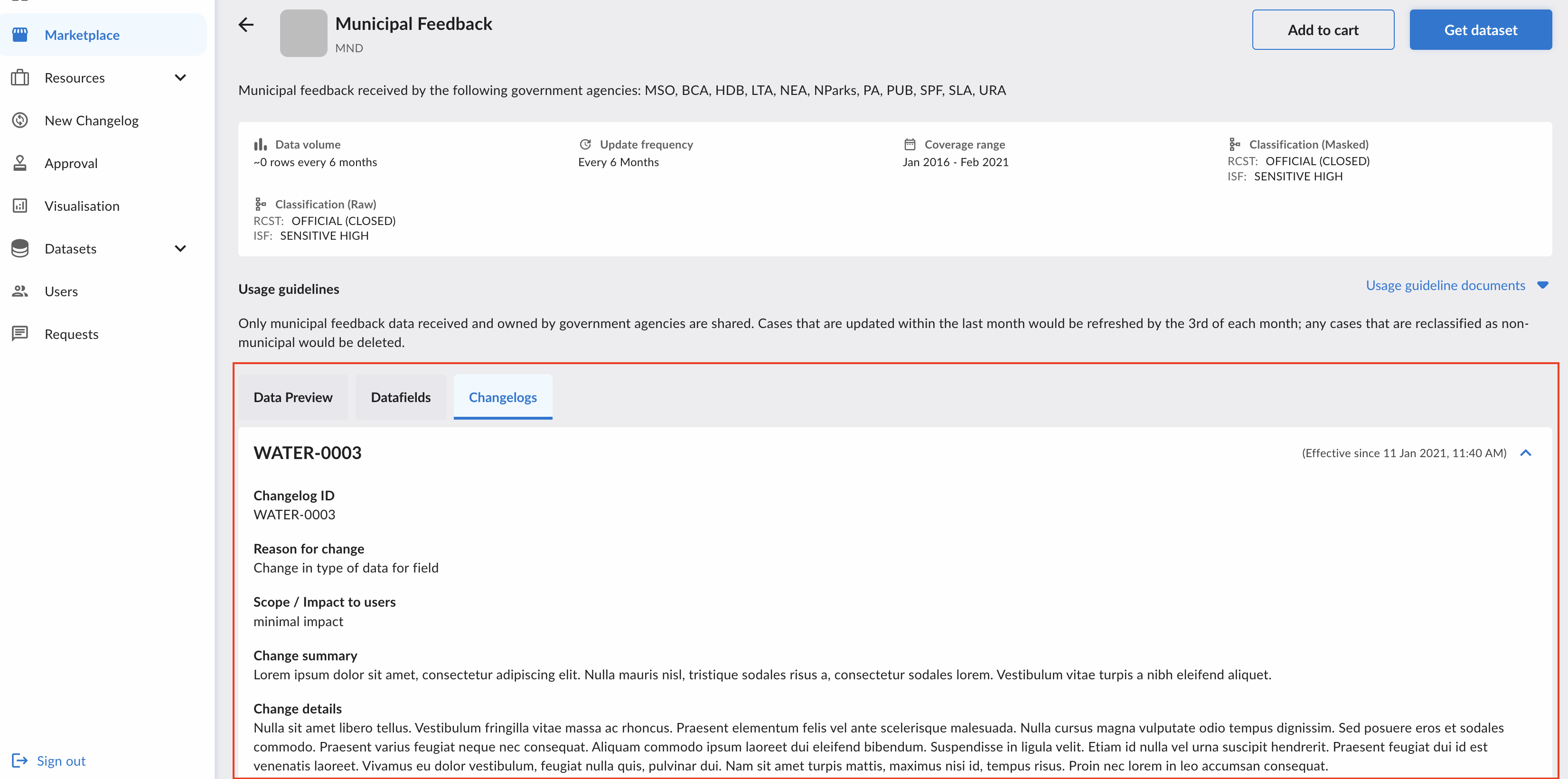
To view the changelog, navigate to DataHive for the list of Datasets. Click on the dataset to view the list of active changelog for the datasets.
Create/Edit Changelog
Only source agency (with approval rights) and Tenant Admins are allowed to create a new changelog for datasets under their purview. To create a new changelog, go to the changelog tab.
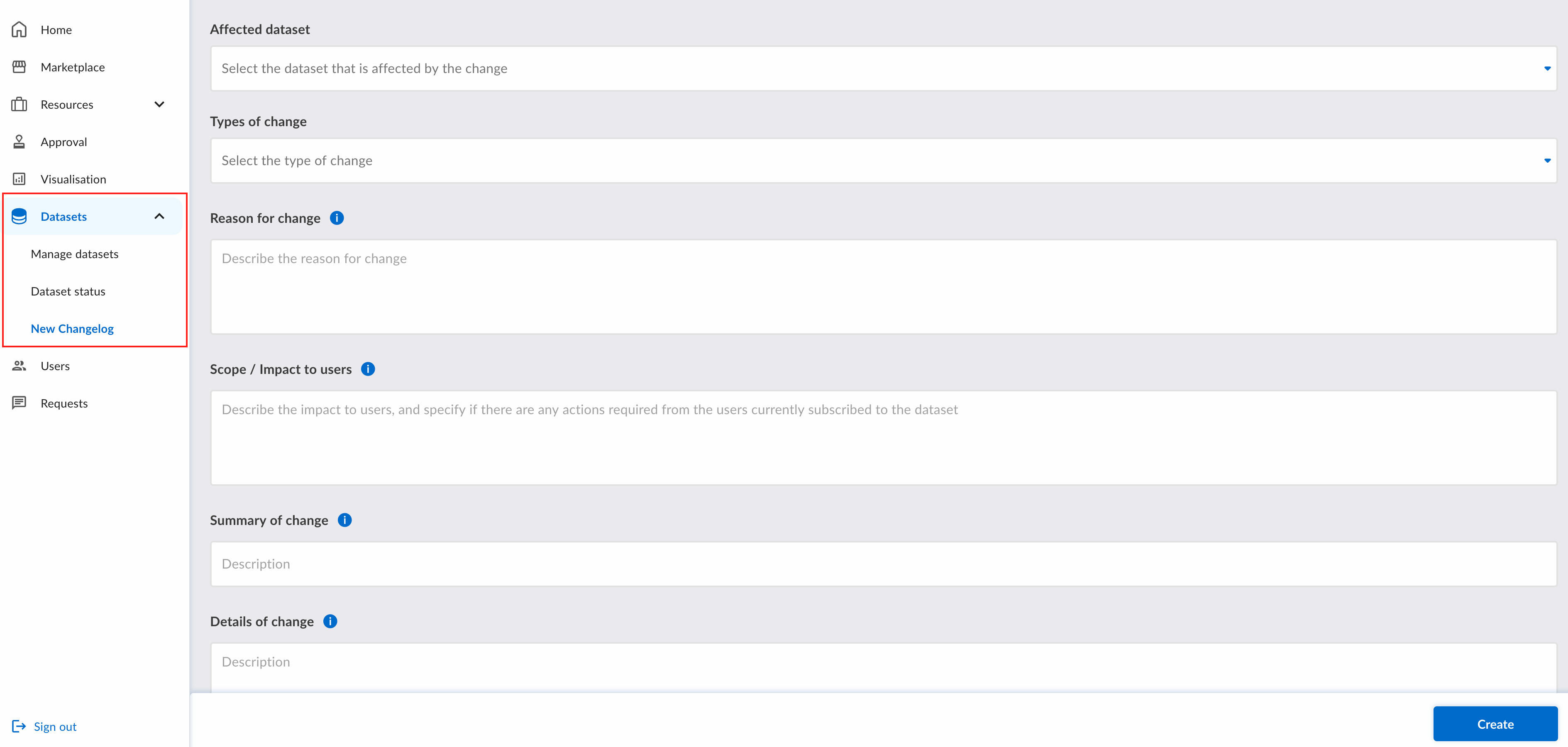
Fill in the fields and click the Create button to create the changelog. After creation, you will be redirected to the requests page.
The changelog request can be edited or withdrawn if it has not been approved or rejected.
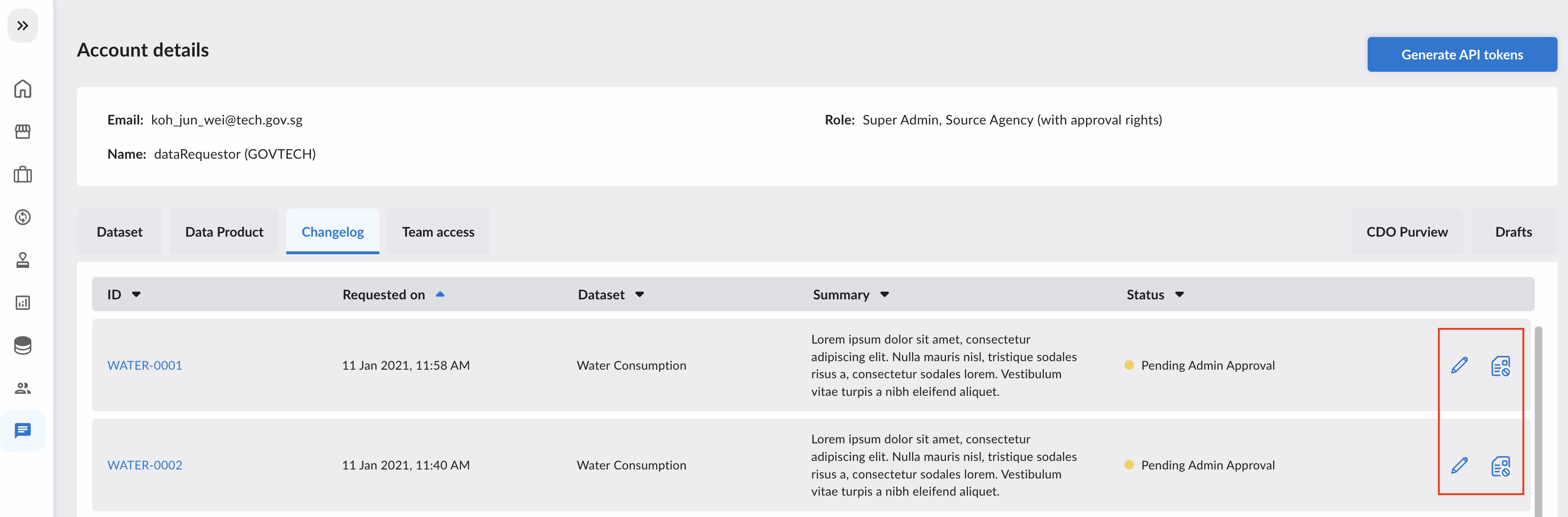
Approval & Marking Changelog as Fulfilled
This feature is only available to Tenant Admins. Under the approval tab, there will be a list of changelogs. After clicking into the changelog itself, for changelog that has pending approval, you will be shown the following. To approve/reject, click on the respective action button.
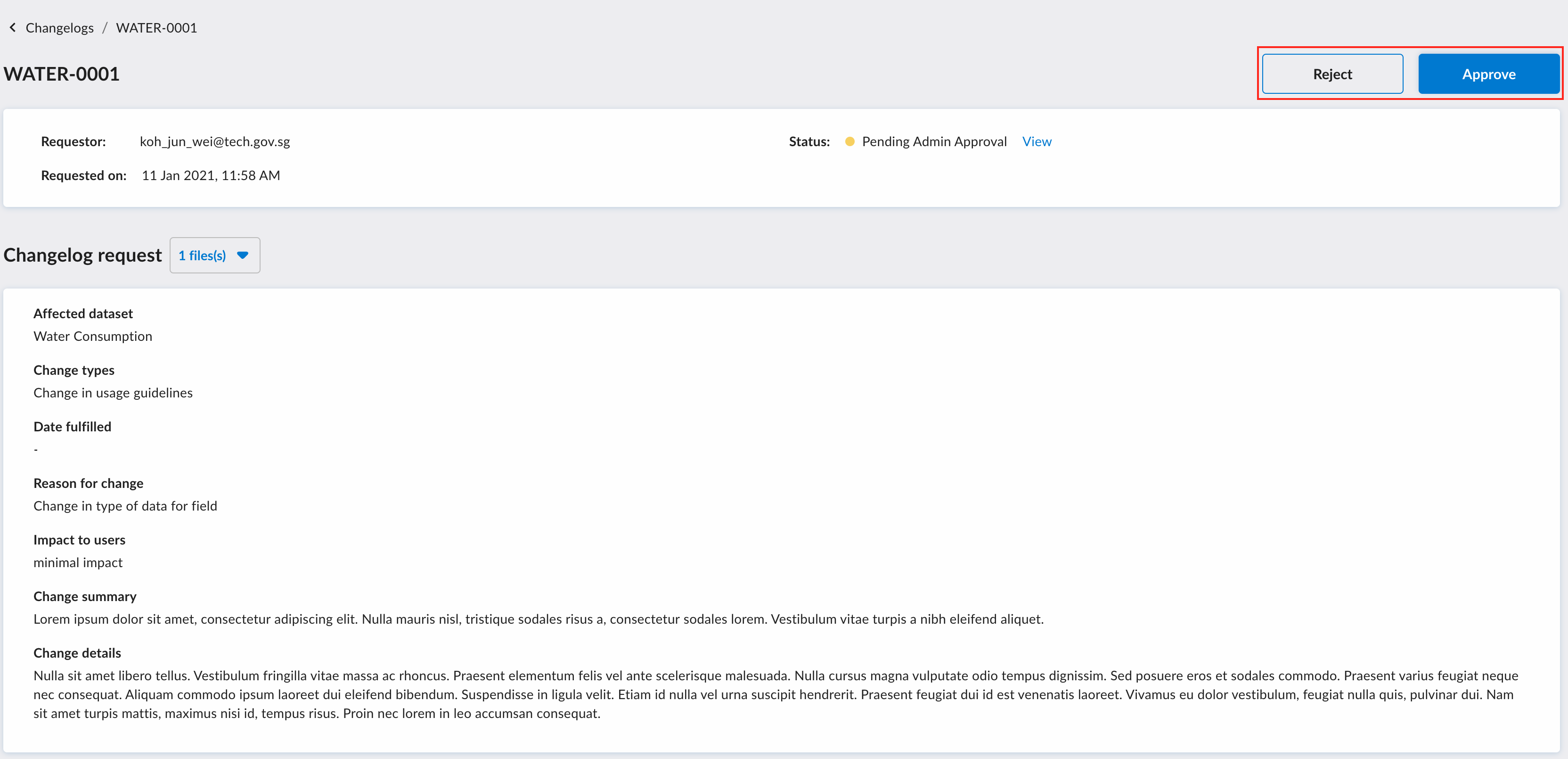
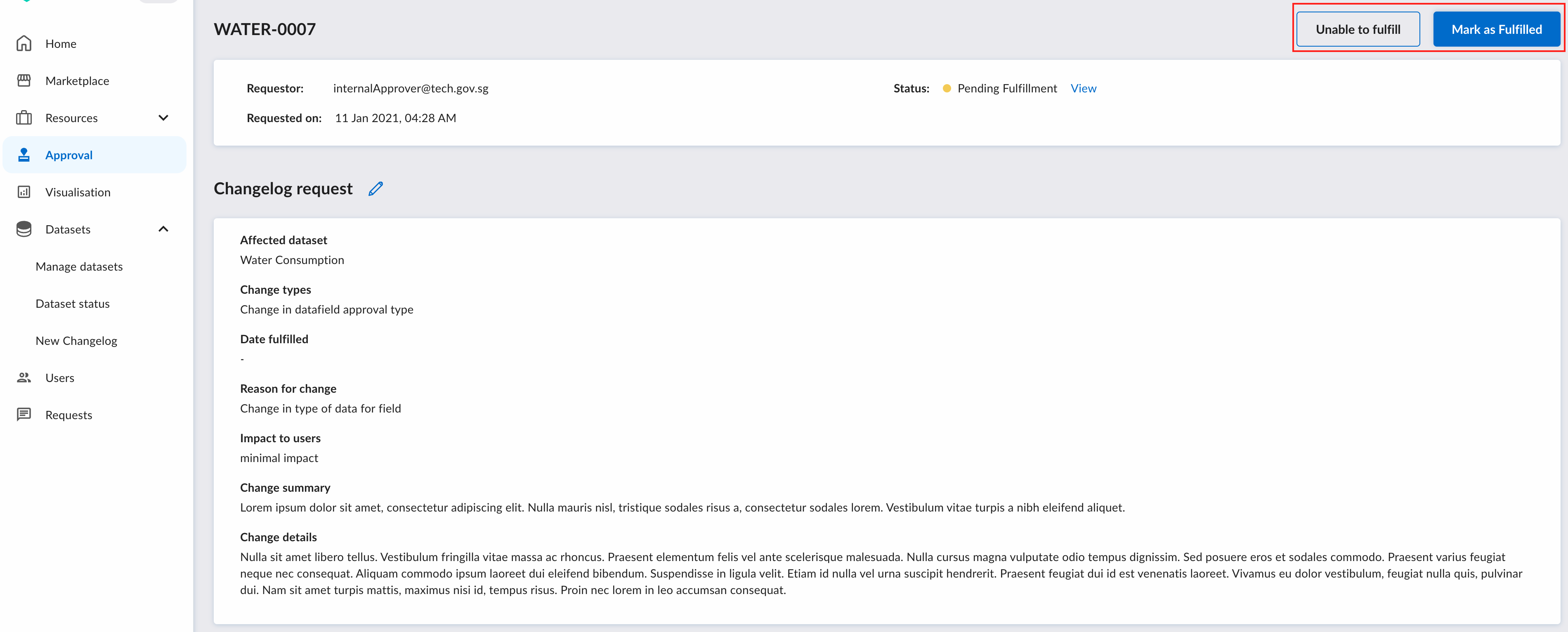
After approving, the changelog request will be pending fulfillment. In this case, arrange a time to deploy the changes to the backend, and once it is done, clicking on “Mark as Fulfilled” will send a mass email to users that are active subscribers to the dataset informing them that there is a change.
In the event when there are technical issues, you can choose to click on “Unable to fulfill”, but a reason would be required.