Onboard Dataset
You need to be assigned as Tenant Manager in order to onboard datasets. Please reach out to your CDO Team to obtain the neccessary role assignment.
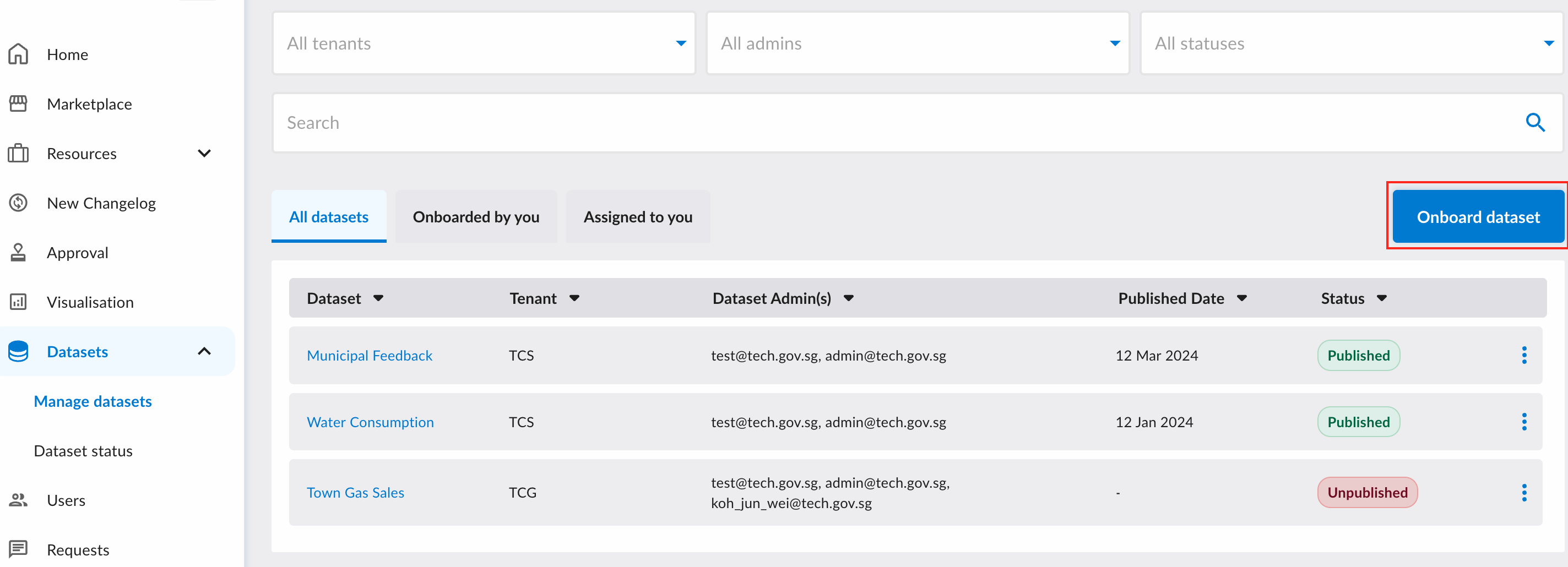
To start onboarding a new dataset, click on the "Onboard Dataset" button on the Dataset Management page.
You will be redirected to a form to fill in the basic information related to the dataset.
More crucially, you will need to assign Tenant Admins to manage the dataset (e.g., to fill in the dataset's metadata).
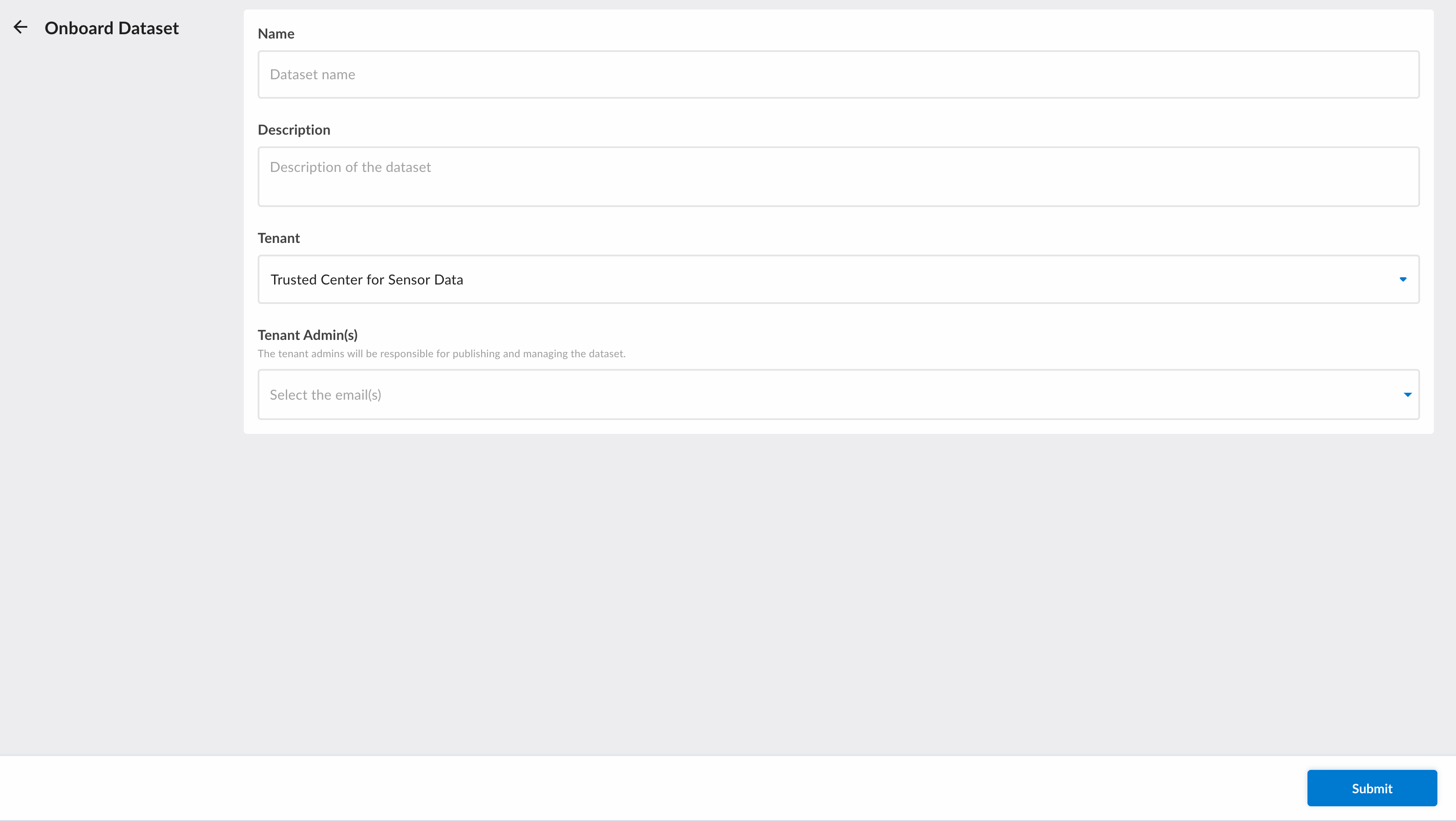
Once you have submitted the form, the assigned Tenant Admins can start filling in the dataset's metadata before publishing it.
Assign Tenant Admins after Onboarding
After onboarding of a dataset, the TM can modify the assigned Tenant Admins for the dataset.
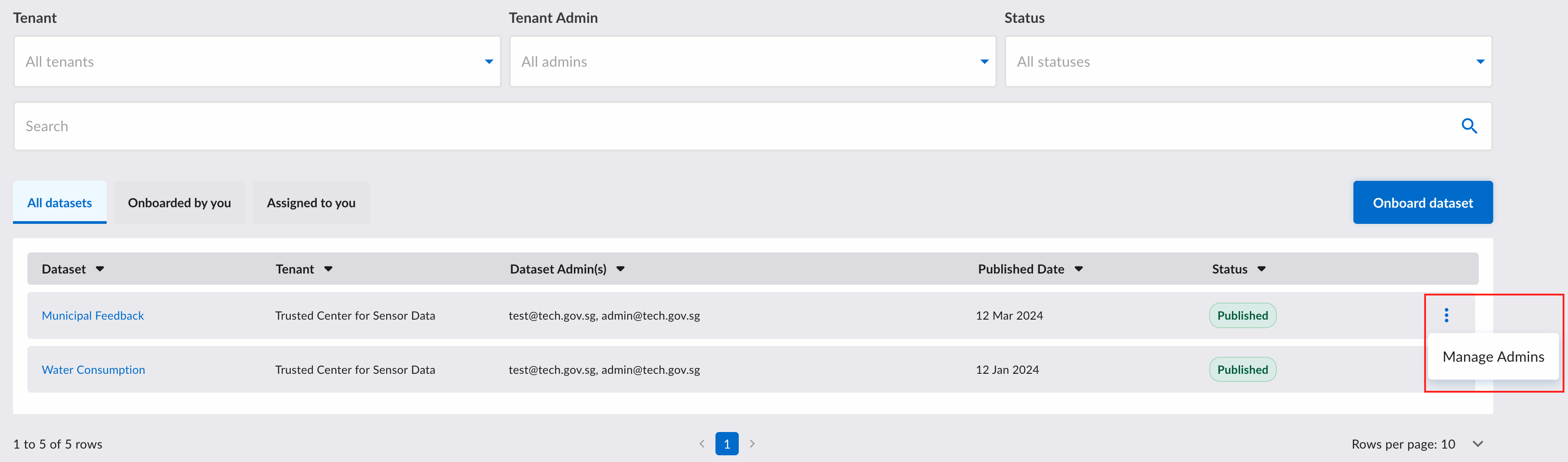
To do so, click on the ellipsis icon associated with the dataset and then click "Manage Admins".
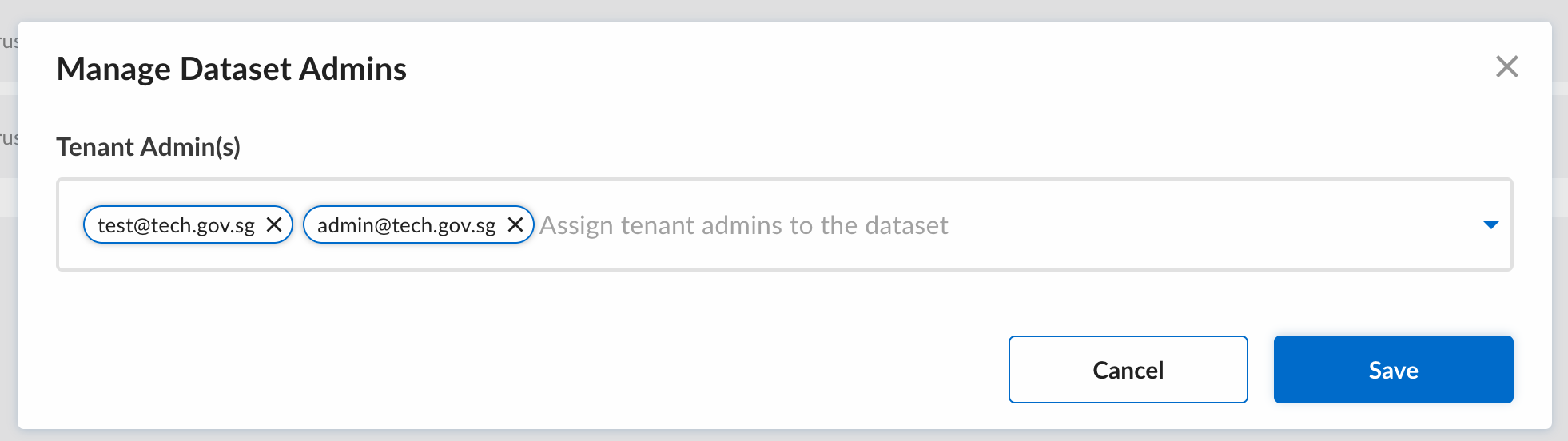
A popup will appear where you will define which users has the permission to manage the specified dataset.
If you need to assign numerous datasets to a user, refer to this guide.