Restore Dataset
info
Only Tenant Managers can restore deleted datasets.
In case the dataset was deleted by accident, it is possible to restore it within 90 days of deletion.
To restore a dataset, click on the "Deleted datasets" tab and click on the ellipsis icon associated with the dataset and then click "Restore dataset".
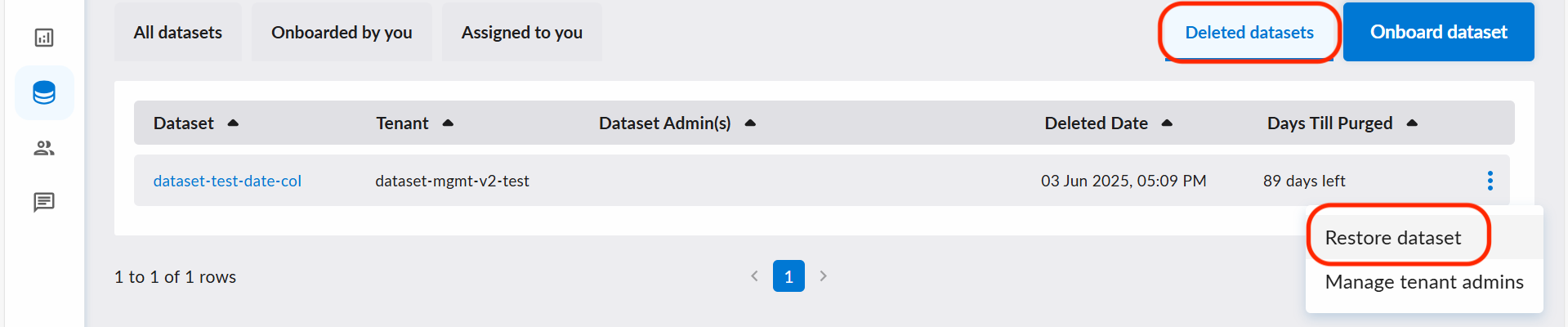
After the dataset is restored, the dataset will be recovered to "Un-published" status.
Please be reminded that only the data and metadata of the dataset can be restored, which means:
- The revoked access in data requests cannot be restored.
- The affected data product (if any) will remain undiscoverable.
- Previous changelogs and data statuses will remain deleted.