Delete Dataset
Only Tenant Admins can delete datasets. If the dataset to be deleted is published and requested in at least 1 active data request, an additional approval from a Tenant Manager is required.
Once a dataset is deleted, access to it in active data requests is immediately revoked and cannot be recovered.
Please provide ample warning to the data requestors before deleting a dataset, as far as reasonably possible.
Use Cases of Dataset Deletion
As a Tenant Admin, you may consider deleting a dataset in the following scenarios:
- The dataset was onboarded by mistake and not needed.
- The dataset has reached the end of its lifecycle.
- There is a data breach.
Please refrain from deleting a published dataset unless there is a valid reason, as this will revoke data requests' access to the dataset.
Delete Datasets
You need to be a Tenant Admin of the dataset to delete it.
To delete a dataset, in the "Manage dataset" page, click on the ellipsis icon associated with the dataset and then click "Delete dataset".

If the dataset is un-published or there are no active data requests associated with the dataset, you may click "Delete" immediately.
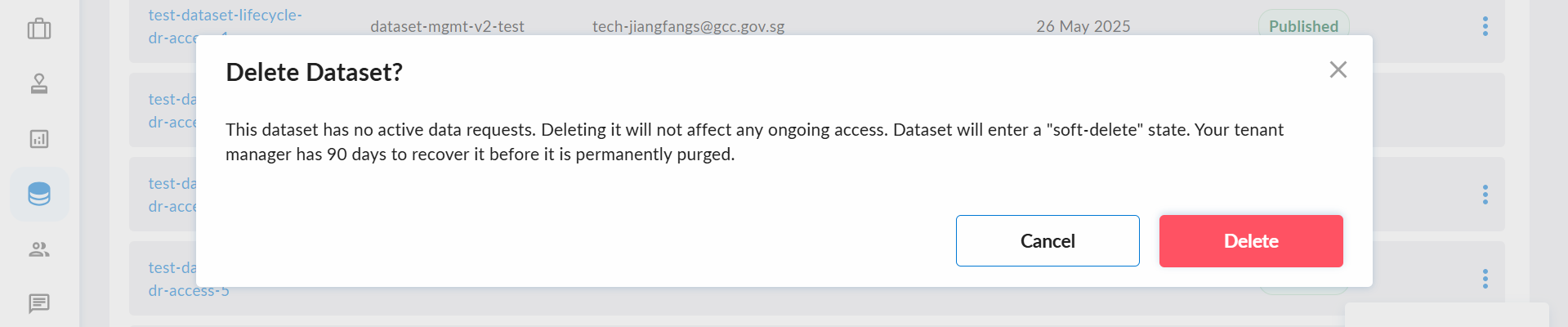
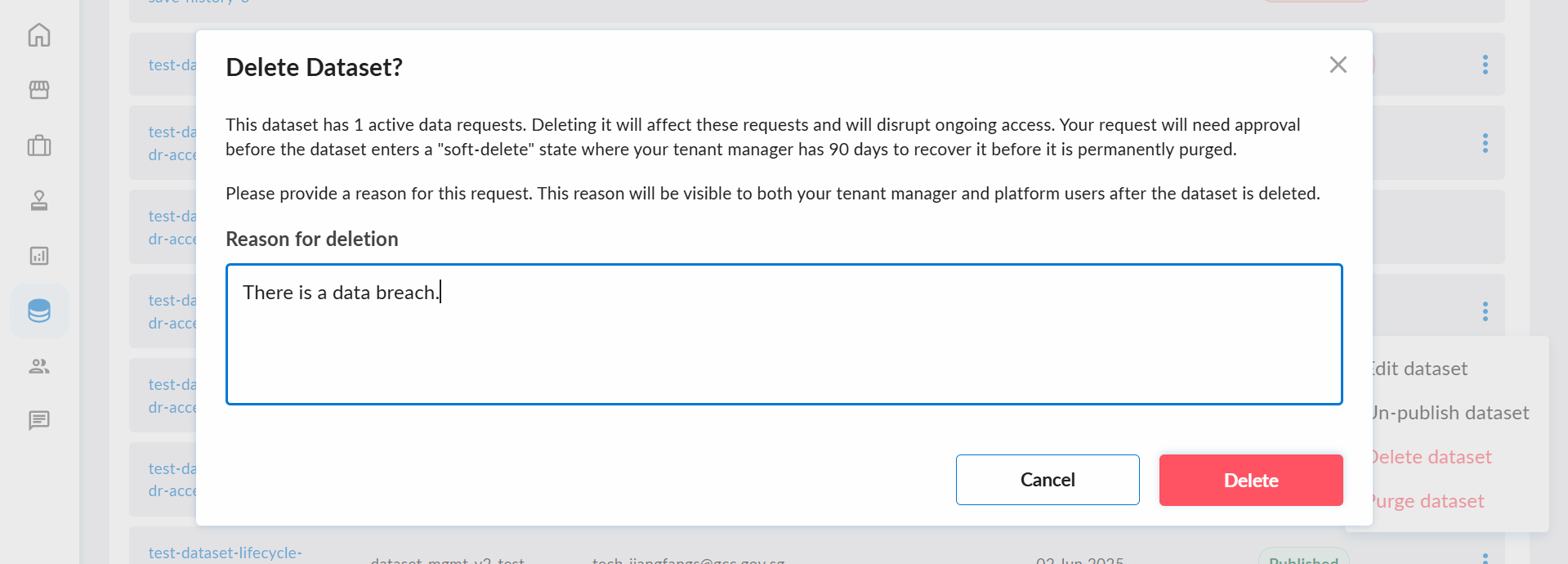
If there are active data requests associated with the dataset, you have to provide the reason for un-publishing in the textbox. Please be reminded that the reason will be visible to your Tenant Manager(s) and data requestors.
Approve or Reject Dataset Deletion
You need to be a Tenant Manager to be able to approve / reject dataset deletion.
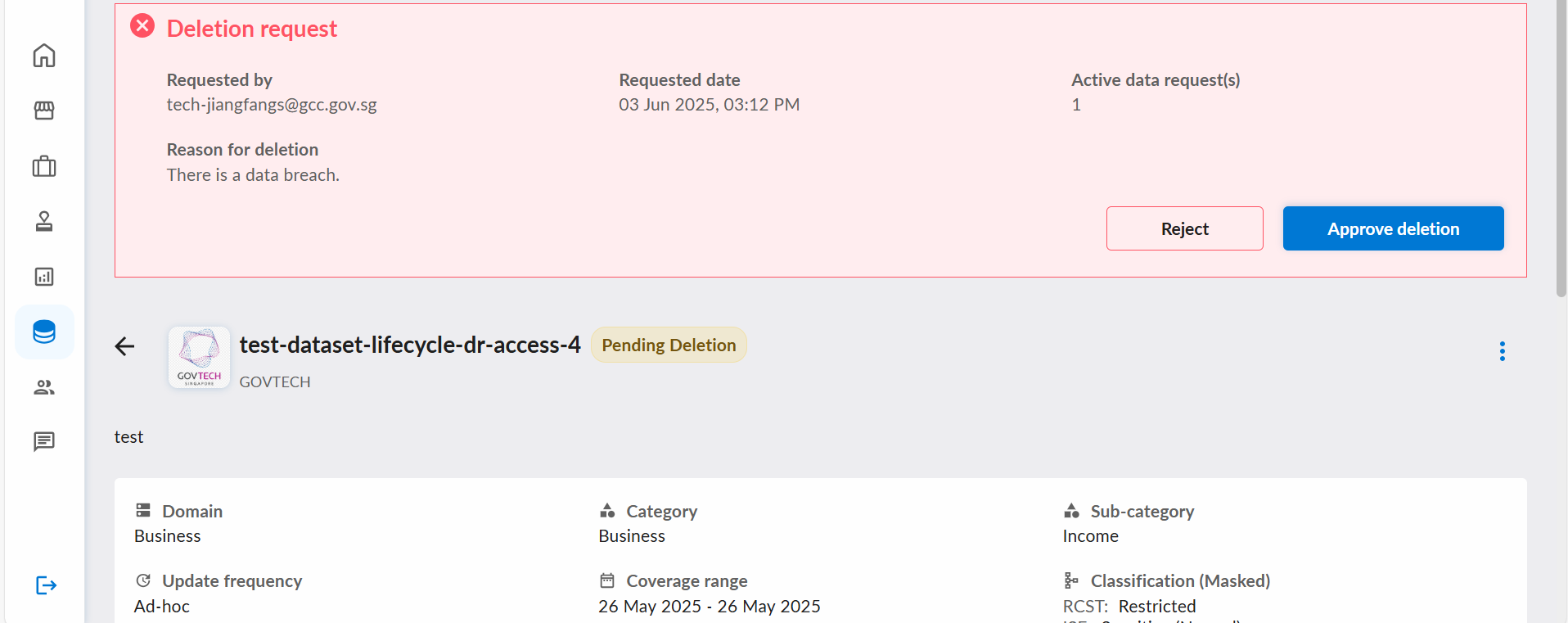
Please click on the name of the dataset with "Pending Deletion" status.

The details of the deletion request are shown at the top of the page. Please review the request carefully, especially the number of active data request(s) and the reason for deletion. The reason will be shown on the data request page once the dataset is deleted.
After reviewing the details, please click either "Reject" or "Approve deletion" to resolve the deletion request.
Impacts of Deletion
When a dataset is deleted:
- It will be removed from the "Manage datasets" page.
- It can no longer be discovered or requested by DataHive users.
- Requestors can no longer discover or request any data product that required it (as part of the data product).
- Fulfilled data requests automatically lose access to it; requestors can no longer download its data but can still access any other datasets from the same request.
- Pending data requests will be automatically rejected if it was the only dataset requested.
- Scope change requests will be rejected if they affect the dataset's scope.
- Any Changelogs and Data Statuses associated with the dataset will be deleted.
- Its data will be archived (but inaccessible) for 90 days before it is permanently purged.