Snowflake
Please note that this feature is currently in Beta and is subject to changes.
The Snowflake module of the SDK helps user access DataHive's Snowflake data warehouse.
We are currently in the process of migrating our data from Databricks to Snowflake. Hence, the data will be available in both Databricks and Snowflake environment.
Databricks users may choose to query their data from Snowflake instead of Databricks by making use of DataHive SDK Snowflake module.
Pre-requisite
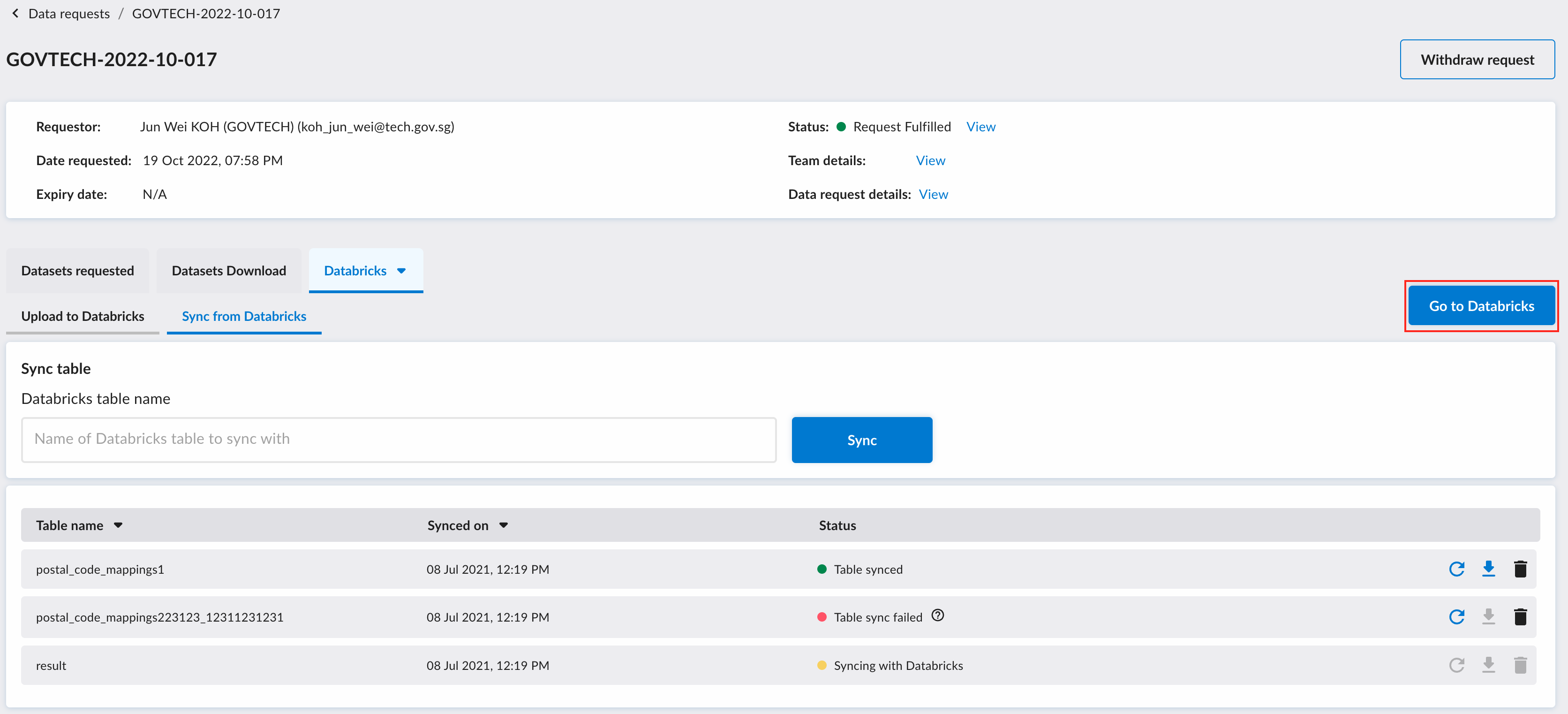
Before using the Snowflake module, you will first need to enter the Databricks environment via the DataHive web-portal by clicking on the "Go to Databricks" button.
This will start the process to propagate your credentials to the Databricks environment.
Initialise Snowflake module
Before querying Snowflake data warehouse, you need to first initialise a connection to DataHive Snowflake data warehouse.
- Function signature
- Sample usage
class Snowflake:
    def __init__(
        self, database: Optional[str] = None, sandbox: Optional[bool] = False
    ) -> None:
        """
        An instance of the Snowflake class represents a connection to one Snowflake database.
        If you want to query the data for your data request, please insert your data request ID as the database.

        Parameters
        ----------
            database (Optional[str]): The name of the database to connect to. If you do not know the database name,
            you can leave it empty and use the list_databases method to see list of databases that you can access.

            sandbox (Option[str]): Whether you want to query the sandbox environment. Only applicable in the stg env.
        """
from datahive.warehouse import Snowpark
sf = Snowpark("GOVTECH-2023-01-001")
Set database to use
- Function signature
- Sample usage
def use_database(self, database: str) -> None:
    """
    Will rebuild the existing Snowflake connection based on the defined database.

    Args:
        database: The database to be connected to
    """
from datahive.warehouse import Snowpark
sf = Snowpark()
sf.use_database("DATA_REQUESTS")
Set role to use
- Function signature
- Sample usage
def use_role(self, role: str) -> None:
    """Specifies the active/current primary role for the session.

    Args:
        role: the role name.
    """
from datahive.warehouse import Snowpark
sf = Snowpark()
sf.use_role("GOVTECH_2023_01_001")
Set schema to use
Uses with access to Databricks will have access to the WORKSPACE schema that can be found in the database associated with their data request.
- Function signature
- Sample usage
def use_schema(self, schema: str) -> None:
    """Specifies the active/current schema for the session.
    Args:
        schema: The schema name.
    """
from datahive.warehouse import Snowpark
sf = Snowpark()
sf.use_schema("GOVTECH-2023-01-001")
Set warehouse to use
- Function signature
- Sample usage
def use_warehouse(self, warehouse: str) -> None:
    """Specifies the active/current warehouse for the session.
    Args:
        warehouse: the warehouse name.
    """
from datahive.warehouse import Snowpark
sf = Snowpark()
warehouse = sf.show_warehouses().first()['name']
sf.use_warehouse(warehouse)
Retrieve accessible databases
- Function signature
- Sample usage
def show_databases(self) -> DataFrame:
    """
    Returns a list of databases that your account has access to.
    """
from datahive.warehouse import Snowpark
sf = Snowpark("DATA_REQUESTS")
display(sf.show_databases())
Retrieve accessible views
- Function signature
- Sample usage
def show_views(self) -> DataFrame:
    """
    Returns a list of views in the defined database in which your account has access to.
    Please ensure you have defined the database before using this method.
    """
from datahive.warehouse import Snowpark
sf = Snowpark("GOVTECH-2023-01-001")
display(sf.show_views())
Retrieve accessible warehouse
- Function signature
- Sample usage
def show_warehouses(self) -> DataFrame:
    """
    Returns a list of warehouses that your current account & role has access to.
    """
from datahive.warehouse import Snowpark
sf = Snowpark("GOVTECH-2023-01-001")
display(sf.show_warehouses())
Execute SQL command
- Function signature
- Sample usage
def sql(self, query_str: str) -> DataFrame:
    """
    Returns a new DataFrame representing the results of a SQL query.
    You can use this method to execute a SQL statement. Note that you still
    need to call :func:`DataFrame.collect` to execute this query in Snowflake.

    Args:
        query: The SQL statement to execute.

    Documentation:
    https://docs.snowflake.com/developer-guide/snowpark/reference/python/api/snowflake.snowpark.Session.sql.html
    """
from datahive.warehouse import Snowpark
sf = Snowpark("GOVTECH-2023-01-001")
display(
  sf.sql("SELECT * FROM PUB_WATER_CONSUMPTION LIMIT 10")
)
Query table
- Function signature
- Sample usage
def table(self, table_name: Union[str, Iterable[str]]) -> DataFrame:
    """
    Returns a Table that points to the specified table.

    Args:
        name: A string or list of strings that specify the table name or
            fully-qualified object identifier (database name, schema name, and table name).

        Note:
            If your table name contains special characters, use double quotes to mark it like this,
            ``session.table('"my table"')``.
            For fully qualified names, you need to use double quotes separately like this,
            ``session.table('"my db"."my schema"."my.table"')``.
            Refer to `Identifier Requirements
            <https://docs.snowflake.com/en/sql-reference/identifiers-syntax.html>`_.

    Documentation:
    https://docs.snowflake.com/developer-guide/snowpark/reference/python/api/snowflake.snowpark.Session.table.html
    """
from datahive.warehouse import Snowpark
sf = Snowpark("GOVTECH-2023-01-001")

# Access table via table reference
display(sf.table("PUB_WATER_CONSUMPTION"))
# Access table via fully qualified name: [database_name, schema_name, table_name]
display(sf.table(["GOVTECH_2023_01_001", "PUBLIC", "PUB_WATER_CONSUMPTION"]))
Convert Panda dataframe to Snowflake dataframe
- Function signature
- Sample usage
def create_dataframe(
    self,
    data: Union[List, Tuple, "pandas.DataFrame"],
    schema: Optional[Union[SfStructType, List[str]]] = None,
) -> DataFrame:
    """Creates a new DataFrame containing the specified values from the local data.
    If creating a new DataFrame from a pandas Dataframe, we will store the pandas
    DataFrame in a temporary table and return a DataFrame pointing to that temporary
    table for you to then do further transformations on. This temporary table will be
    dropped at the end of your session. If you would like to save the pandas DataFrame,
    use the :meth:`write_pandas` method instead.

    Args:
        data: The local data for building a :class:`DataFrame`. ``data`` can only
            be a :class:`list`, :class:`tuple` or pandas DataFrame. Every element in
            ``data`` will constitute a row in the DataFrame.
        schema: A :class:`~snowflake.snowpark.types.StructType` containing names and
            data types of columns, or a list of column names, or ``None``.
            When ``schema`` is a list of column names or ``None``, the schema of the
            DataFrame will be inferred from the data across all rows. To improve
            performance, provide a schema. This avoids the need to infer data types
            with large data sets.

    Documentation:
    https://docs.snowflake.com/developer-guide/snowpark/reference/python/api/snowflake.snowpark.Session.createDataFrame.html
    """
from datahive.warehouse import Snowpark
from snowflake.snowpark.types import IntegerType, StringType, StructField

sf = Snowpark("GOVTECH-2023-01-001")
schema = StructType([StructField("a", IntegerType()), StructField("b", StringType())])
display(sf.create_dataframe([[1, "snow"], [3, "flake"]], schema).collect())
Convert Snowflake dataframe to Panda dataframe
- Function signature
- Sample usage
Please note that this function is depreciated. Please use snowflake_df.toPandas() instead.
def dfToPandas(self, df: DataFrame) -> "pandas.Dataframe":
    """A replacement method for `snowflake.snowpark.Dataframe.toPandas` which will not work in
    Databricks environment. This function Will convert the defined ``df`` into pandas DataFrame.

    Ags:
        df: The Snowflake DataFrame instance to be converted into pandas DataFrame.
    """
from datahive.warehouse import Snowpark

sf = Snowpark("GOVTECH-2023-01-001")
sf.dfToPandas(
  sf.table("PUB_WATER_CONSUMPTION").limit(10)
).show()
- Function signature
- Sample usage
def dfToPandas(self, df: DataFrame) -> "pandas.Dataframe":
    """A replacement method to `snowflake.snowpark.Dataframe.toPandas` which will not work in
    Databricks environment. This function Will convert the defined ``df`` into pandas DataFrame.

    Ags:
        df: The Snowflake DataFrame instance to be converted into pandas DataFrame.
    """
from datahive.warehouse import Snowpark

sf = Snowpark("GOVTECH-2023-01-001")
sf.dfToPandas(
  sf.table("PUB_WATER_CONSUMPTION").limit(10)
).show()
Write data from Databricks to Snowflake
Users are only permitted to write data to the schema within the database associated with their data request.
Here is the sample code to do so:
from datahive.warehouse import Snowpark

schema = role = "GOVTECH_2020_01_001" # change this accordingly
database = "DATA_REQUESTS"
sf = Snowpark(database)
sf.use_role(role)
sf.use_schema(schema)

# Read data from Databricks
result_df = spark.table("default.mock_data") # change this accordingly
result_panda_df = result_df.toPandas()

# Write data to Snowflake
sf.session.write_pandas(
  df=result_panda_df,
  table_name="RESULTS_FROM_DBRICKS",
  schema=schema,
  auto_create_table=True
)