Features
The Occupancy Classification Data Product provides various in-portal features as follows:
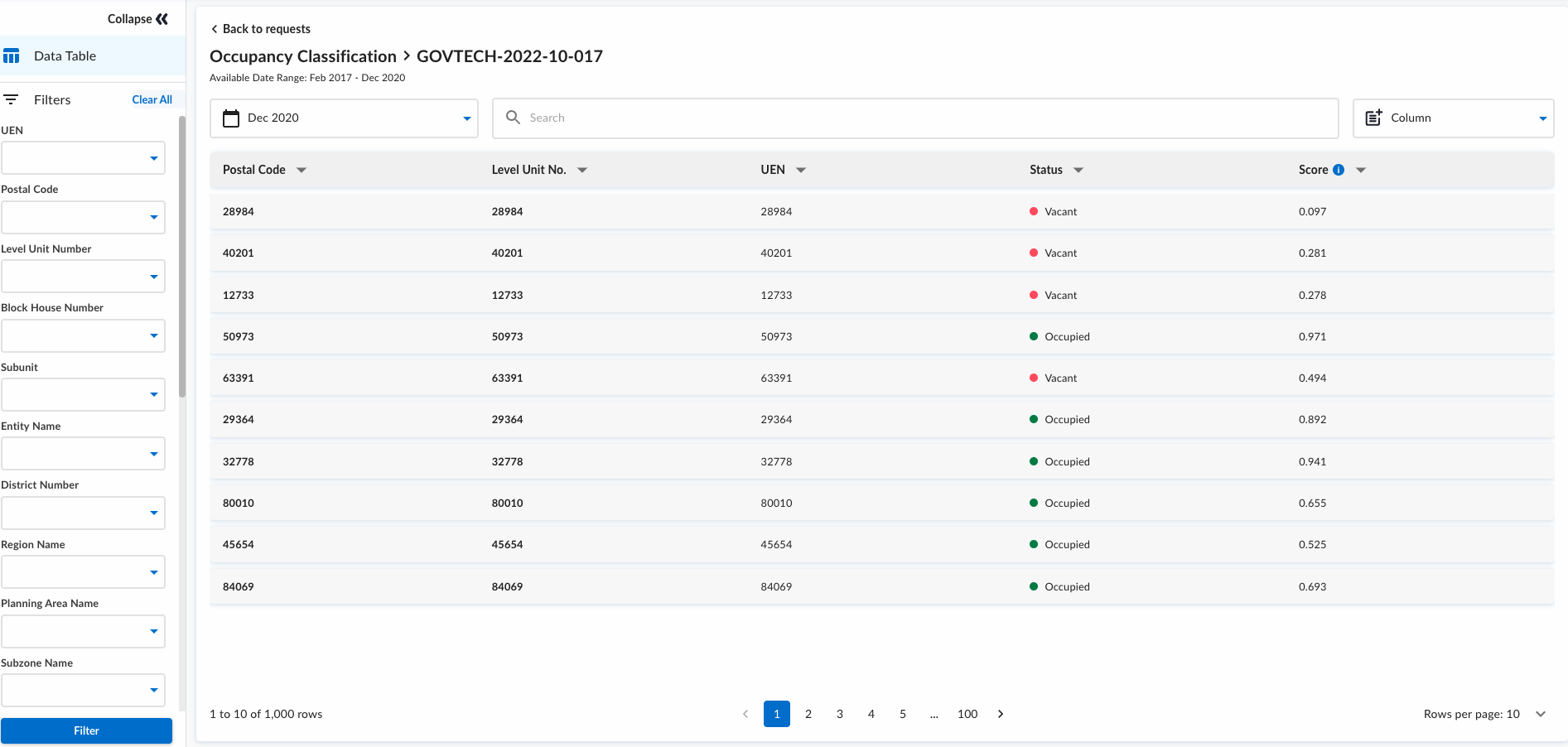
Data Table
In the table visualisation, you can quickly drill down on a set of data you are interested in, with filtering, search and sorting functionality to help to find the data you need.
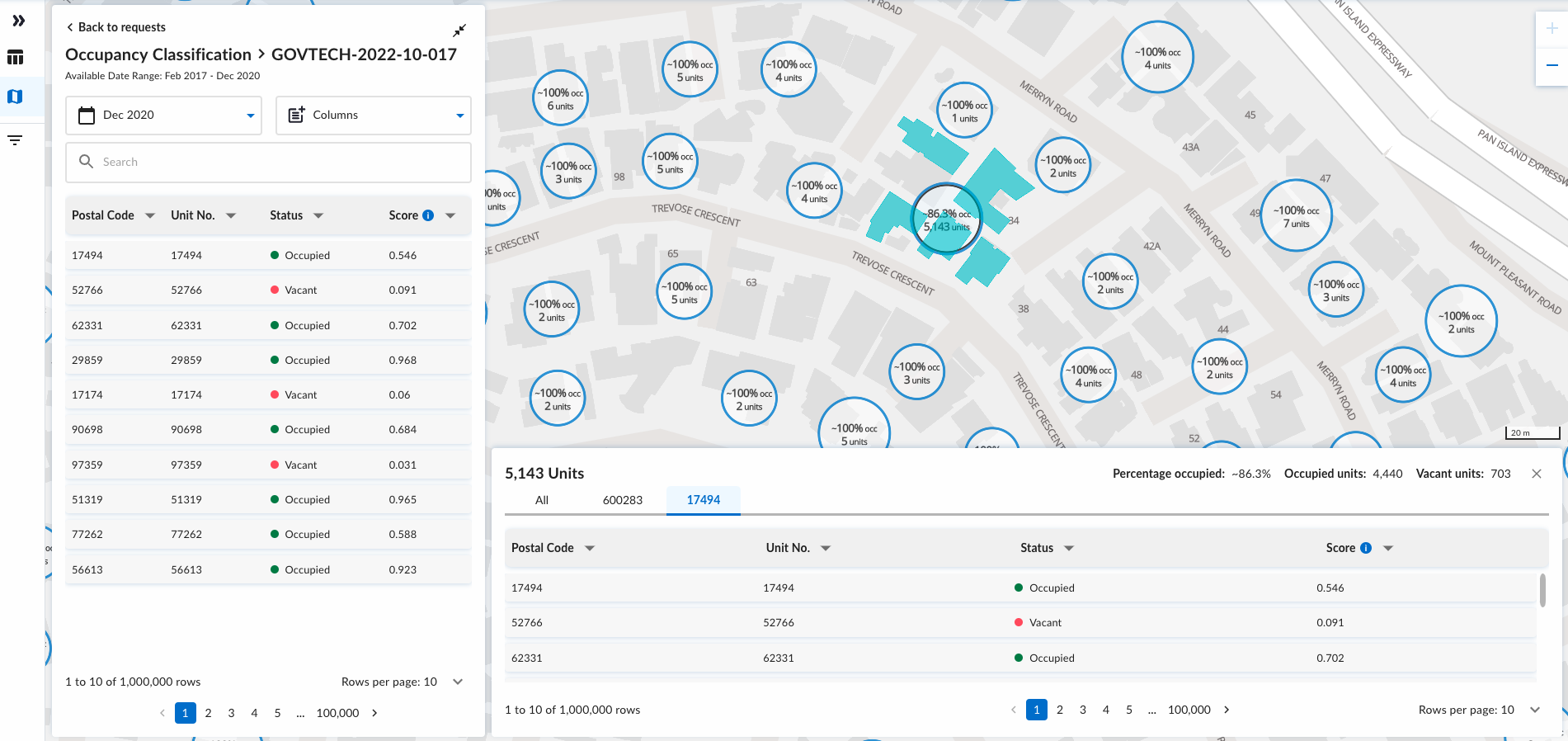
Map
In the map visualization, you will be presented with a geospatial view of the occupancy statuses on the map. This would be useful in assisting planners to prioritize the areas of interest when conducting inspections and planning routes.
Please note that the more recent postal codes in our data might not be displayed on the map. This discrepancy occurs due to a delay in updating the postal code address points on our map layer.
Postal code that starts with '0000' will also be excluded from the map as they are considered to be dummy postal codes.
Charts
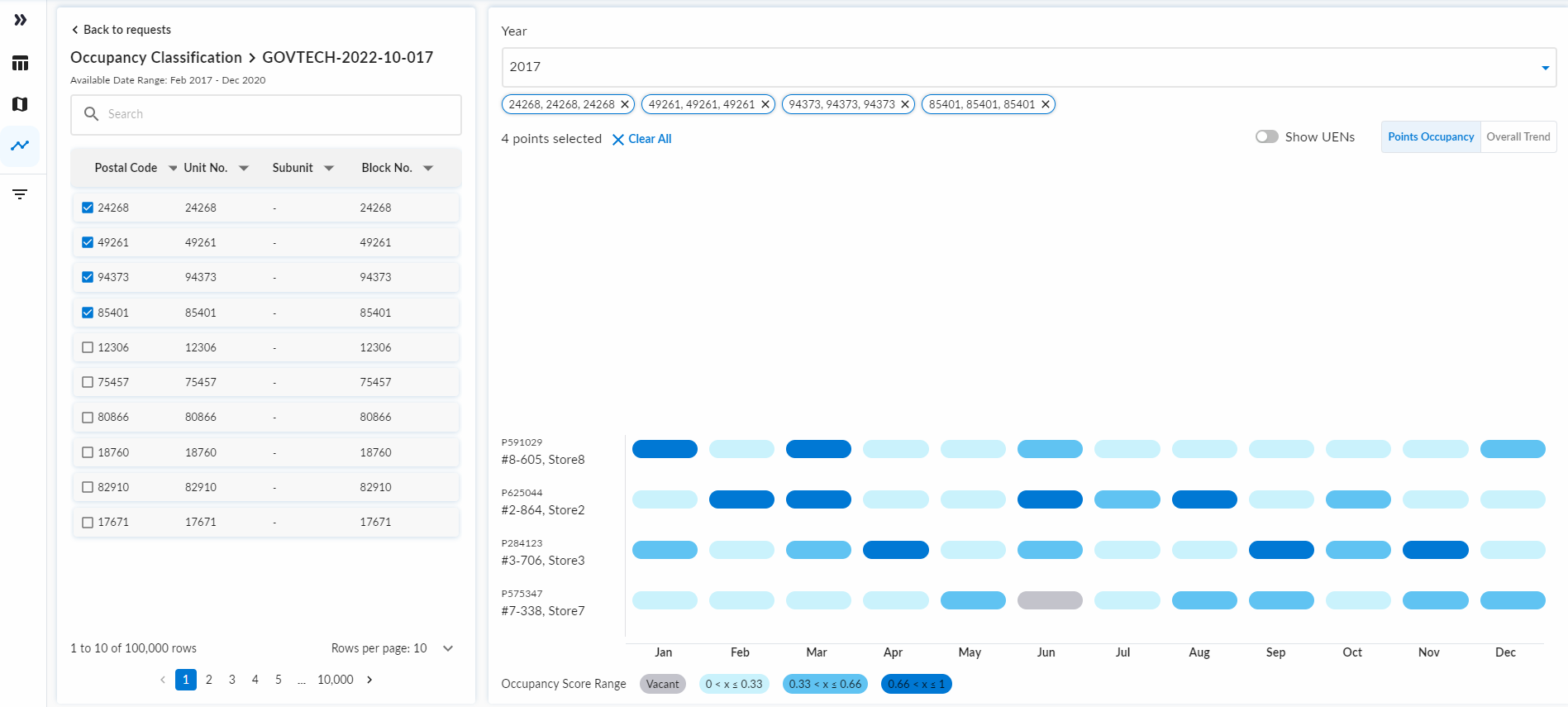
Simple Gantt Chart
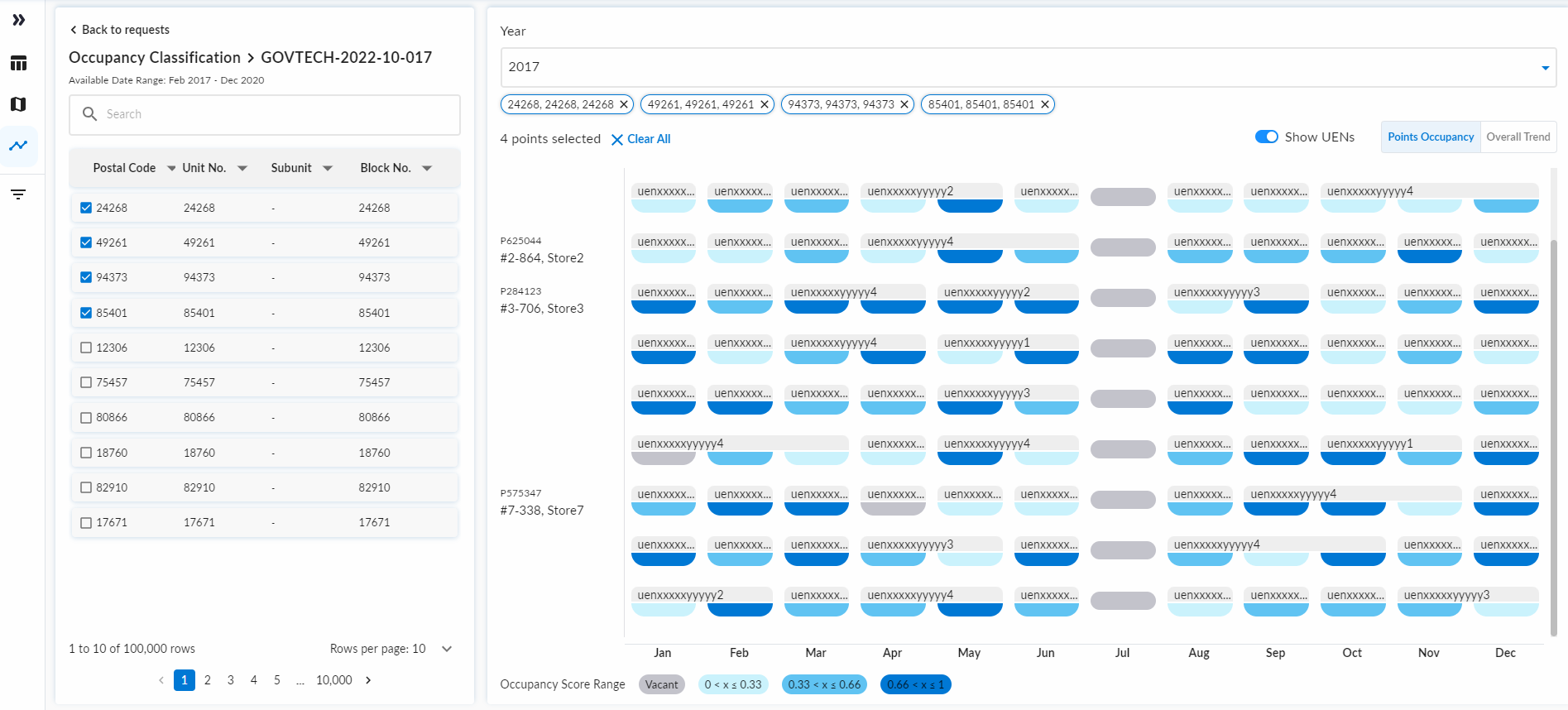
This chart displays the occupancy status for selected premises chosen from the sidebar table. Each premise is presented as a row showing its postal code, unit, subunit, and block number. Multiple premises may be selected to be displayed against each other for comparison across the year.
This visualization describes the occupancy patterns using 3 colour coded bins for categorisation: 1. Zero-to-low Occupancy: score below 0.33 2. Moderate Occupancy: score between 0.33 and 0.66 3. High Occupancy: score above 0.66
Postal code that starts with '0000' are excluded from the Gantt chart as they are considered to be district-level postal codes, which are non-specific to a single location with geospatial coordinates.
Detailed Gantt Chart
For users who require to identify ownership or changes in tenant of the premise units, a toggle button is available on the top right of the interface to display individual business units (UENs) and residential account transitions. This functionality will expand the rows of the Gantt chart to include UEN information and the entity name, where applicable.
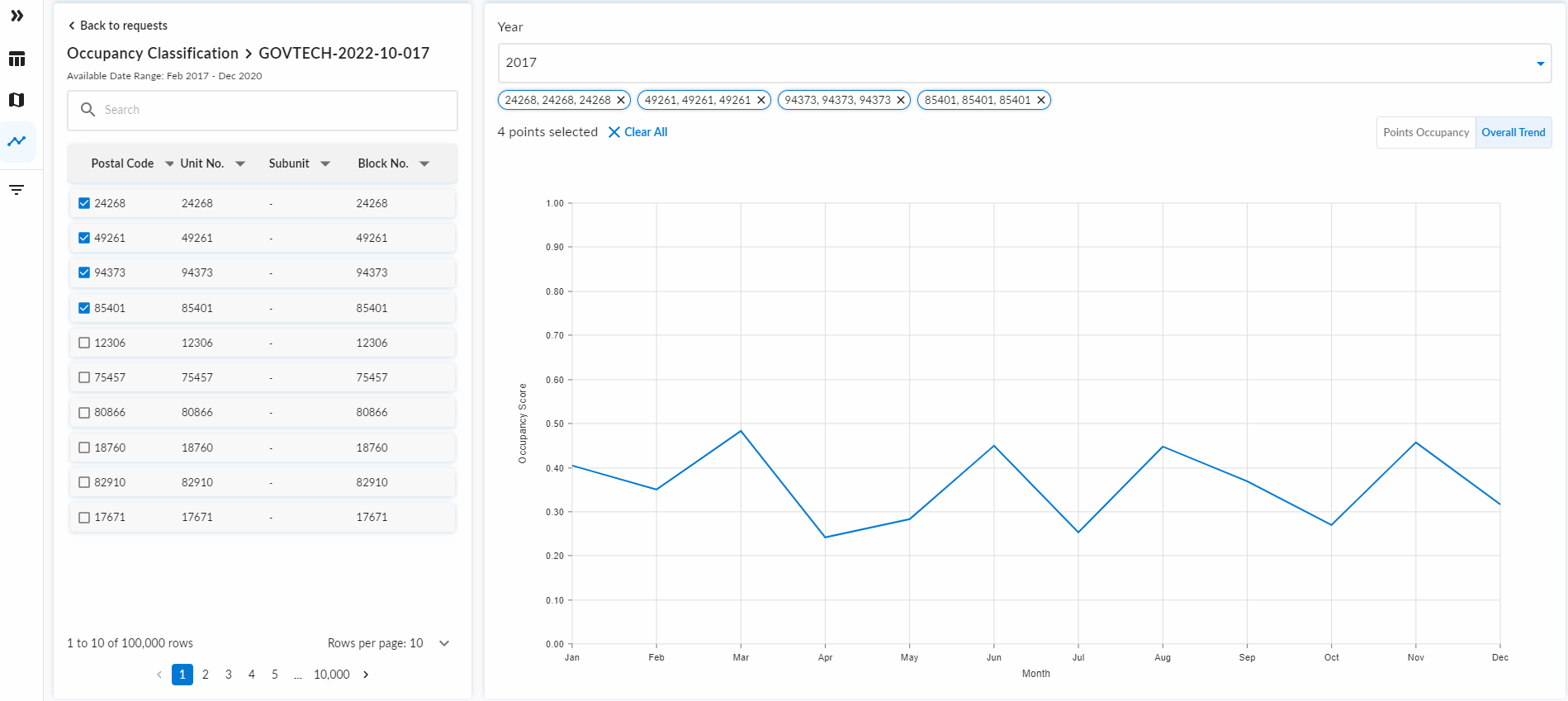
Overall Trend Line
Overall trend line chart is provided on a separate tab. This line chart displays the average occupancy score of all selected premises from the sidetable.